EasyManua.ls Logo

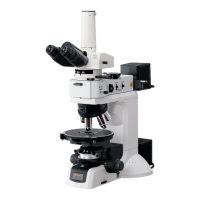
Nikon Eclipse LV100POL - User Manual

Nikon Eclipse LV100POL
65 pages
Print Icon
To Next Page IconTo Next Page
Loading...
Polarizing Microscope
ECLIPSE LV100POL
Instructions
M357 E 05.9.NF.1

Table of Contents

Questions and Answers

  • R
    Ronald WrightAug 1, 2025
    Why is the image from my Nikon Eclipse LV100POL Microscope invisible, vignetted, or uneven in brightness?
    • M
      Melissa JohnsonAug 1, 2025
      The image might be invisible, vignetted, or uneven in brightness due to several reasons. It could be that the lamp or nosepiece isn't correctly installed, a filter is in an intermediate position, the field diaphragm is stopped down too far, the Bertrand lens is in the optical path, the P-CL, P-CS, or P-CQ plate is not correctly inserted, the dummy, polarizer, or analyzer slider is in an intermediate position. Also check the bright-field/dark-field illumination selector lever, the condenser position, and the cleanliness of the condenser's upper surface. Ensure the optical path selector lever is set correctly to 100% (or 20%).
  • R
    Robert SanchezAug 9, 2025
    What to do if the lamp flickers or brightness is unstable on my Nikon Eclipse LV100POL Microscope?
    • C
      cwatkinsAug 9, 2025
      If the lamp flickers or its brightness is unstable, first ensure the power supply is properly plugged into the wall outlet and connected to the microscope. Also, confirm that the cable of the lamp house is securely connected to the microscope. Check if a lamp is attached and that it is not blown. Using the correct, specified lamp is also important. Securely connect all power cords and cables.
  • A
    Ashley PughAug 15, 2025
    How to fix uneven focus on a Nikon Eclipse LV100POL Microscope?
    • B
      Barbara LopezAug 16, 2025
      To fix uneven focus, start by opening the aperture diaphragm to a suitable size. Ensure that the lens, eyepiece, filter, and specimen are clean. Verify that you are using the correct objective for the microscopy and that the nosepiece is properly attached. Also, check if the stage is tilting or if the microscope is not on a flat surface. Centering the condenser might also solve the problem.
  • T
    Thomas MillerAug 25, 2025
    Why am I seeing dirt or dust in the viewfield of my Nikon Eclipse LV100POL?
    • S
      Shane MichaelAug 25, 2025
      If you see dirt or dust in the viewfield, it's likely that there is dirt or dust on the lens, eyepiece, filter, or specimen. Another potential cause is an unclean upper surface of the condenser. Cleaning these components should resolve the issue.

Summary

WARNING and CAUTION Symbols

WARNING Symbol

Disregarding instructions with this symbol may lead to serious injury or death.

CAUTION Symbol

Disregarding instructions with this symbol may lead to injury or property damage.

Caution for Heat

Warning about hot lamp house and precautions to prevent burns.

WARNING

Do Not Disassemble

Advises against disassembling the product to prevent hazards and malfunctions.

Read the Instructions Carefully

Emphasizes careful reading of manuals and warnings for safe operation.

Heat from the Light Source

Warns about hot lamp house and fire risk, and provides precautions to avoid burns.

CAUTION

Do Not Wet the Microscope

Advises on precautions if the microscope gets wet to prevent short circuits and damage.

Cautions on Moving the Microscope

Details safe practices for moving the microscope, including handling heavy components.

Cautions on Lamp Replacement

Provides detailed precautions for safe and proper lamp replacement, including cooling time.

II Microscopy

Diascopic Bright-field Microscopy

Step-by-step guide for performing diascopic bright-field microscopy.

Orthoscopic Observation

Procedure for orthoscopic observation using polarized light for optical properties.

Conoscopic Observation

Procedure for conoscopic observation to study optical characteristics.

III Operation of Each Part

Power ON;OFF

Instructions for turning the microscope and illumination lamp on and off.

Coarse Focus Knob; Fine Focus Knob Operation

Explanation of focus knob operation, torque adjustment, and stopper functions.

Focusing and Centering the Condenser

Steps to focus and center the condenser for optimal illumination and image quality.

Adjusting the Aperture Diaphragm

How to adjust the aperture diaphragm for bright-field and orthoscopic microscopy for resolution and contrast.

Centering the Objective

Procedure for aligning the objective's optical path with the stage center for polarization microscopy.

Oil Immersion Operation

Guide for using oil immersion objectives and proper cleaning of oil residue.

IV Assembly

V Troubleshooting

Viewing Problems and Control Problems

Solutions for issues related to invisible, vignetted, or uneven viewfields and control problems.

Electrical System Problems

Solutions for electrical issues such as lamp not lighting or unstable brightness.

Nikon Eclipse LV100POL Specifications

General IconGeneral
BrandNikon
ModelEclipse LV100POL
CategoryMicroscope
LanguageEnglish

Related product manuals