Fehler! Verwenden Sie die Registerkarte 'Start', um Title;Title dem Text zuzuweisen, der hier angezeigt werden soll. |
12 | 04.10.2021 | Page 37
12.4 Setting date and time
- ▼ key arrow down
- Press ESC
- Select service mode (
▼ key arrow
down, ESC)
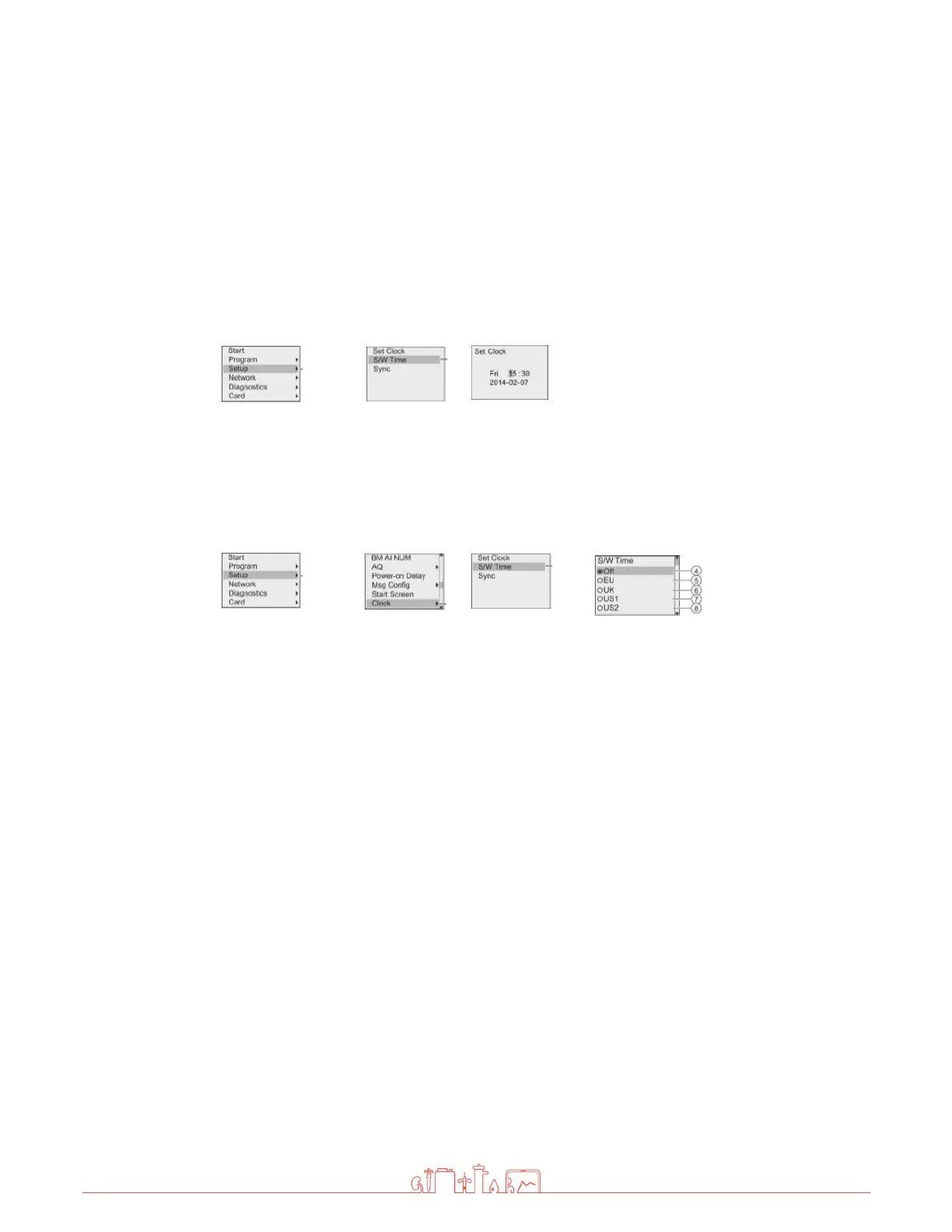
- LOGO Settings <ENTER> Setup <ENTER> Clock <ENTER> Set Clock <ENTER>
- Set the time and date with the arrow keys <ENTER
- To exit press ESC 5x and ▲ arrow key up
12.5 Summer / winter time
- Select service mode (▼ arrow key down, ESC)
- LOGO Settings <ENTER> Setup <ENTER> Clock<ENTER>S/W Time – Select the S/W
Time
– "
": disables automatic S/W time conversion.
– "
" represents the start and end of European summertime.
– "⑥" represents the start and end of summertime in the United Kingdom.
– "⑦" represents the start and end of daylight-
saving time (summertime) in the
United States prior to 2007.
– "⑧" represents the start and end of daylight-saving time (summertime) in the
United States in 2007 and later years.
– "⑨" represents the start and end of Australian summertime.
– "⑩" represents the start and end of Australian/ Tasmanian summertime.
– "⑪" represents the start and end of New Zealand summertime.
– "
": Here you can enter any month, day and time zone difference.
To exit press ESC 5x and
▲ arrow key up



 To Next Page