Fehler! Verwenden Sie die Registerkarte 'Start', um Title;Title dem Text zuzuweisen, der hier angezeigt werden soll. |
12 | 04.10.2021 | Page 38
12.6 Auto Start (Timer)
Select service mode
Logo settings < ENTER > Program < ENTER > Set parameters
< ENTER > Select parameter B040<ENTER>
To exit press ESC 5x and
▲ arrow key up
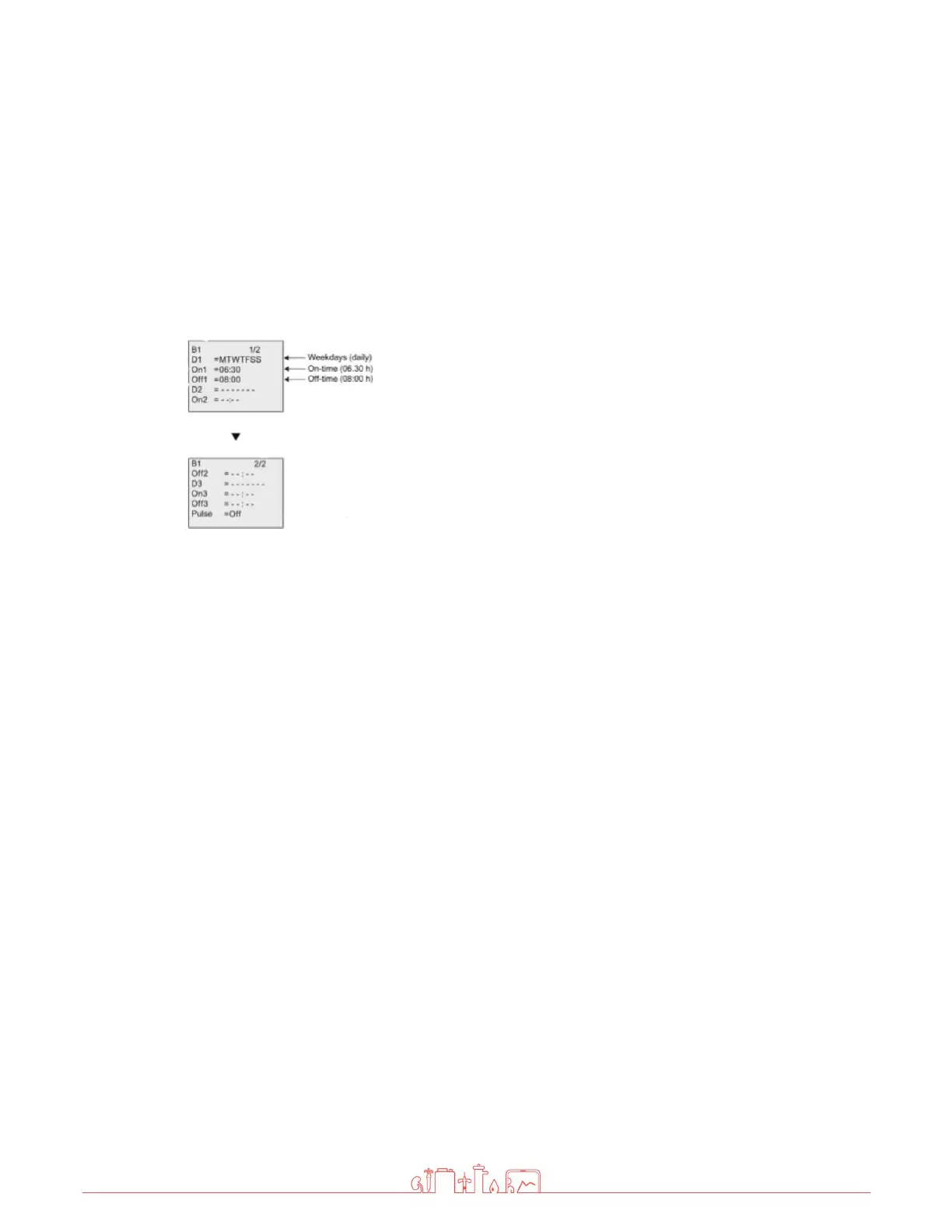
To set the on-/off-times:
-Move the cursor to one of the parameters of the timer.
-Press ENTER. The cursor is positioned on the day of the week.
-Press up and down key to select one or several days of the week.
-
Press right arrow key to move the cursor to the first position of the
on-time.
-Set the on-time.
Modify the value at the respective position, using the up and down
keys and move to the cursor to the various positions, using the
right and left arrow keys.
At the first position, you can only select the value - -:- - (- -:- -
means: No on-/off-times set).
-
Press right arrow key to move the cursor to the first position of the
off-time.
-Set the off-time
-Confirm your entries with ENTER
The prefix "D=" (Day) has the following meaning: ● M: Monday ● T: Tuesday ● W: Wednesday ● T:
Thursday ● F: Friday ● S: Saturday ● S: Sunday
Uppercase letters indicate a specific day of the week. A "-" indicates no selection for the day of the week.



 To Next Page