© 2005-2016 Nira Control AB 53
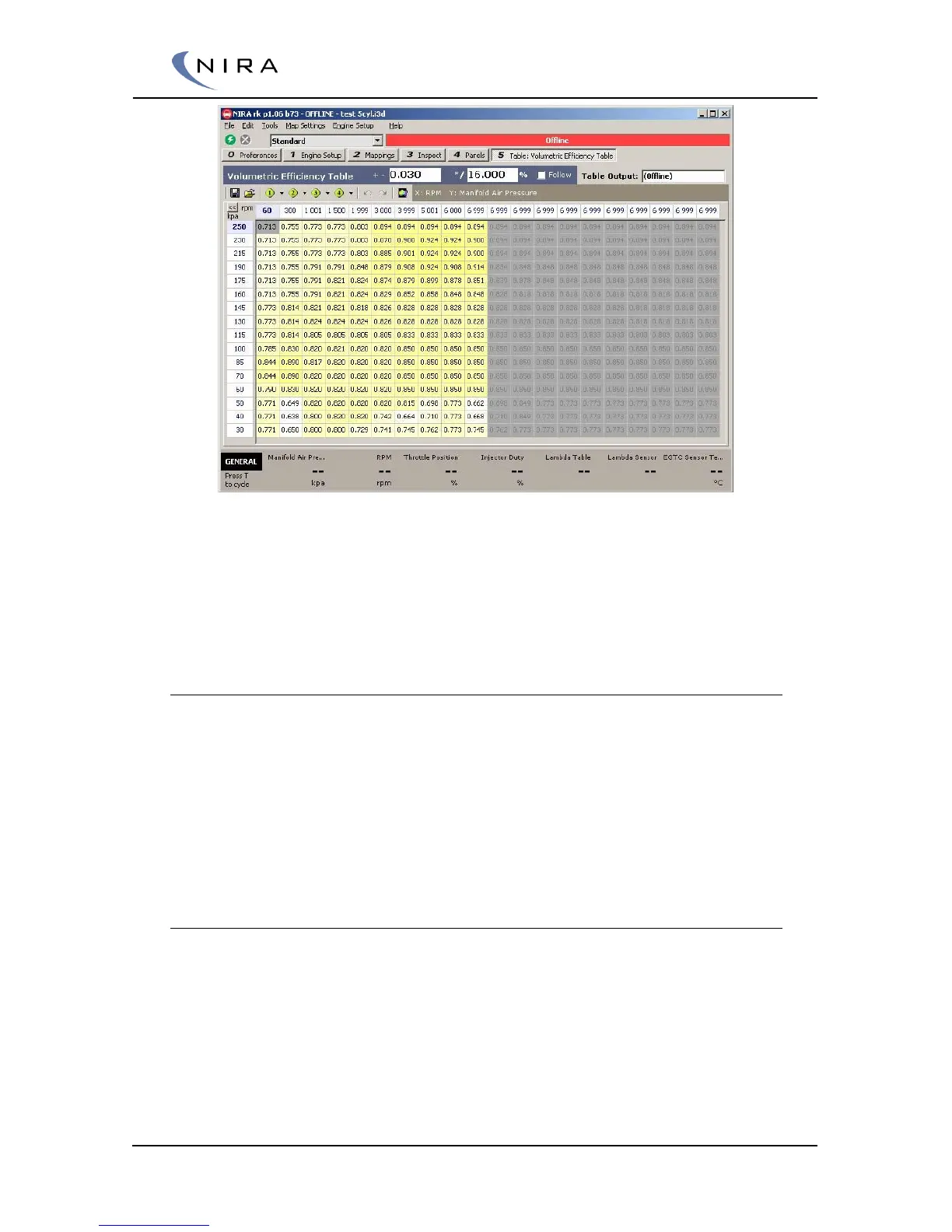
Picture 4-11: A two-dimensional table; it uses rpm and MAP as input variables.
A two-dimensional table uses two input signals; one on the x-axis and one on
the y-axis. The output signal is a function of both input signals, e.g. rpm and
MAP.
4.4.8 Editing Tables
To edit tables, double-click on the parameter name or highlight the name
and hit Enter. A new tab will open up displaying the table contents.
As always, F2 opens a window that lists all possible functions in this view.
There are multiple ways of changing table values. One way is to edit the
content of each individual cell. Right-clicking on a table cell opens up a menu
listing different options for editing the value.
Changing Multiple Cells
To edit multiple cells simultaneously, or have a formula affect multiple cells,
the cells first have to be highlighted. See picture 4-13 below. Highlighting is
done by holding down the left mouse button while moving the mouse, or by
holding down the Shift-key while using the arrow keys to select the cells.


 To Next Page