© 2005-2016 Nira Control AB 54
Increasing/Decreasing Cell Values
A simple, straightforward way of working with cell values is to use the +, –, *
and / keys.
Picture 4-12: Enter the delta/ratio increase/decrease for the +, -, * and / keys.
The boxes above the table show the absolute increase/decrease of the cell
values (for the + or – keys) or the %-age increase/decrease of the cell values
(for the * or / keys.) In the case above, the value would increase with 0.1 if you
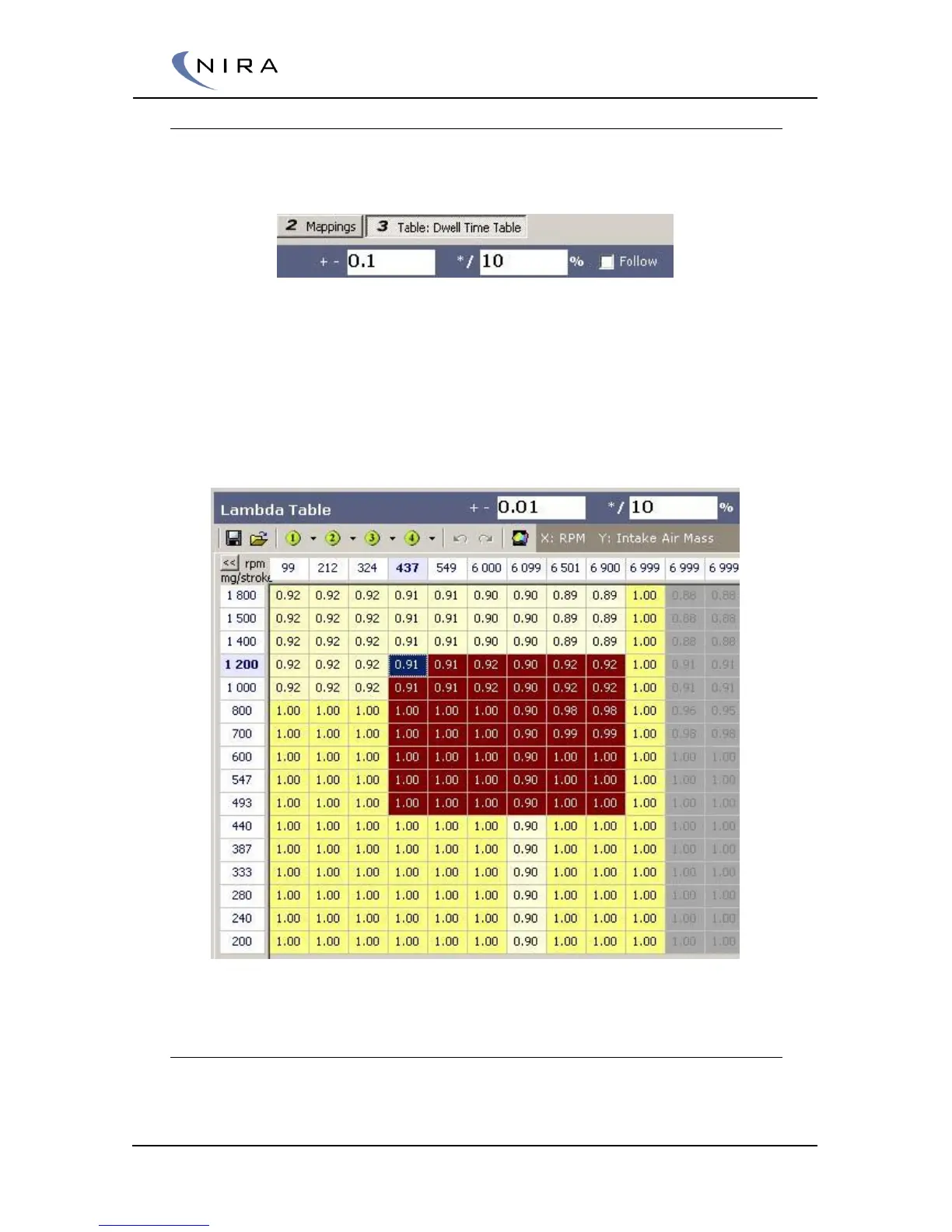
hit the + key and increase 10% if you hit * key. If multiple cells are
highlighted, they will all be affected.
Picture 4-13: Highlighting multiple cells in a table.
Filling Cells
If multiple cells are highlighted, they can be filled with the same value using a
few different techniques.



 To Next Page