© 2005-2016 Nira Control AB 58
Graphical View
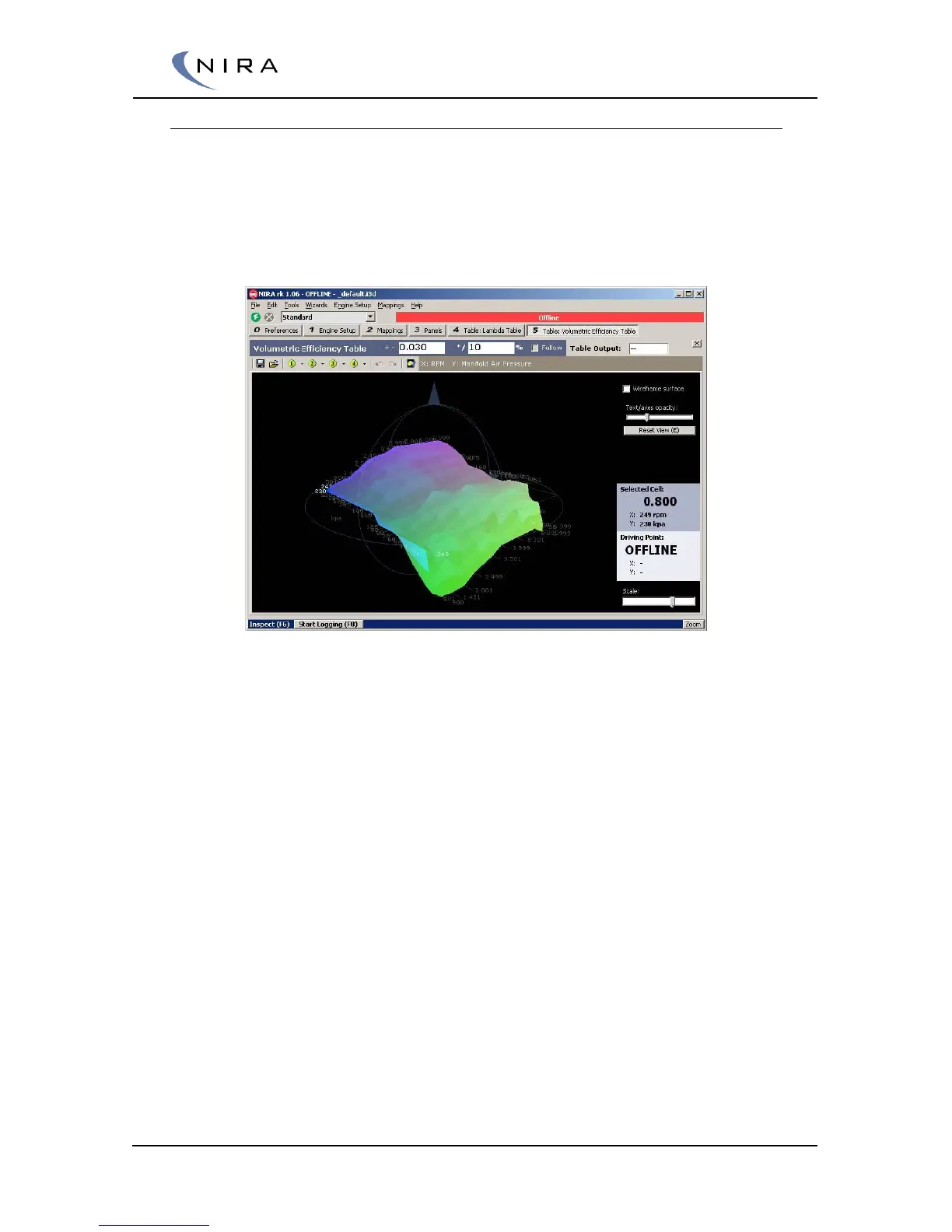
By hitting the F5 key (NumPad: Ins) you can switch to a graphical view of a
table.
The graphical presentation is different for one-dimensional tables and multi-
dimensional tables. Picture 4-17 below shows an example of the graphical
view of a multi-dimensional table where the two axes create a 3-D surface.
Picture 4-17: F5 or the "Toggle Graphics"-button switches to a graphical view of the table.
This is a multi-dimensional table.
One-dimensional tables are shown as graphs. In the graph, the x-axis
represents the axis cells and the y-axis represents the table cells.


 To Next Page