Warning
Make sure that the robot is properly installed on a rm surface with enough clearance to
avoid shocks and collisions. (Refer to Range of motion of the robot (index.html#robot-
workspace))
It is strictly forbidden to put your fingers and hands in the joints of the robot when it is in motion.
Manual mode- FreeMotionManual mode- FreeMotion
This mode is used to move the joints of the robot by hand in order to put the robot back in the required
position. This mode is activated either by pressing and holding the FreeMotion button located on the
control panel (index.html#control-panel) or by pressing and holding the button available on the Niryo
Studio programming interface (index.html#advanced-programming) .
Warning
Be careful not to put your ngers and hands in the joints or openings of the robot during
FreeMotion mode.
Take great care when moving the robot by hand.
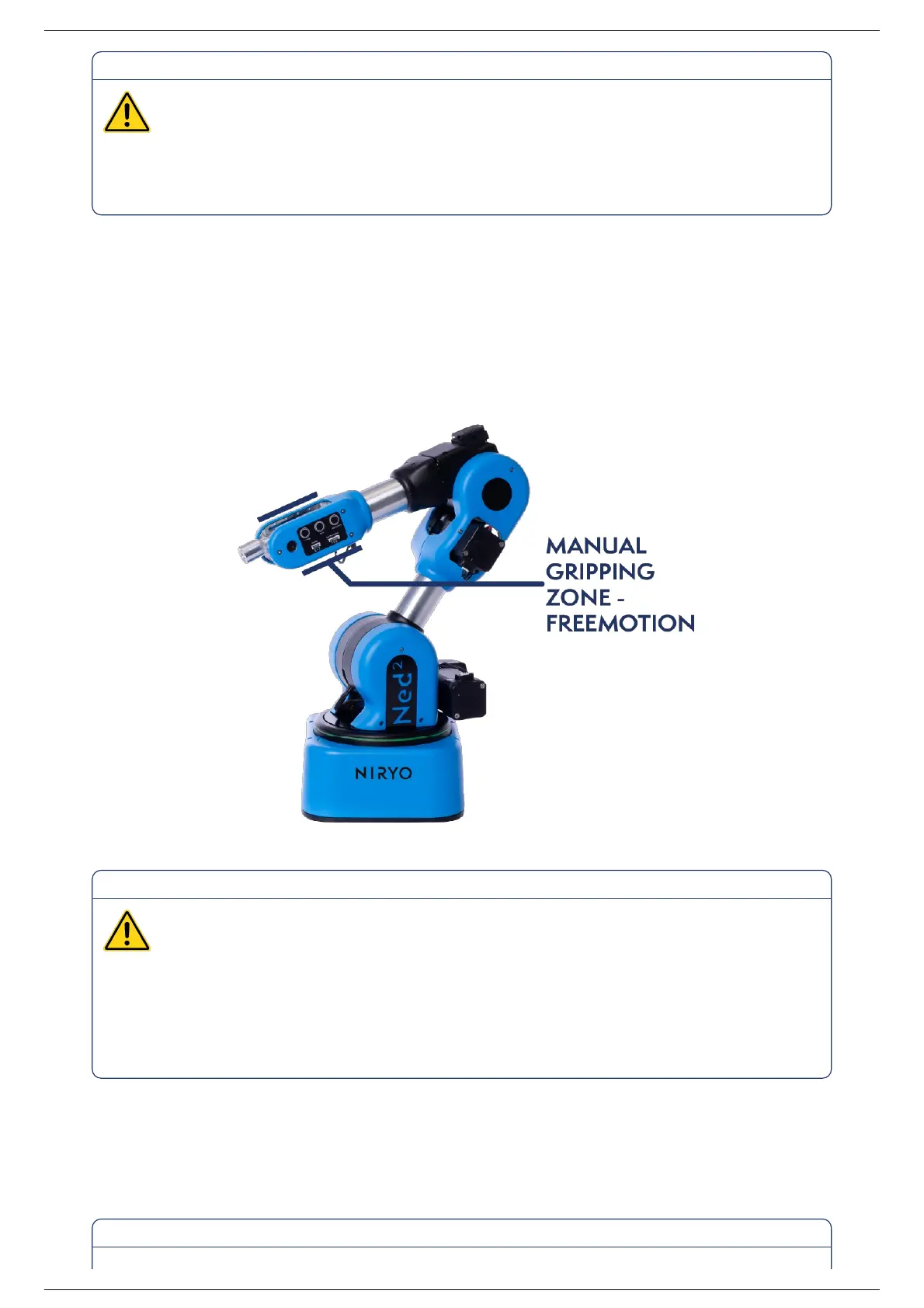
Be mindful of the gripping zones for the learning mode (see diagram below) and do not touch the
motors.
Collaborative mode - ProgrammingCollaborative mode - Programming
This mode can be used to program, edit, load and run the robot’s programs. The robot automatically
switches to this mode once it has been calibrated.
Ned2 User Manual (v1.0.0)Ned2 User Manual (v1.0.0)
2022, Niryo All rights reserved. No part of this document may be reproduced or transmitted in any form or by any means without prior written consent of Niryo SAS



 To Next Page