1 short press (0.1 and 2 seconds)
Resumes the program where it left
off
1 long press (> 2 seconds) Stops the program
A program is defined with an automatic start
1 short press (0.1 and 2 seconds) Starts a saved program
Time/Number of presses Function
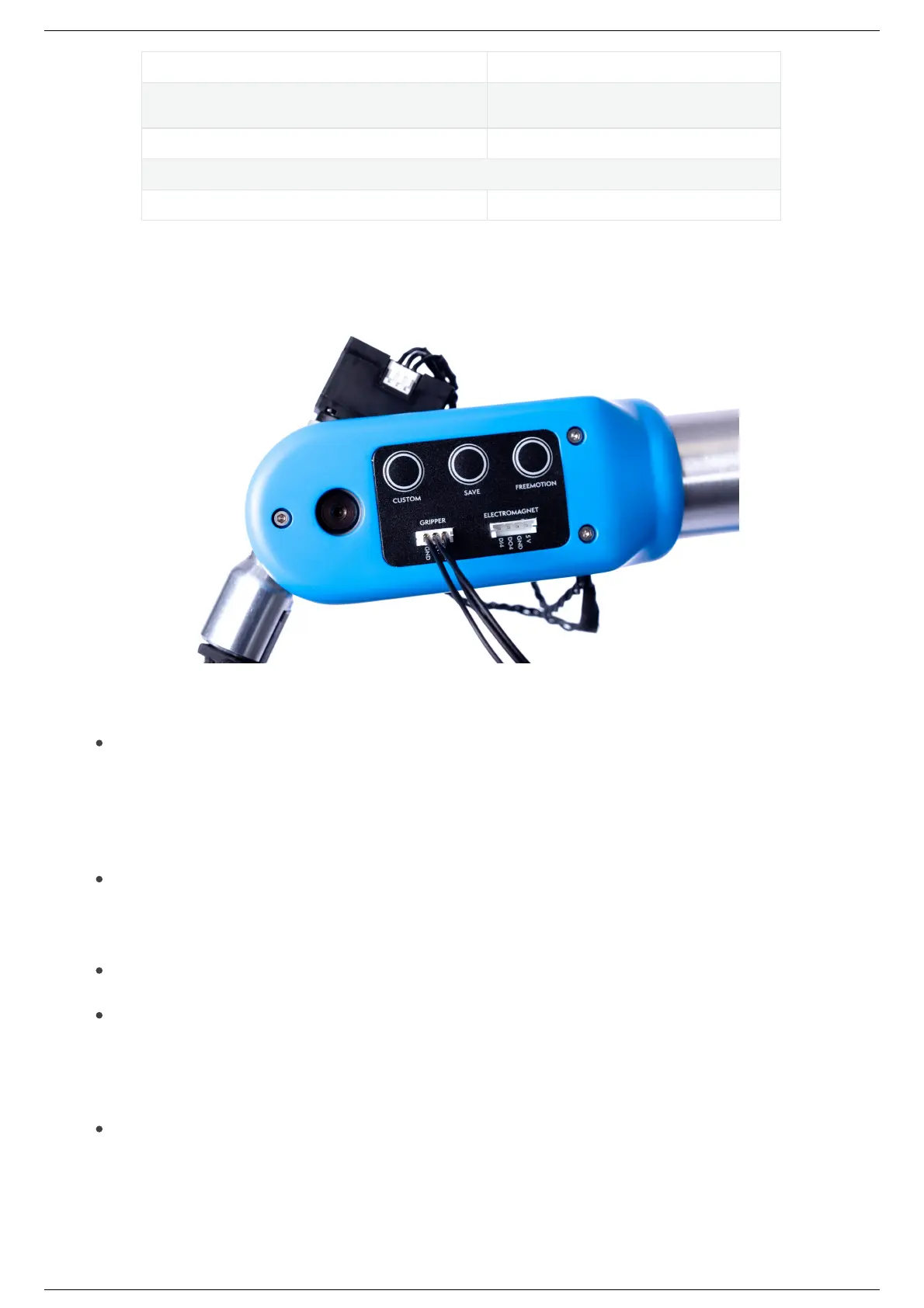
Control PanelControl Panel
FreeMotion button
Pressing and holding this button deactivates the torques in the motors and performs the FreeMotion
operation (nd out more information on operation mode section (index.html#manual-mode-
freemotion).
Save button
A short press on this button saves the robot’s position on Niryo Studio.
Custom button
This button is programmable and allows the user to choose the type of action and the function of the
button.
For more information, please refer to Niryo Studio documentation
(https://docs.niryo.com/product/niryo-studio/v4.0.0/en/source/blockly_api.html#i-o-for-ned2)
Gripper connector
This connector is used to control the Custom Gripper, Large Gripper or Adaptive Gripper.



 To Next Page