Module labels
32
Table 4 Status LEDs
Note: D
O NOT OPERATE the laser until you are familiar with the controls and have
taken all precautions necessary as described in the document: Koheras BASIK
Safety, Handling and Regulatory Information.
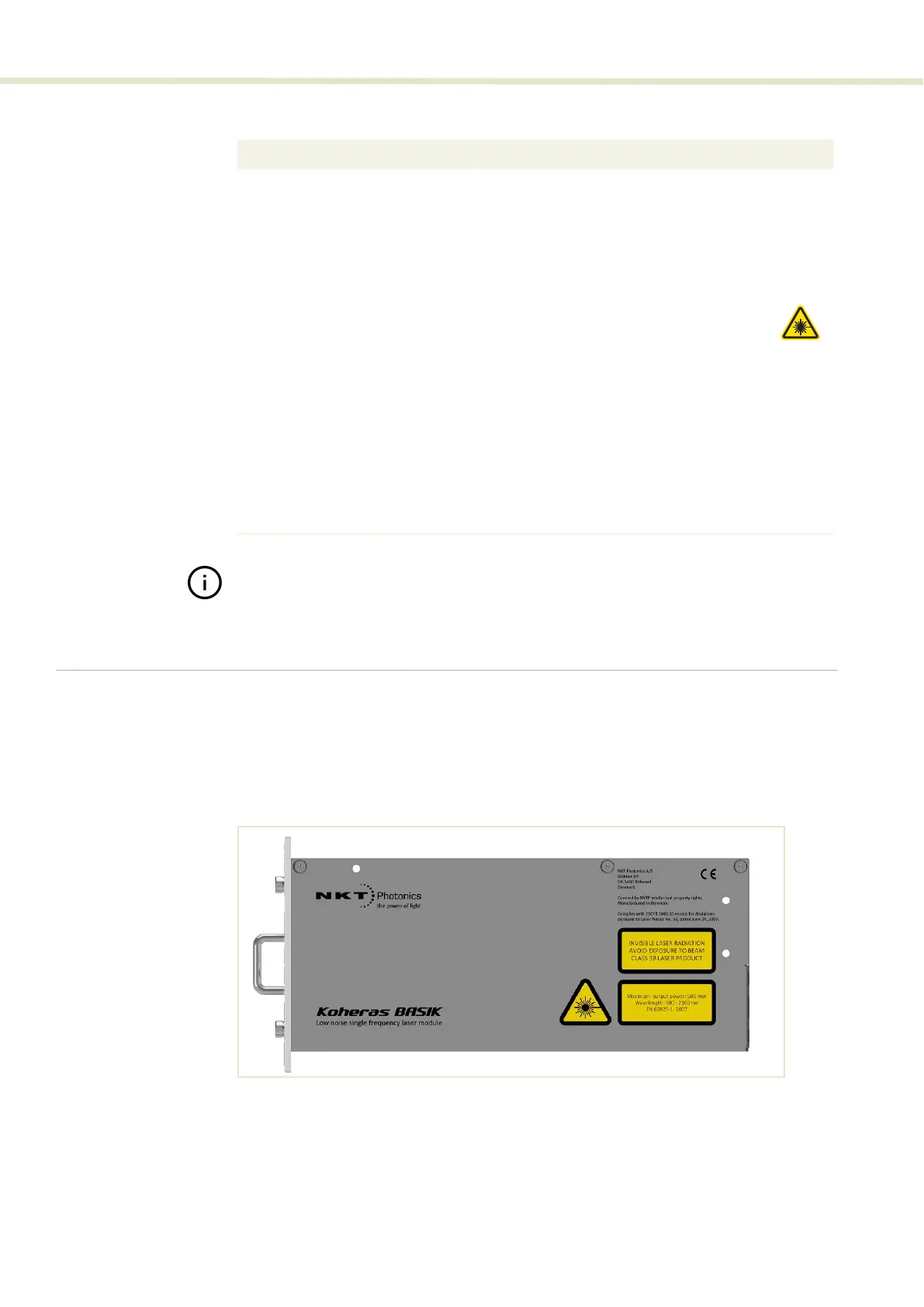
Module labels
The Koheras BASIK modules include multiple labels that indicate hazards,
regulatory, or manufacturing information. The labels are located on the panels
described in Table 5 with the panels shown in Figure 8 and Figure 9.
Figure 8 Top panel label locations
LED Name Condition Description
Power ON Green DC Voltage at the DC power input pins is OK.
ON Red DC voltage at the DC power input pins is too low.
Flashing
Amber
The module is transmitting data.
Off
No DC power at the module power input pins.
Emission ON Red
Laser emission is ON.
Off
Laser emission is OFF.
Status ON Green
The module laser frequency is stable.
ON Amber Module enable low OR module not stable (frequency
tuning)
Interlock ON Green The interlock status is OK – the door circuit is closed and
energized.
On Red The interlock status is Not OK – the door circuit is open or
not energized.


 To Next Page