71
CONTROL – Control panel
CONTROL – Control panel
For the Koheras BASIK the control panel can be configured to present different
operating mode controls for either Power or Current mode. The modes are
selected by clicking on the Settings drop down menu (gear icon) in the status
panel. See “CONTROL settings” on page 61. The wavelength or wavelength
offset can also be set in the panel
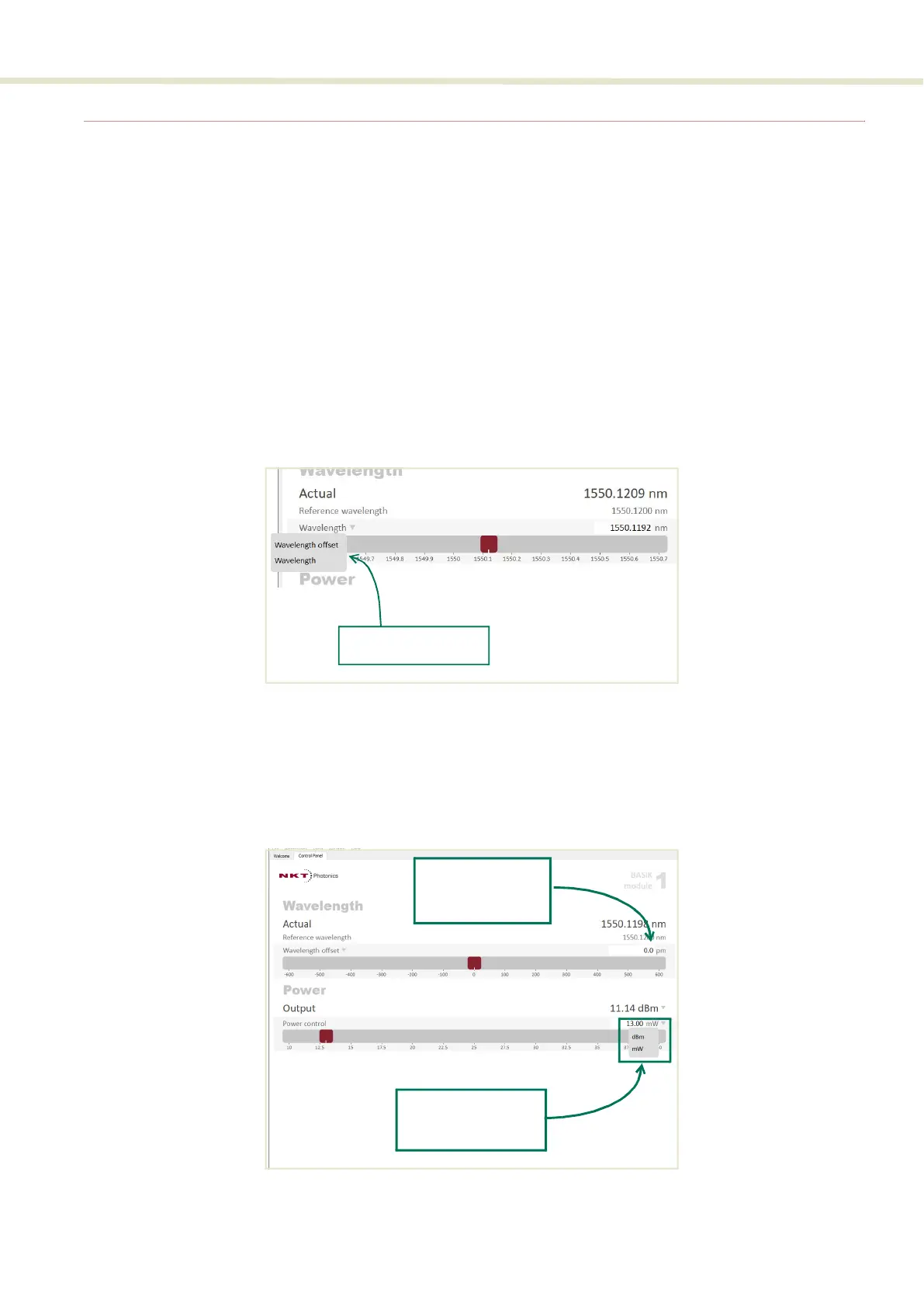
Wavelength You can select to control the wavelength either by inputing an offset or entering
the wavelength directly. Use the Wavelength drop-down menu on the left as
shown in Figure 40 to enter select the wavelength control desired. Use either the
slider or the text input box on the right of the slider to enter a wavelength or
offset from the center frequency.
Figure 40 Wavelength controls
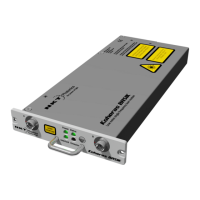
Power mode In the Power operating mode the optical output power level is used to control the
laser’s output. The panel provides both a wavelength offset (or wavelength)
control in picometers and output power control that can be scaled in either mW
or dBm.
Figure 41 Operating mode set to power
Select the wavelength
control type
Current Set
Point Slider
The wavelength
offset can be
manually entered
The output power
scale can be set to
either dBm or mW


 To Next Page