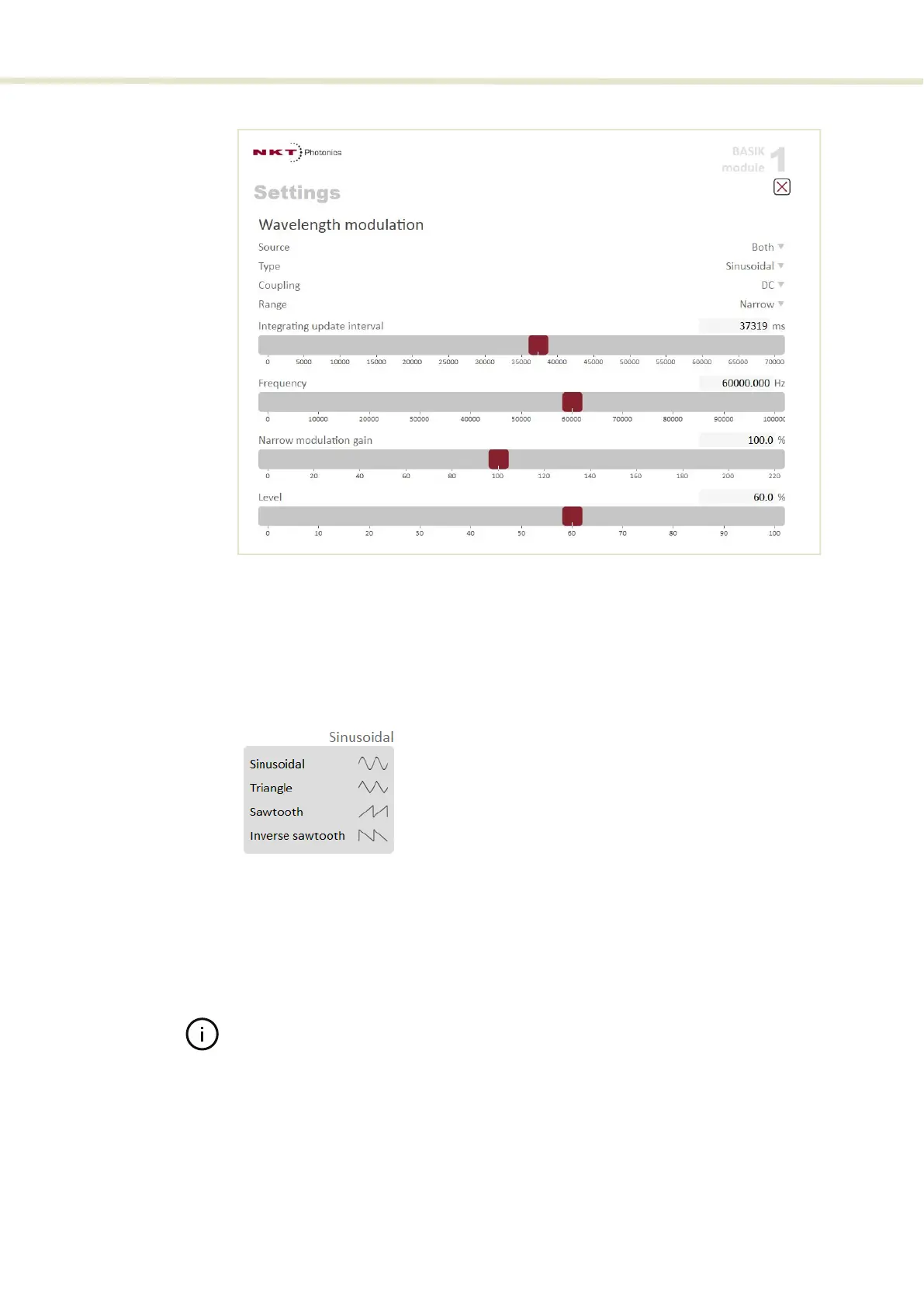
CONTROL settings
64
Figure 29 Wavelength modulation - both
Modulation Type (internal mode)
If the Modulation source is set to Internal, you can set the signal waveform type
that is generated internally. Click the Type drop-down menu arrow and select
either Sinusoidal, Triangle, Sawtooth or an Inverse sawtooth waveform.
Figure 30 Internal generator waveform selection (Type)
Modulation Coupling
You can select to couple the modulation signal using either AC or DC coupling.
Click on the Coupling drop-down menu arrow and select either AC or DC
coupling. Refer to “Wavelength modulation coupling” on page 40 for further
information.
Note: When using wavelength modulation with an X15 module, and the Modula-
tion range parameter is set to Narrow, the modulation signal will be AC-coupled
and the DC-component enters a software integrating function that tunes the
wavelength up or down when the DC-voltage varies either positive or negative
respectively. The speed of wavelength tuning is set with the Integrating update
interval.
Modulation Range
For X15 modules, you can use the Modulation Range drop-down menu to set the
modulation range to either narrow or wide.


 To Next Page