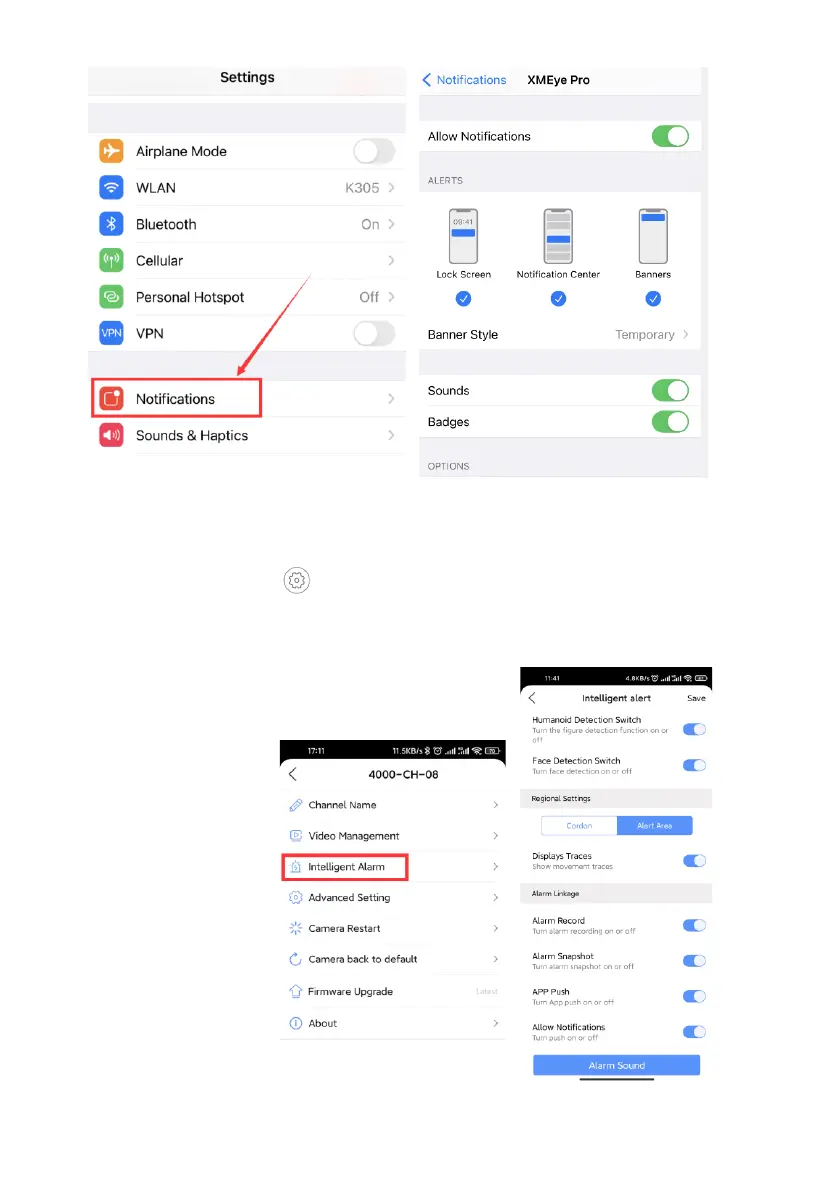
For iPhone User:
Step9: How to change human detection alarm setting from app?
If you don’t want to receive App Alert message from a specific camera, on your
phone app, please navigate to the Preview page, double click to zoom in the
camera’s channel, click button, choose “Intelligent Alarm,” turn off “APP
Push”.
Displays Traces:After opening, human shape is detected, and there is a
picture frame on the image.
Alert Area: You can set the detection area.



 To Next Page