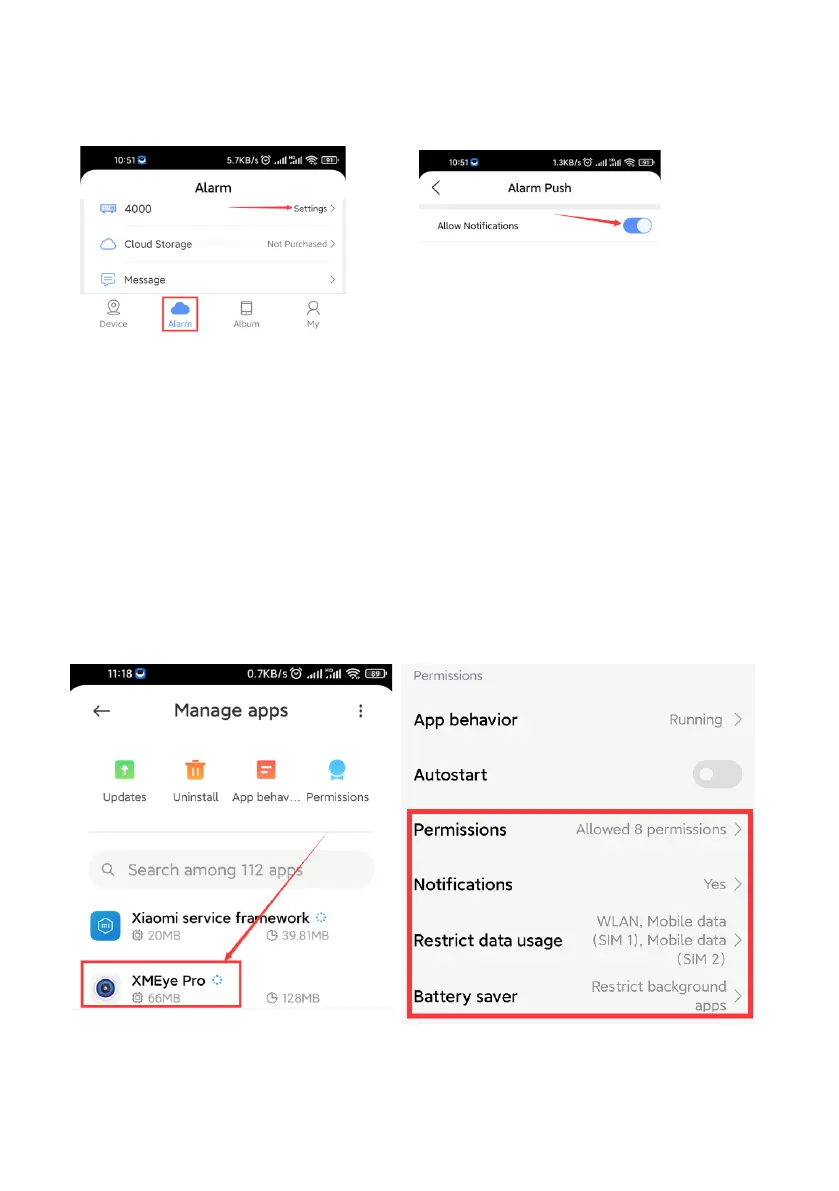
Step 7: Open Alarm Push
Click>Alarm>Settings>Enable “Allow Notifications”
(Otherwise, you may NOT be able to receive the alarm notifications)
Simply click “Alarm”> “Message” You will see many alert messages by
snapshots When human movements are detected
Step 8: Open Phone Permission Setting
If your smart phone can’t receive app alert after setting, please navigate into
your phone setting, check whether if the notification permission of “XMEye
Pro” has been turned on or not. Please give all permission to “XMEye Pro”
in your phone setting. (Permissions, Notifications, Restrict date usage, Battery
saver)
For Android User:



 To Next Page