ACCESS GATEWAY
Configuring the Wireless Connect Gateway 25
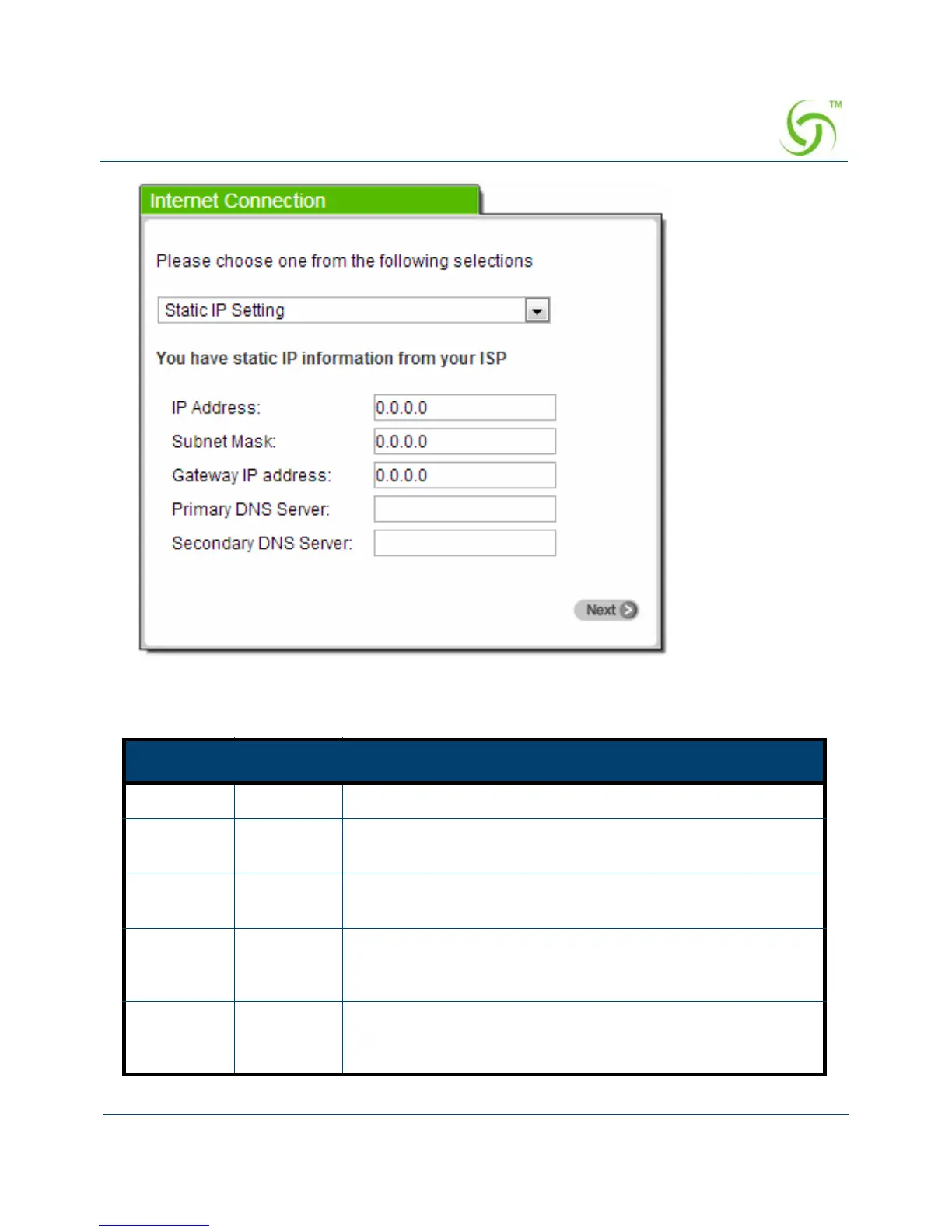
Figure 17 Internet Connection Setting Screen—Static IP Setting
Item Default Description
IP Address 0.0.0.0 Enter the IP address provided by your ISP.
Subnet
Mask
0.0.0.0 Enter the subnet mask for the IP address.
Gateway IP
Address
0.0.0.0 Enter the Gateway IP Address provided by your ISP.
Primary
DNS
Server
Empty Enter the primary DNS server IP address provided by your
ISP.
Secondary
DNS
Server
Empty Enter the secondary DNS server IP address provided by your
ISP. If the primary DNS Server IP is not available, secondary
DNS Server IP would be used.



 To Next Page