ACCESS GATEWAY
26 Configuring the Wireless Connect Gateway
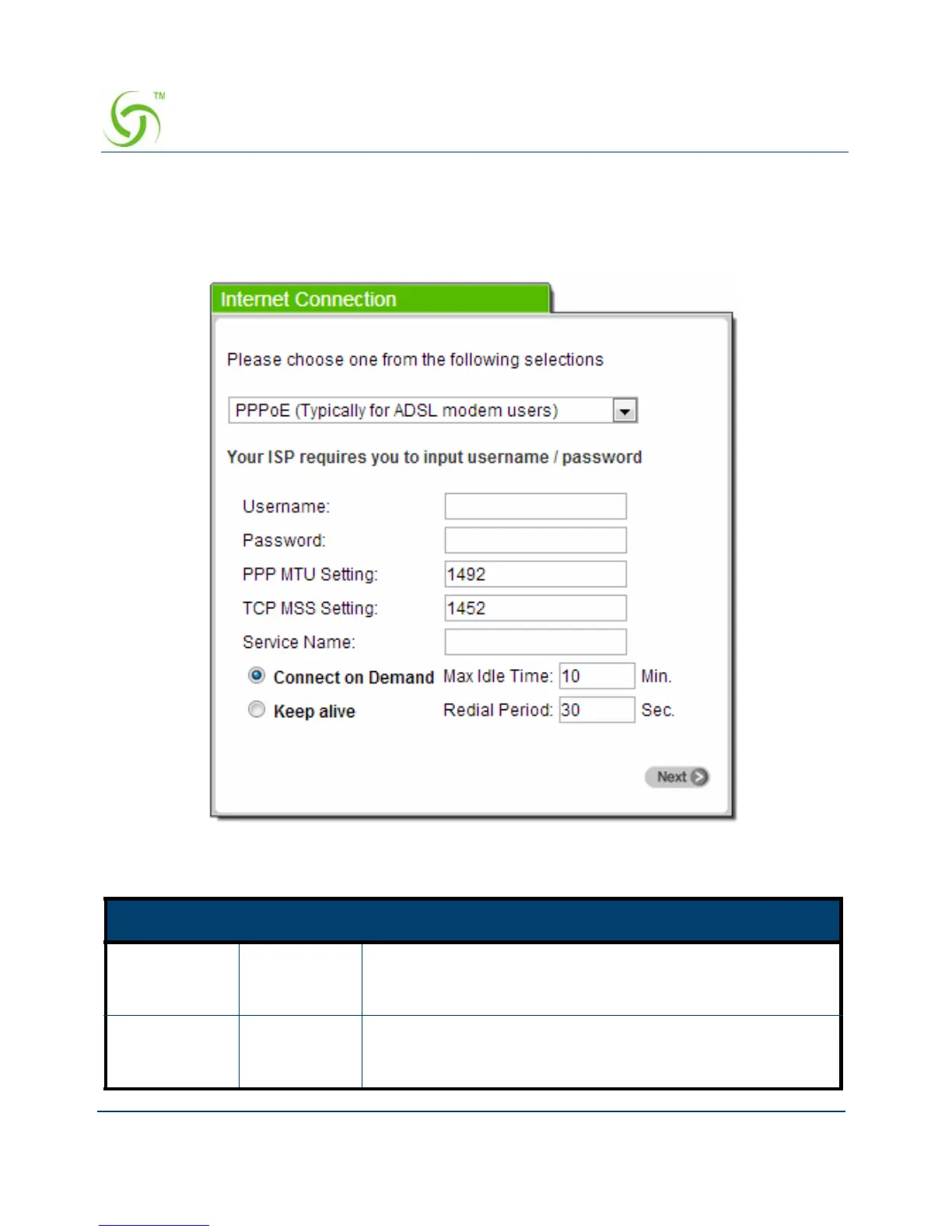
PPPoE (Point-to-Point Protocol over Ethernet)
If “ PPPoE ” is selected, then this screen will appear. Enter the username, password
and other major fields.
Figure 18 Internet Connection Setting Screen—PPPoE Setting
Item Default Description
Username Empty Enter the user name provided by your ISP. The user name
can consist of up to 80 alphanumeric characters and is case
sensitive.
Password Empty Enter the user password provided by your ISP. The password
can consist of up to 80 alphanumeric characters and is case
sensitive.



 To Next Page