E Series Automated Dispensing System
109www.nordsonefd.com info@nordsonefd.com 800-556-3484 Sales and service of Nordson EFD dispensing systems are available worldwide.
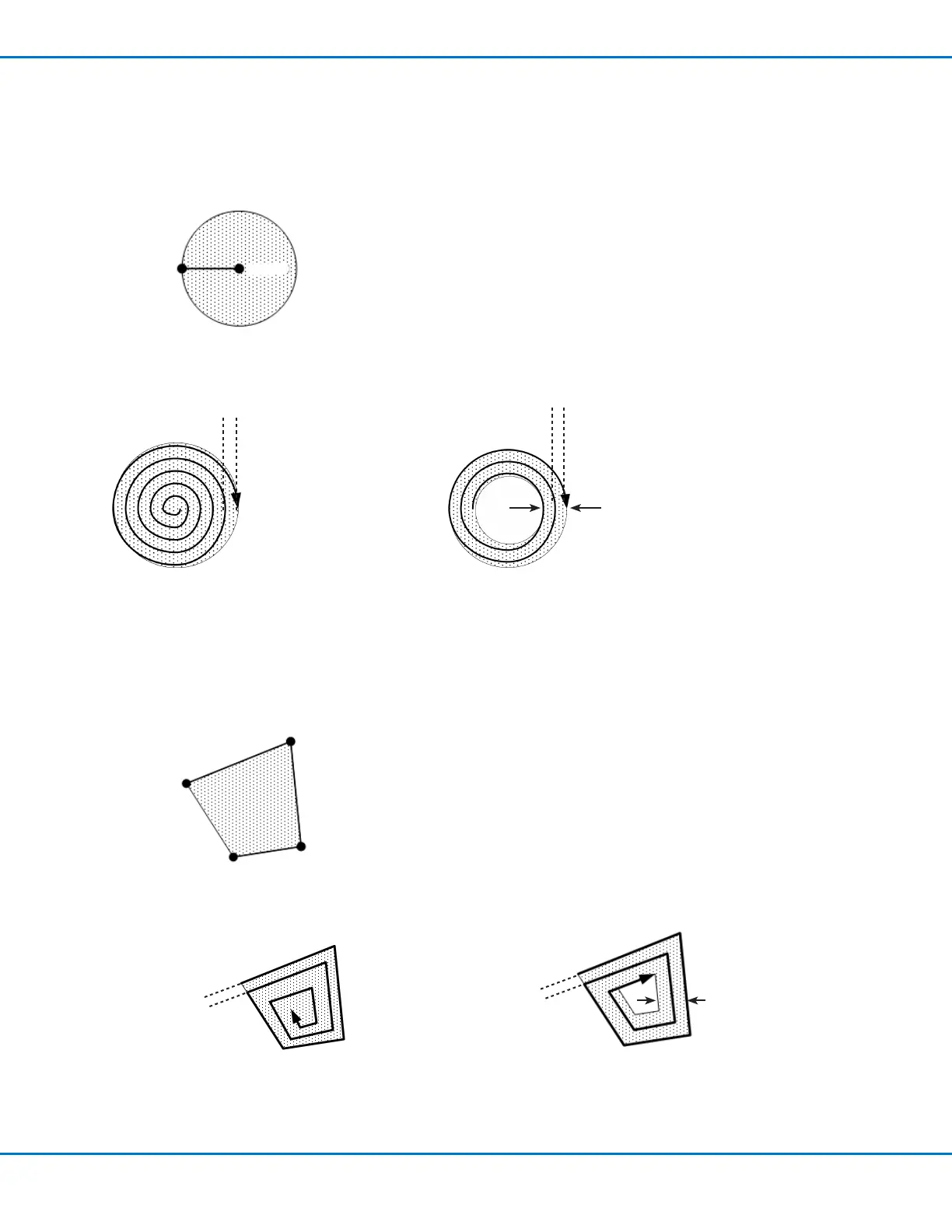
Fill Area Type 6. Polygon In (Outer to Inner)
This command lls the dened area by moving the tip along a spiral-shaped path from the outside of the polygon shape to the
center. After entering a Polygon In command, enter a Line Start point at the rst corner of the area to be lled, a Line Passing point
for each corner after Line Start, and a Line End point for the last corner of the area.
NOTE: Use Polygon In or Polygon Out for a rotated square shape.
Line Start
Line End
Fill Area
Line Passing
Line Passing
EXAMPLES:
Width = 5 mm
Band = 15 mm
Width = 5 mm
Polygon In when Width = 5 and Band = 0 Polygon In when Width = 5 and Band = 15
Appendix A, Type Menu Reference (continued)
Fill Area Type 5. Circle Out
This command lls a dened circular band area by moving the tip along a spiral path from the outside of the circle to the center.
After entering a Fill Area Circle Out command, jog the tip to a point on the outside limit of the circle to be lled and enter that
location as a Line Start point. Then jog the tip directly across to the center of the circle and enter that location as a Line End point.
Line Start
Line End
Fill Area
EXAMPLES:
Width = 5 mm
Band = 15 mm
Width = 5 mm
Circle Out when Width = 5 and Band = 0 Circle Out when Width = 5 and Band = 15



 To Next Page