E Series Automated Dispensing System
35www.nordsonefd.com info@nordsonefd.com 800-556-3484 Sales and service of Nordson EFD dispensing systems are available worldwide.
Setting System Parameters (continued)
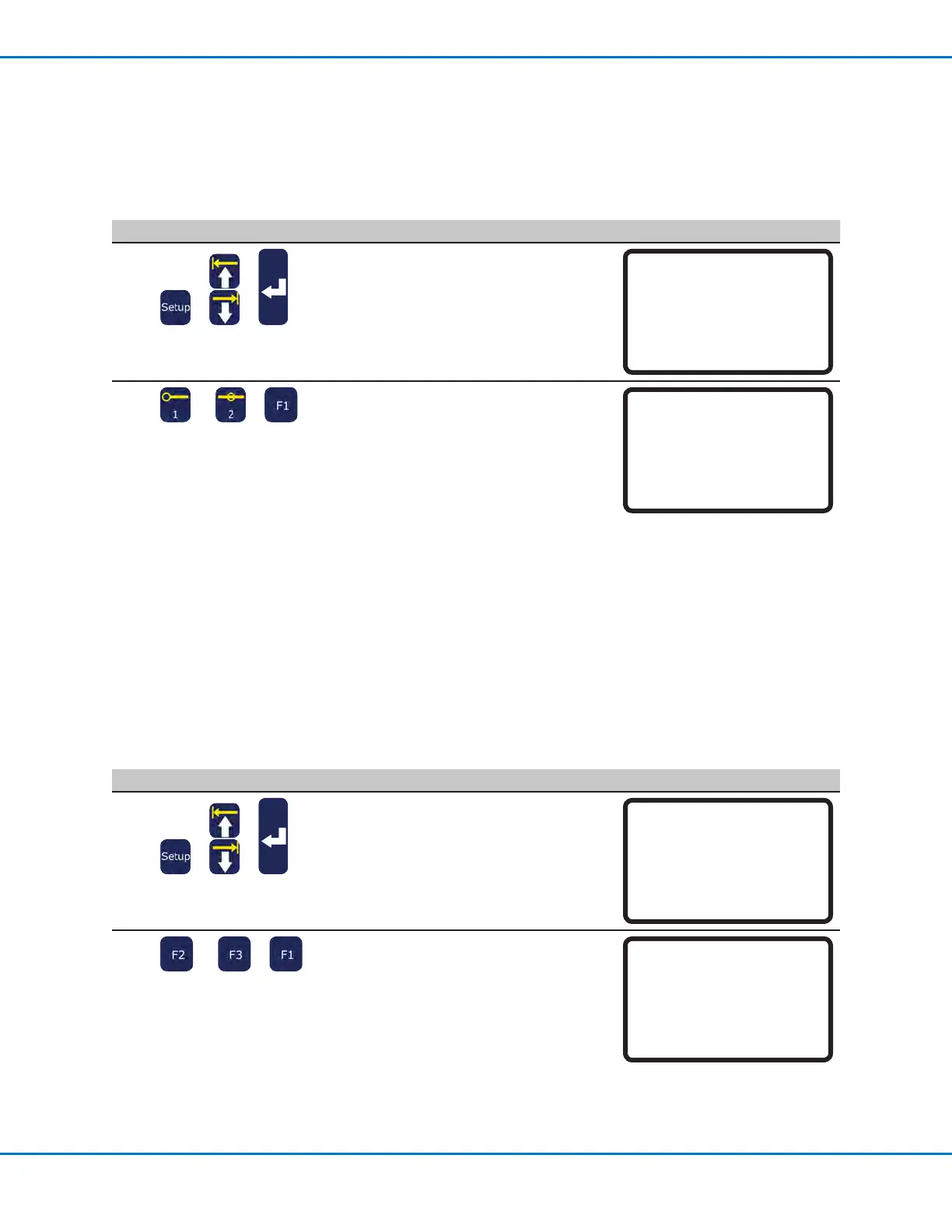
Point to Point Arc Jump
Point to Point Arc Jump is the motion the tip makes as it moves from point to point. The default is up, across, and
down. The optional movement is in an arc motion, which can result in faster program cycle times. The distance the
tip travels up and down is based on the ZClearance.
# Key Press Step Teach Pendant Display
1
> >
• Press SETUP.
• MOVE UP / DOWN to POINT TO POINT
ARC JUMP.
• Press ENTER.
[SETUP] 1/3
01 XY Move Speed
02 Z Move Speed
03*Point to Point Arc Jump
04 Park Position
05 Calibration Point
06 Mark Points
07 Program Output Status
2
or >
• Press 1 ENABLE to make the tip move
in an arc shape.
• Press 2 DISABLE to make the tip move
in an up, across, and down shape.
• Press F1 to save or exit.
Point to Point Arc Jump
Disable
------------------------------
1 Enable
2 Disable
Select: _
[F1] OK
Park Position
Park Position is the XYZ location the tip moves to when any of the following occurs:
• A program includes a Park Position command.
• A program is paused (the START button was pressed and Pause Status is set to Park Position).
• At the end of a dispense cycle.
NOTE: When the EMERGENCY STOP button is pressed, the robot moves to the home position (0, 0, 0).
# Key Press Step Teach Pendant Display
1
> >
• Press SETUP.
• MOVE UP / DOWN to PARK POSITION.
• Press ENTER.
[SETUP] 1/3
01 XY Move Speed
02 Z Move Speed
03 Point to Point Arc Jump
04*Park Position
05 Calibration Point
06 Mark Points
07 Program Output Status
2
or >
• To move the tip to the current Park
Position, press F2.
• To change the Park Position, press F3,
jog the tip to the desired Park Position
location, and press F1.
• Press F1 to save or exit.
Park Position
------------------------------
X: 000.00 mm
Y: 000.00 mm
Z: 000.00 mm
[F1] OK [F2] Move [F3] Jog



 To Next Page