E Series Automated Dispensing System
34 www.nordsonefd.com info@nordsonefd.com 800-556-3484 Sales and service of Nordson EFD dispensing systems are available worldwide.
Setting System Parameters (continued)
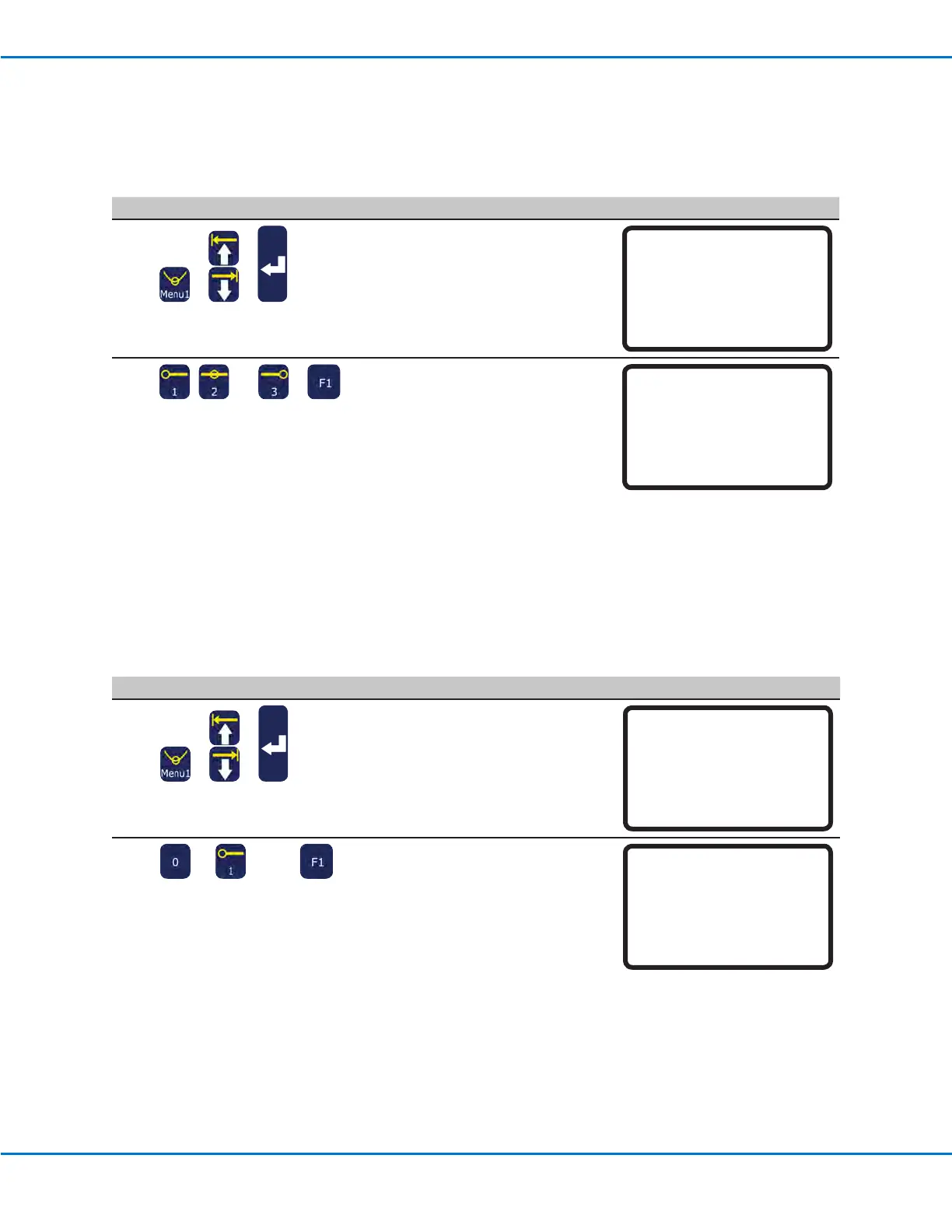
Jog Acceleration
Jog Acceleration is how the robot accelerates when the FAST button is pressed (applies to program creation in the
Teach Mode).
# Key Press Step Teach Pendant Display
1
> >
• Press MENU1.
• MOVE UP / DOWN to JOG
ACCELERATION.
• Press ENTER.
[MENU 1] 1/2
01 Group Edit
02 Ex. Step & Repeat
03 Program Name
04 Axis Limit
05 Initialize Output
06*Jog Acceleration
07 Teach Move Z Clearance
2
, , or >
• Press 1 HIGH, 2 MEDIUM, or 3 LOW.
• Press F1 to save or exit.
Jog Acceleration
------------------------------
1 High
2 Medium
3 Low
Select: _
[F1] OK
Teach Move ZClearance (How High the Tip Lifts in the Teach Mode)
When testing programs, save time by limiting how high the tip raises as it moves from point to point. This is done
by adjusting the setting for Teach Move ZClearance. This setting is in effect only when the system is in the Teach
Mode.
# Key Press Step Teach Pendant Display
1
> >
• Press MENU1.
• MOVE UP / DOWN to TEACH MOVE
ZCLEARANCE.
• Press ENTER.
[MENU 1] 1/2
01 Group Edit
02 Ex. Step & Repeat
03 Program Name
04 Axis Limit
05 Initialize Output
06 Jog Acceleration
07*Teach Move Z Clearance
2
or > xx >
• Press 0 or 1 to switch the Teach Move
ZClearance function OFF or ON.
• Press the number keys to enter the
maximum Z Lift Height.
• Press F1 to save and exit.
When Teach Move ZClearance is
switched ON, the tip raises no higher
than the value specied for Z Lift
Height (relative to the current point) as
the robot moves between dispense
points in the Teach Mode.
When Teach Move ZClearance is
switched OFF, the system ignores the
setting for Z Lift Height.
Range: 0 to the Z axis travel limit
Teach Move Z Clearance
------------------------------
Off(0)/On(1): 1
Z Lift Height: 23 mm
[F1] OK



 To Next Page