E Series Automated Dispensing System
65www.nordsonefd.com info@nordsonefd.com 800-556-3484 Sales and service of Nordson EFD dispensing systems are available worldwide.
How to Make a Circle
PREREQUISITES
The system is in the Teach Mode. Refer to “How to Switch from Run Mode to Teach Mode” on page44.
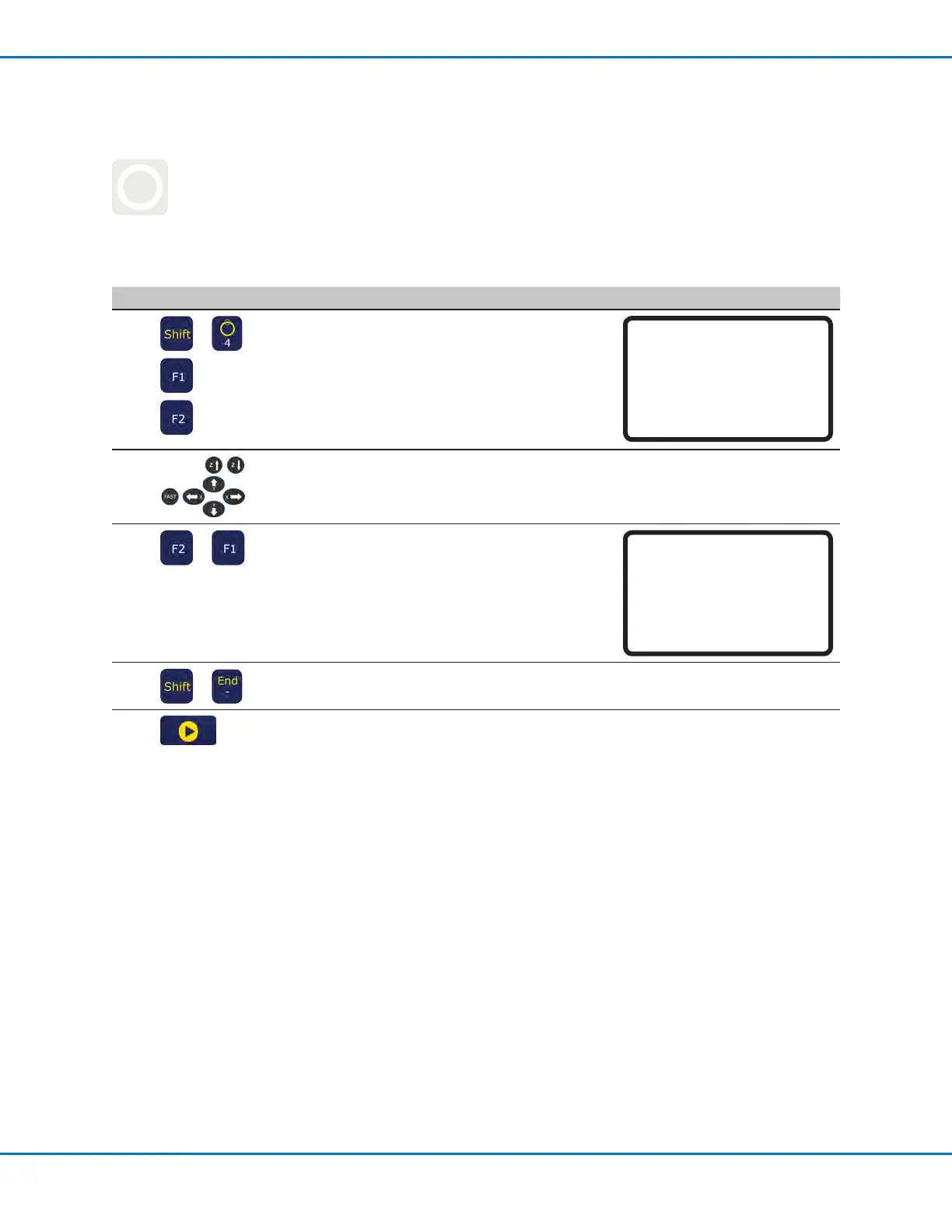
# Key Press Step Teach Pendant Display
1
> >
or
• Press SHIFT > 4 to open the Circle
menu.
• Press F1 to make a circle by selecting
three points on the diameter of the
circle.
• Press F2 to make a circle by entering
the center point of the circle.
Circle
------------------------------
[F1] 3-Point [F2] Center Point
------------------------------
2
• Follow the directions on the display to
enter the XYZ coordinates.
3
>
• Press F2 to move through the Circle
parameter screens.
• Press F1 to save and exit.
Circle 5/5
------------------------------
Retract Distance: 0.00 mm
Retract Low: 10.0 mm/s
Retract High: 80.0 mm/s
[F1] OK [F2] Next
4
>
• Press SHIFT > END to register the end
of the program.
5
• Press START to run the program.
Creating Patterns (continued)



 To Next Page