E Series Automated Dispensing System
52 www.nordsonefd.com info@nordsonefd.com 800-556-3484 Sales and service of Nordson EFD dispensing systems are available worldwide.
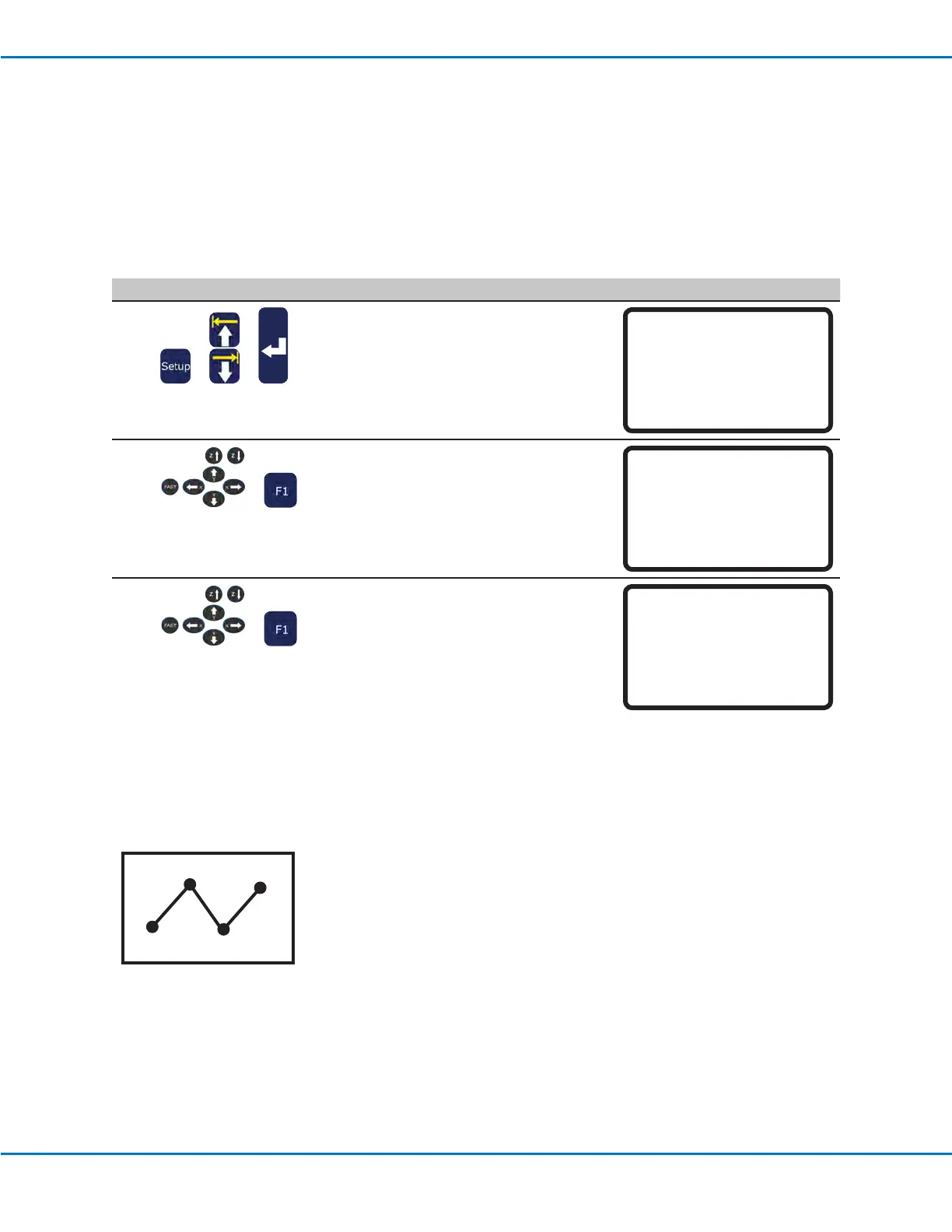
How to Set Mark Points
If the location and / or orientation of a workpiece changes, the system can automatically adjust all the XY values in a
program to the new location or orientation. This is done using the Program Offset function. For this function to work
properly, follow this procedure to set two Mark Points on the workpiece.
PREREQUISITES
A workpiece is properly positioned on the xture plate.
# Key Press Step Teach Pendant Display
1
> >
• Press SETUP.
• MOVE UP / DOWN to MARK POINTS.
• Press ENTER.
[SETUP] 1/3
01 XY Move Speed
02 Z Move Speed
03 Point to Point Arc Jump
04 Park Position
05 Calibration Point
06*Mark Points
07 Program Output Status
2
>
• Jog the tip to the rst mark point and
lower the tip until it is as close to the
mark point as possible.
• Press F1 to save the setting.
Mark Points
------------------------------
Jog tip to Mark Point 1
------------------------------
[F1] OK
3
>
• Jog the tip to the second mark point
and lower the tip until it is as close to
the mark point as possible.
• Press F1 to save the setting.
The system saves the mark points. Now,
if you need to change the position and/
or orientation of a workpiece, you can
use Program Offset (refer to page 53)
to update all the XY locations in the
program to the new workpiece location
and / or orientation.
Mark Points
------------------------------
Jog tip to Mark Point 2
------------------------------
[F1] OK
Example of two Mark Point locations on a workpiece
Working with Programs and Commands (continued)
+
+
Mark 1
Mark 2



 To Next Page