E Series Automated Dispensing System
84 www.nordsonefd.com info@nordsonefd.com 800-556-3484 Sales and service of Nordson EFD dispensing systems are available worldwide.
Restoring the System to the Factory Default Settings (Clear Memory)
Follow this procedure to erase all programs and return all settings to the factory default values.
PREREQUISITES
The system is in the Teach Mode. Refer to “How to Switch from Run Mode to Teach Mode” on page44.
All programs have been backed up using the SAVE ALL PROGRAMS command under the USB menu. Refer to
“How to Upload / Download Programs Using the SVC USB Port” on page57.
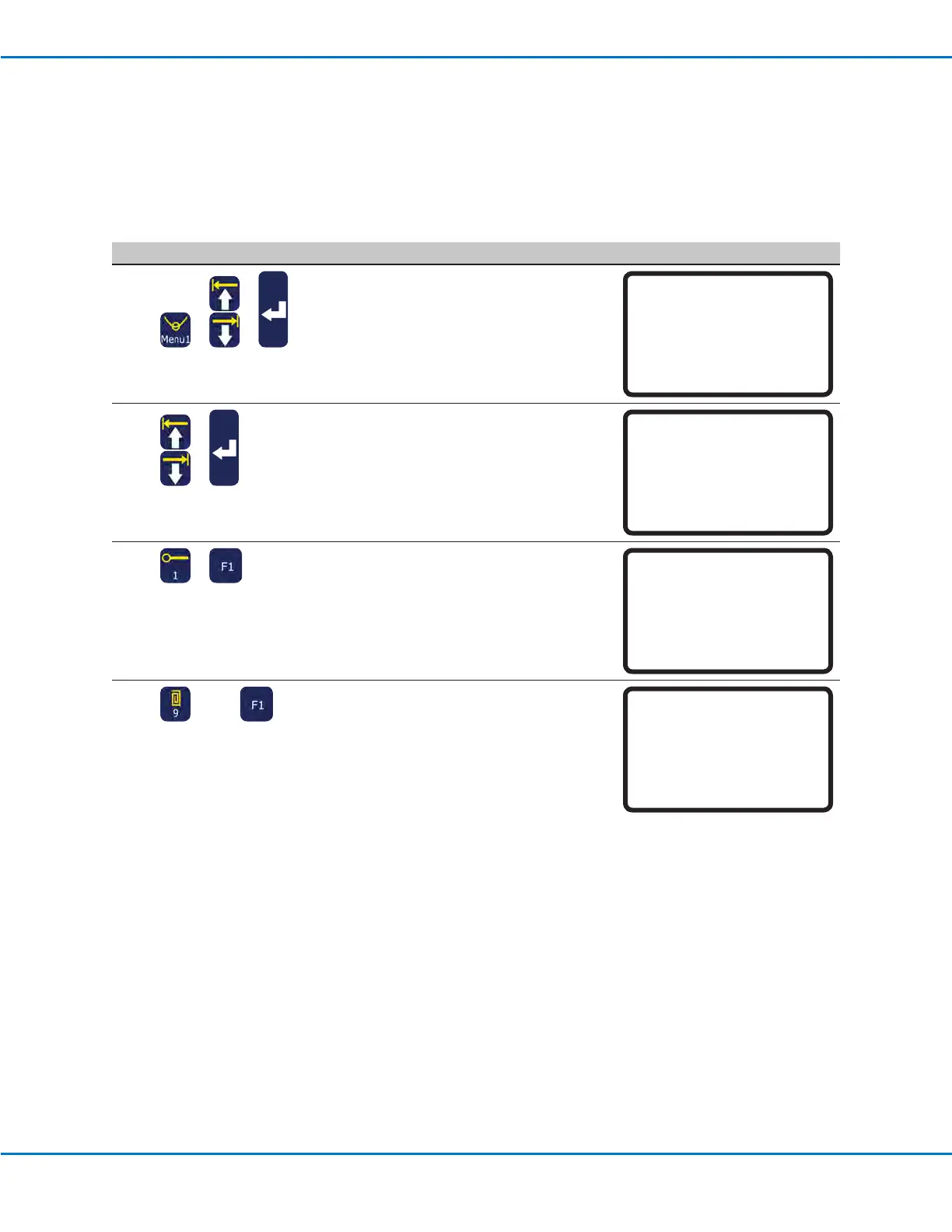
# Key Press Step Teach Pendant Display
1
> >
• Press MENU1.
• MOVE UP / DOWN to UTILITY MENU.
• Press ENTER.
[MENU 1] 2/2
08*Utility Menu
09 Diagnostic
2
>
• MOVE UP / DOWN to MEMORY.
• Press ENTER.
[UTILITY] 1/1
01 Program
02*Memory
03 Key Beep
04 Online Signals
05 Barcode Scanner
06 System Lockout
3
>
• Press 1 CLEAR MEMORY.
• Press F1.
Memory Utility
------------------------------
1 Clear Memory
2 Tool Offset
Select: _
[F1] OK
4
(9x) >
• Enter the clear memory password
(99999999).
• Press F1 to clear the memory.
The system clears the memory. It does
not ask for additional conrmation.
Clear Memory
WARNING!
This will erase all data from
all program numbers.
Password: _
[F1] OK



 To Next Page