4 Installing the component parts and units
33
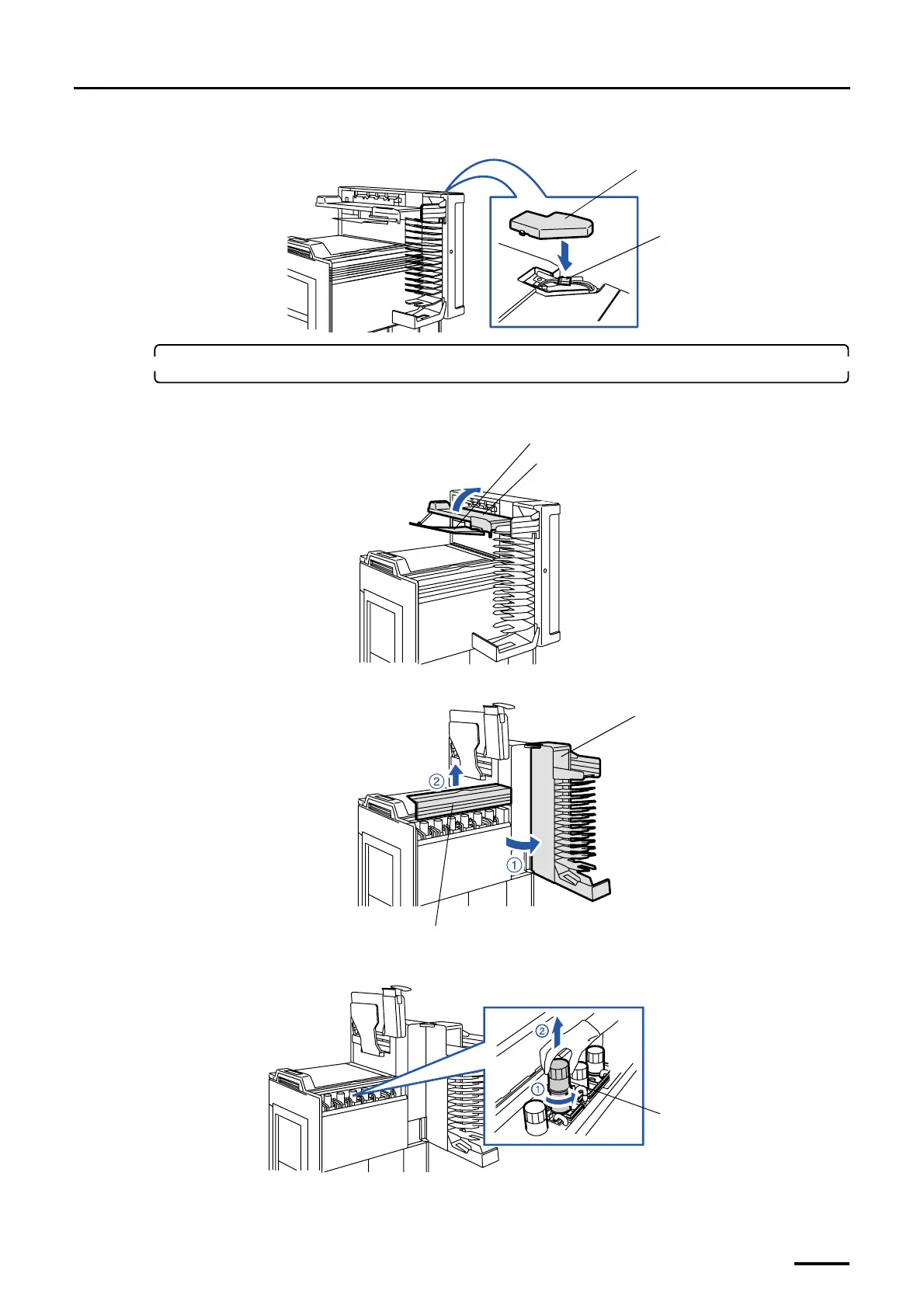
(5) Connect the connector and attach the connector cover.
6. Attach the filter cartridge to the filter pipe.
(1) Raise the print conveyor unit and the print receiving tray (large).
(2) Open the print sorter unit and remove the sub-tank top cover.
(3) Turn the filter pipe in the sub-tank counterclockwise and pull it out.
J/P713
Connector cover
G068966
Print conveyor unit
Print receiving tray (large)
G070349
Sub-tank top cover
Print sorter unit
G068969
Filter pipe
G069787
Distributed by: minilablaser.com



 To Next Page