5 Installing the machine and adjusting the level
61
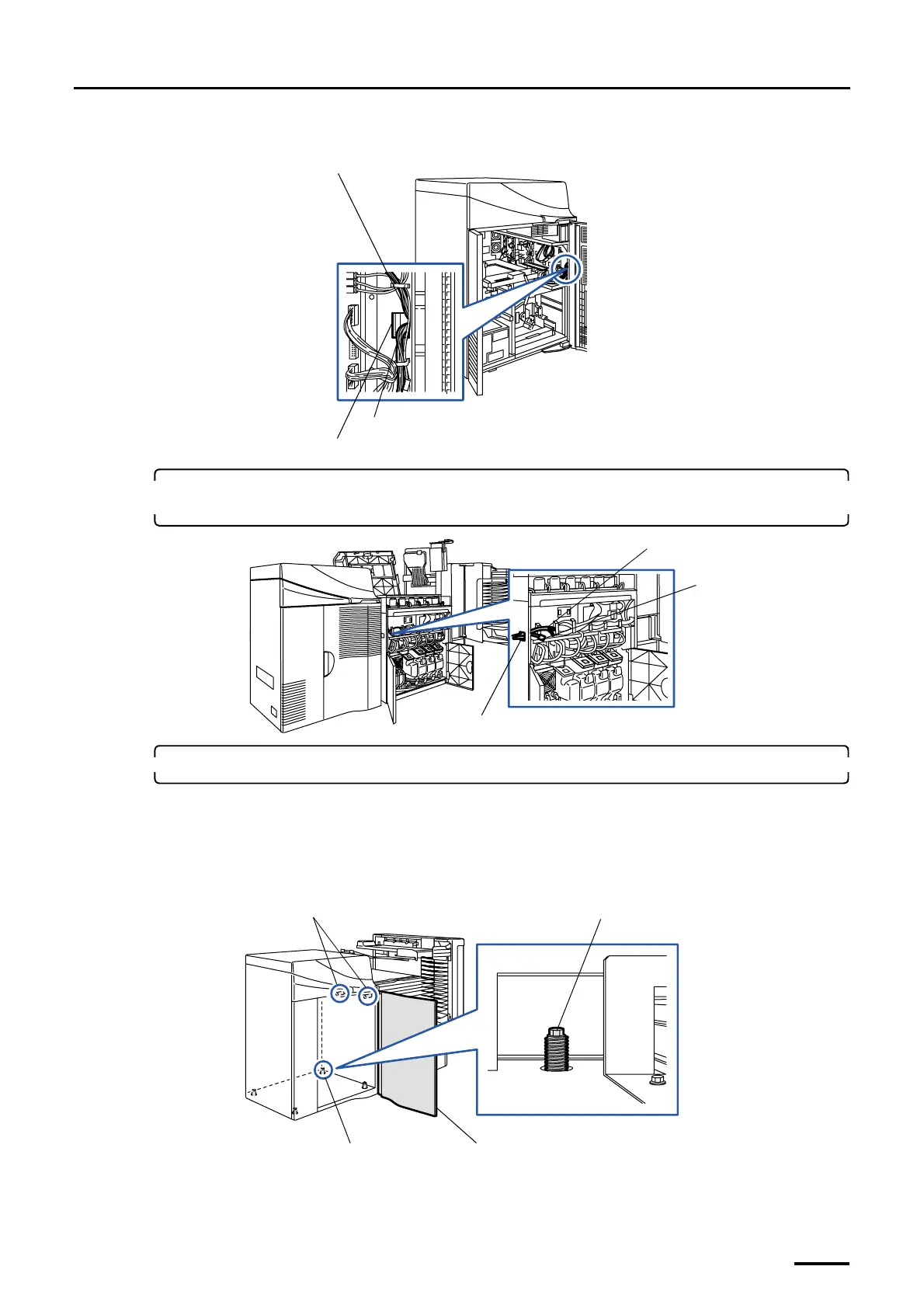
(2) Pass the connection cable (J355) and the optical fiber cables through the square hole.
7. Pass the connection cable and the optical fiber cables from the printer through square hole 1
on the paper processor.
8. Connect the printer to the paper processor.
(1) Open printer door 2.
(2) Adjust the jack bolts of the printer so that the regulation pins fit the pin holes of the paper processor.
If there is not enough space at the back of the printer, adjust the jack bolt (part A) from the inside of the
printer.
Square hole
Connection cable
Optical fiber cable
G073039
Optical fiber cable
Printer connection
cable (J355)
Square hole 1
G072115
Regulation pins
Part A
Jack bolt
Printer door 2
G068971
Distributed by: minilablaser.com



 To Next Page