Using your IP Phone 1230
33
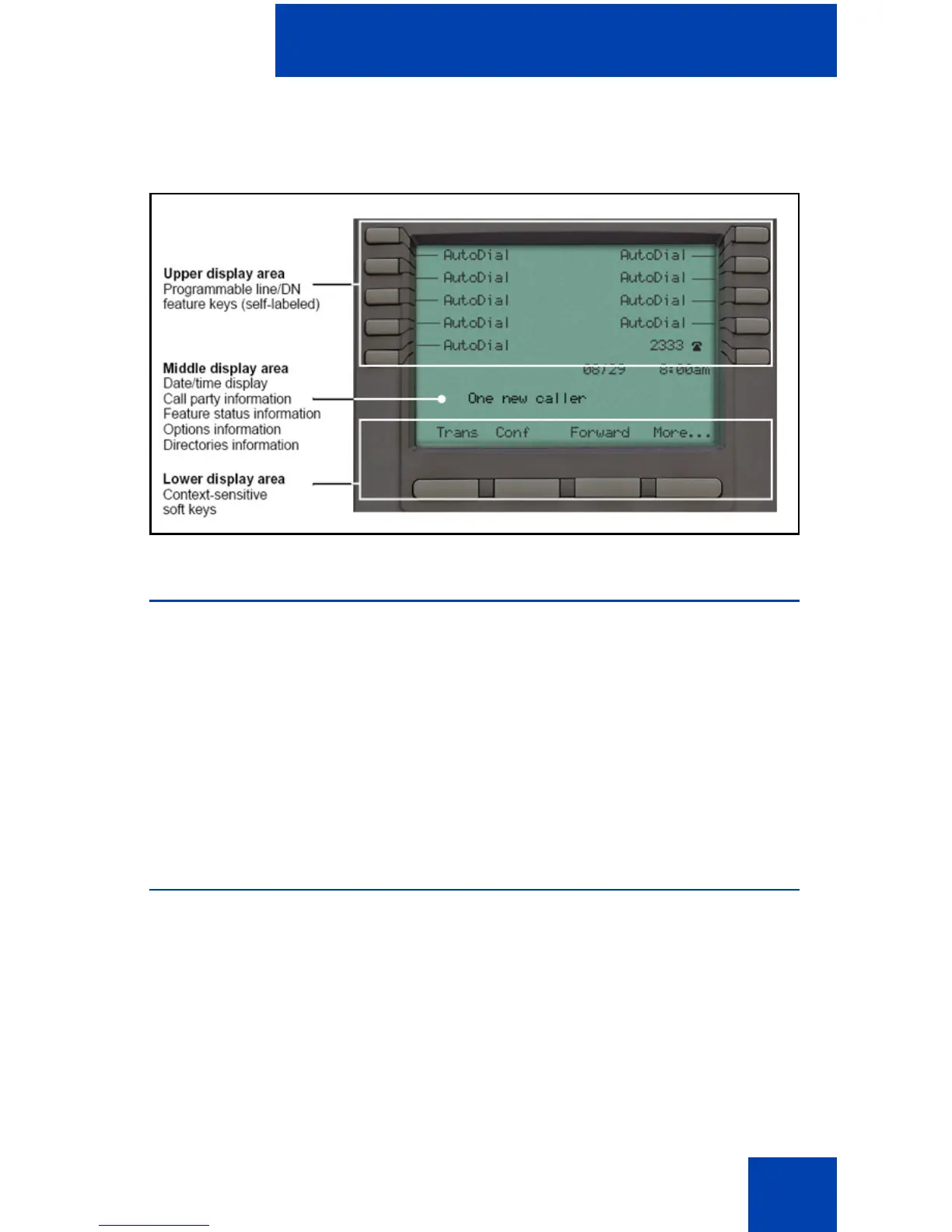
Figure 3 on page 33 shows the IP Phone 1230 LCD screen.
Figure 3: IP Phone 1230 LCD screen
License notification
Notify your system administrator if your phone displays a message in a
pop-up window about the licensing feature or evaluation period. License
notification provides details to help diagnose why the features are
disabled on the phone. You can press the Stop key or lift the handset to
close the window. The window redisplays every 24 hours at 1:00 AM
(default). The time and time frame can be configured when you provision
the phone. For information about provisioning the IP Phones, see Nortel
Communication Server 1000 IP Phones Fundamentals (NN43001-368).
Call features and Flexible Feature Codes
Some features are not available on all telephones. Call features and
Flexible Feature Codes (FFCs) must be assigned to your telephone and
supported by system software. Contact your system administrator to
configure these features and codes on your telephone.
Use Table11on page159 to record the FFCs that your system
administrator assigns to your phone.

















 To Next Page