Vmax I&O Manual │Display Menu Guide
Lockout & Error History
The Vmax controller stores in its memory the 16 most recent Lockouts (Loc) and Blocking Errors (Err); these
errors can be accessed from the Installer Menu via settings 2-34 (Lockout History) and 2-35 (Blocking Error
History). The History submenus indicate which Lockout or Error occurred, and the time interval between each
occurrence. Navigate the Lockout and Error History submenus as follows:
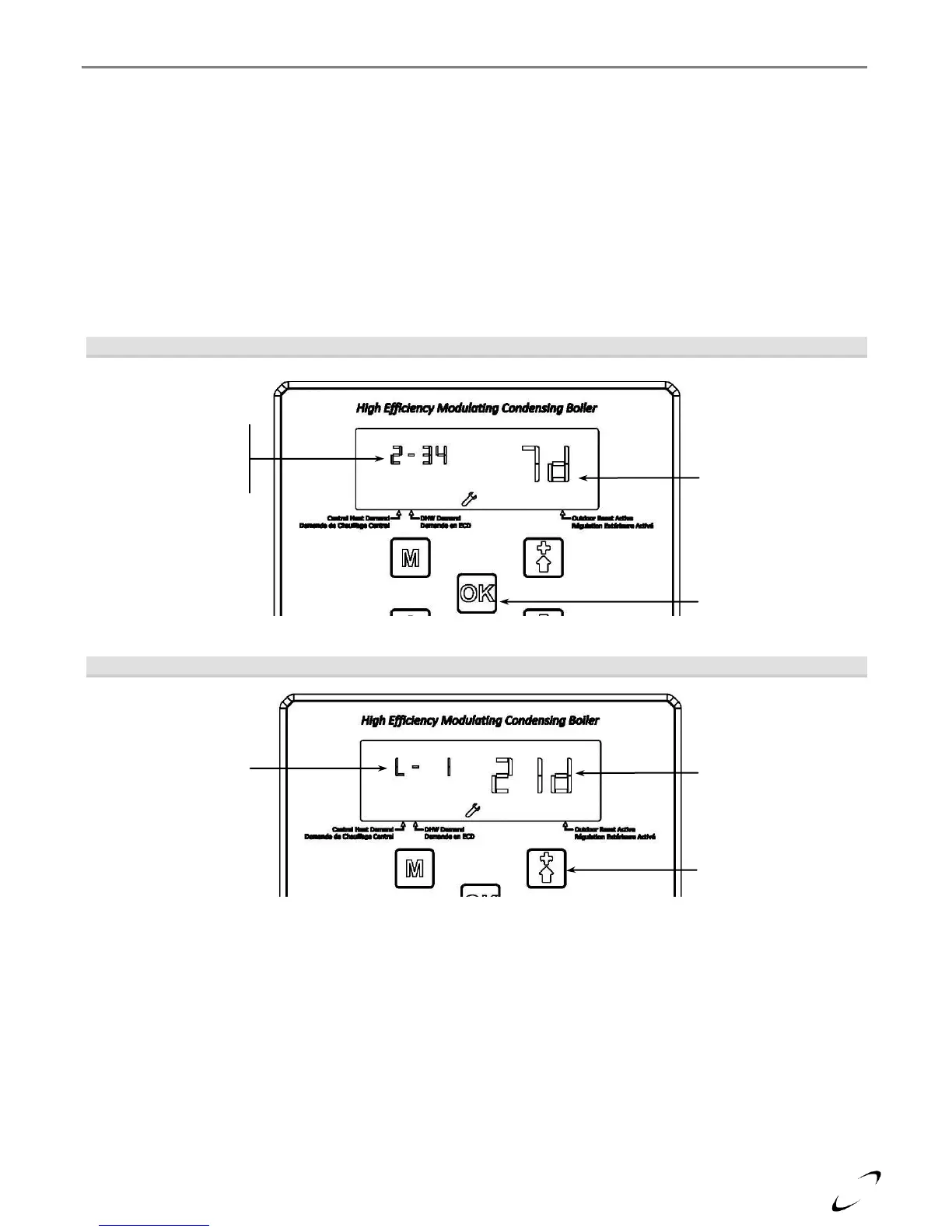
1. Navigate to Installer Menu setting 2-34 (Lockout History) or 2-35 (Blocking Error History). From this
screen the display indicates how long ago the most recent error occurred; see Figure 17-5(a).
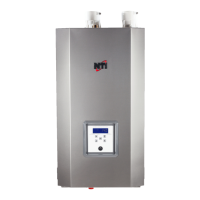
2. Press the “OK” button to display the most recent error, and the time between it and the preceding error;
see Figure 17-5(b).
3. Press the UP button to display the next most recent error, and time between it and the preceding error; see
Figure 17-5(b). When you have reached the end of the recorded errors, the display will indicate “End 0.”
To exit the History submenu, press the “OK” button; see Figure 17-5(c).
Figure 17-5(a) Lockout and Error History Navigation
Figure 17-5(b) Lockout and Error History Navigation (Submenu)
Lockout / Error –
indicates the applicable
error code, e.g. Loc 1.
UP button – press to
view the preceding
lockout or error.
Time (in min.) since the
preceding lockout or
error. If followed by “d”,
the number is an
indication of how many
days (e.g. 21 days).
2-34 (Loc History)
or
2-35 (Err History)
Time (in min.) since the
most recent lockout or
error occurred. If
followed by “d”, the
number is an indication
of how many days (e.g.
7 days).
OK button – press to
view the most recent
Lockout or Error.


 To Next Page