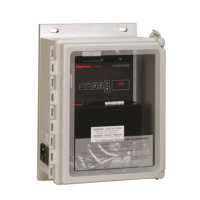
nVent RAYCHEM Elexant 4010i/4020i User Manual
RAYCHEM-AR-H60624-40X0iOpsManual-EN-1905 nVent.com
|
2
CONTENTS
1 OVERVIEW ................................................................................................................................................................................6
1.1 Introduction ...................................................................................................................................................................6
1.1.1 Product Overview ................................................................................................................................................6
1.1.2 Product Features ................................................................................................................................................7
1.2 Vital Information ..........................................................................................................................................................8
1.3 Technical Support ........................................................................................................................................................ 8
2 INSTALLATION AND WIRING ...........................................................................................................................................9
2.1 Initial Inspection ........................................................................................................................................................... 9
2.2 Operator Safety Considerations ...............................................................................................................................9
2.3 Elexant 4010i/4020i Assembly.................................................................................................................................9
2.4 Connection and Indicators .......................................................................................................................................10
2.5 Mounting/Removal Procedures ..............................................................................................................................10
2.5.1 Elexant 4010i mounting/removal procedure ...............................................................................................10
2.5.2 Elexant 4020i mounting/removal procedure ...............................................................................................10
2.6 Wiring and Interfaces ................................................................................................................................................11
2.6.1 Input Power ........................................................................................................................................................11
2.6.2 Load Connections: ............................................................................................................................................11
2.6.3 AC Voltage Sense .............................................................................................................................................12
2.6.4 RS-485 IN ...........................................................................................................................................................12
2.6.5 RS-485 OUT........................................................................................................................................................13
2.6.6 Ethernet ..............................................................................................................................................................14
2.6.7 ...............................................................................................................................................................14
2.6.8 USB Connector ..................................................................................................................................................14
2.6.9 Reset Button ......................................................................................................................................................15
2.6.10 3-Wire RTD Connections .................................................................................................................................15
2.6.11 2-Wire RTD Connections .................................................................................................................................15
2.6.12 4-20 mA Connections ......................................................................................................................................16
2.6.13 Connections to SSRs .......................................................................................................................................17
2.6.14 Alarm Relay ........................................................................................................................................................19
2.6.15 Digital Inputs ......................................................................................................................................................19
2.6.16 AUX 24V Output ................................................................................................................................................20
2.6.17 Limiter Relay Output .........................................................................................................................................20
2.6.18 Contactor Output ..............................................................................................................................................21
3 PRODUCT OPERATIONS .....................................................................................................................................................22
3.1 Control Features .........................................................................................................................................................22
3.1.1 Output Type ........................................................................................................................................................22
3.1.2 Control Mode Algorithms ................................................................................................................................22
3.1.3 Output Overrides ...............................................................................................................................................23


 To Next Page