5.11.1 Installing the DPU
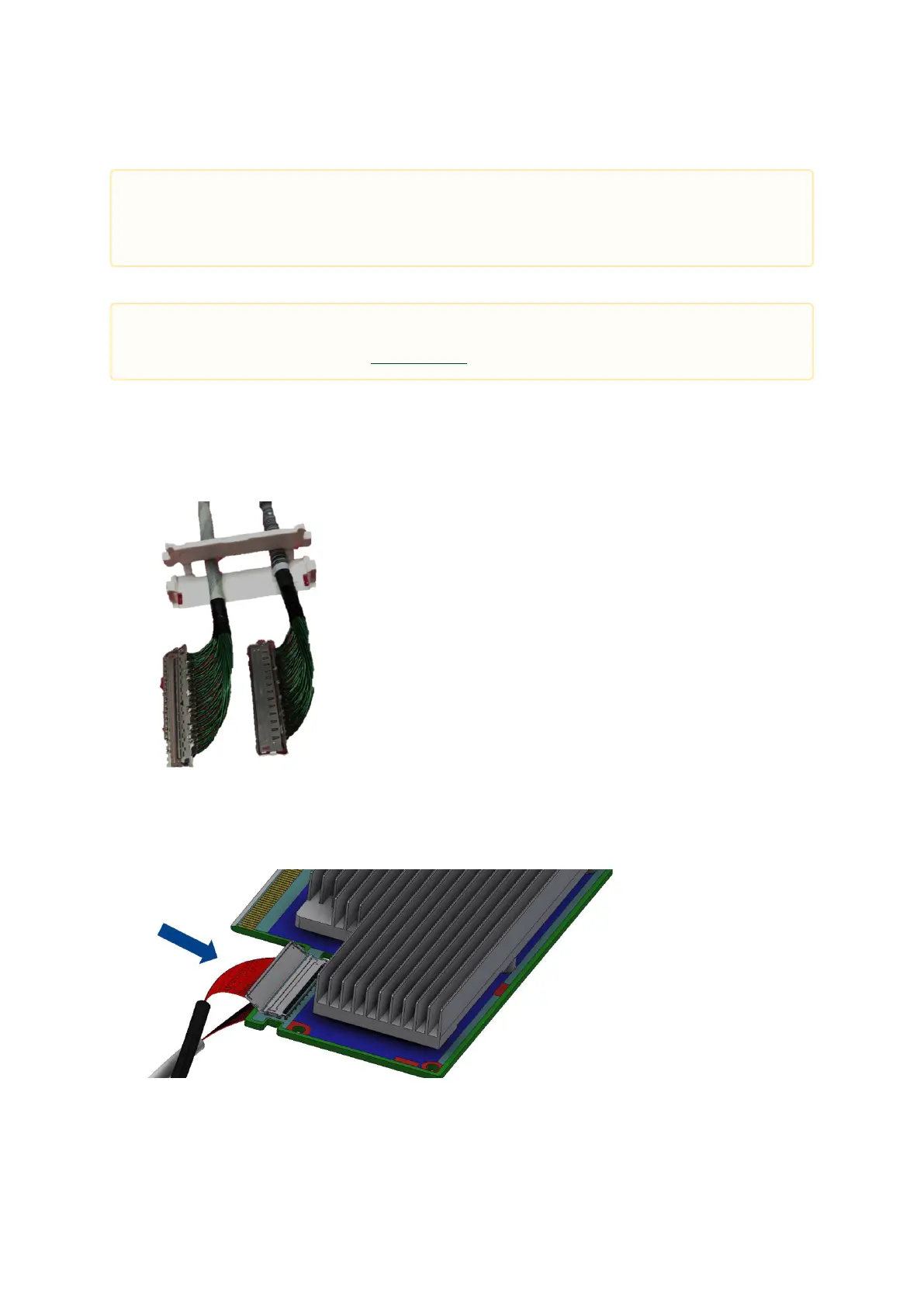
Connect the DPU Controller with the Auxiliary connection card using the supplied Cabline CA-II Plus
harnesses.
Step 1:Slide the black and white Cabline CA-II Plus harnesses through the retention clip while
making sure the clip opening is facing the plugs.
Step 2:Plug the Cabline CA-II Plus harnesses on the DPU while paying attention to the color-
coding. As indicated on both sides of the card; plug the black harness to the component side
and the white harness to the print side.
Step 3: Verify the plugs are locked.
The installation instructions include steps that involve a retention clip to be used while
connecting the Cabline harnesses to the DPUs. Please note that this is an optional
accessory.
Please make sure to install the DPU cards in a PCIe slot capable of supplying the required
power and airflow as stated in Specifications.


 To Next Page
 Loading...
