Instruction Manual PCD 650
6
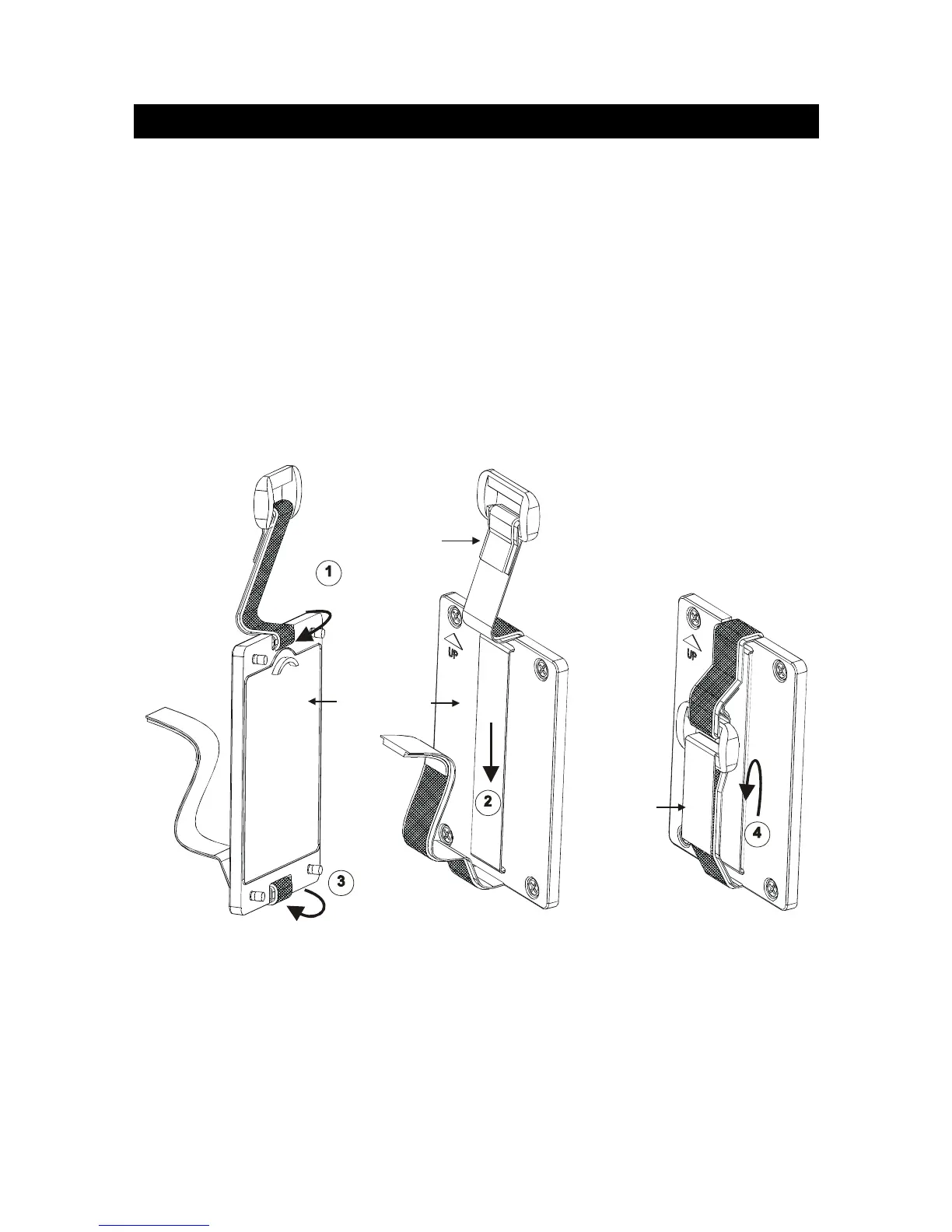
1.4 Attaching Safety Belt
The safety belt provides secured support when you hold the meter on your palm.
To attach the safety belt:
1. Use a Phillips screw driver to remove four screws holding the battery cover.
2. Remove the battery cover.
3. Insert the safety belt through the two slots as indicated in the Figure 5.
4. Replace the battery cover onto its original position using the four screws. Note
the ▲UP symbol marked on the cover.
5. Insert your palm in between the belt and the body of the meter and adjust the
hook & loop fastener.
Note the correct side
of the belt
Battery Cover
Hook & Loop
fastener
Figure 5 : Attaching safety belt



 To Next Page