Instruction Manual PCD 650
32
2.13 Transfer Measured Data to Computer (CyberComm)
2.13.1 Sending a single reading from multi measurement mode
1. Make sure that the CURRENT DATA SET parameter is set to ‘SINGLE’ in the
System Setup (Refer ‘System Settings – Page 4’ on page 79).
2. Make sure the CyberComm 600 application is up and running (page 12).
3. Make sure the IrDA port of the meter is closer and in-line with IrDA port of
the computer.
4. From multi measurement mode, press PRIN (F3) to send data to
CyberComm.
5. In CyberComm screen, press Find Device button. CyberComm starts
finding the meter.
6. When CyberComm finds the meter, press Connect button. The IrDA link is
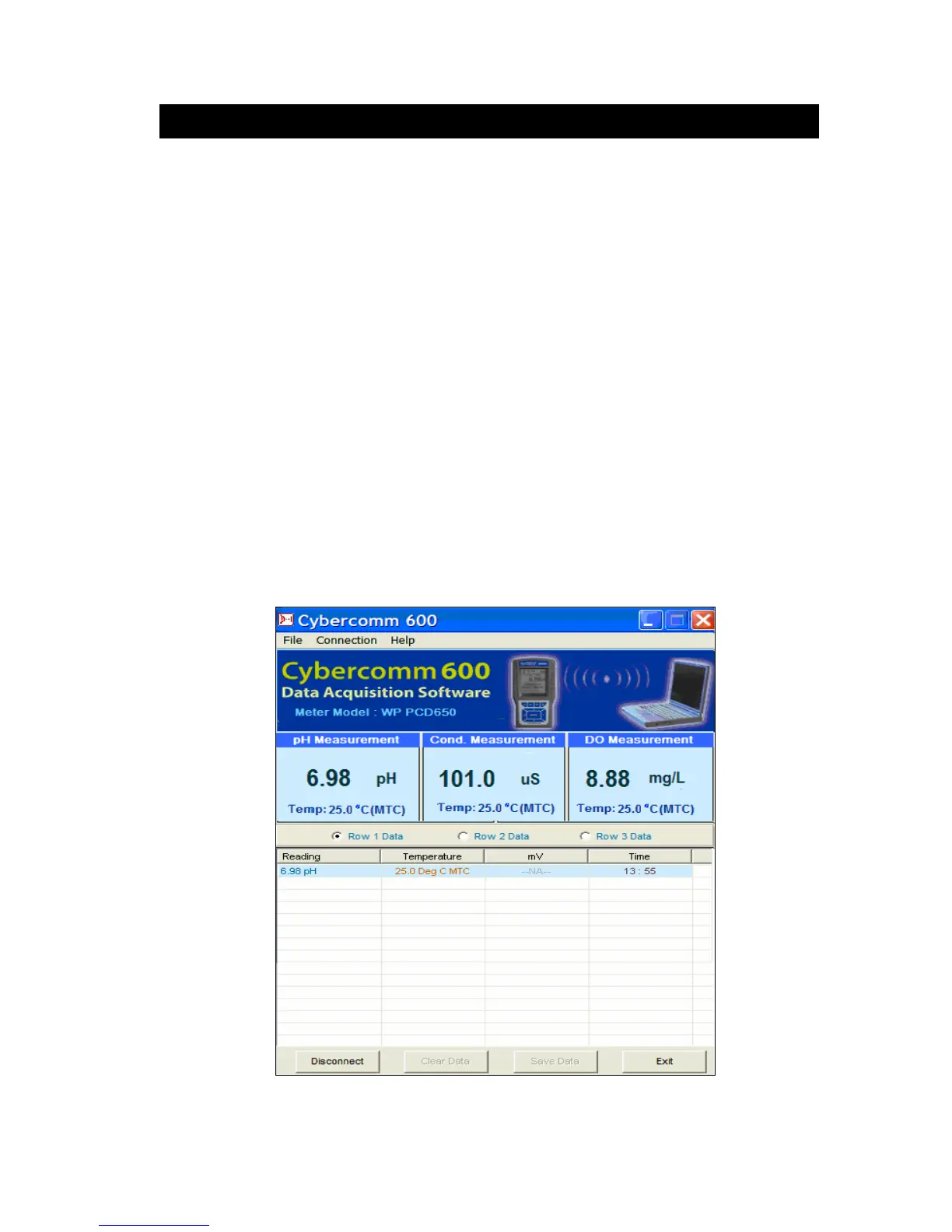
established. The currently displayed measurement reading is transferred to
CyberComm. (Figure 31)
7. Select Row 1 data, Row 2 data or Row 3 data from below there
respective modes for which you wish to transfer data.
8. Once the data transfer is completed, the IrDA link is disconnected
automatically.
9. To send another reading, repeat step 3, 4, 5 & 6.
Figure 31 : Transferring a single measurement data (Multi measurement mode)



 To Next Page