Instruction Manual PCD 650
24
Note: If offset is not zero, the meter displays relative mV reading of the
solution in measurement mode.
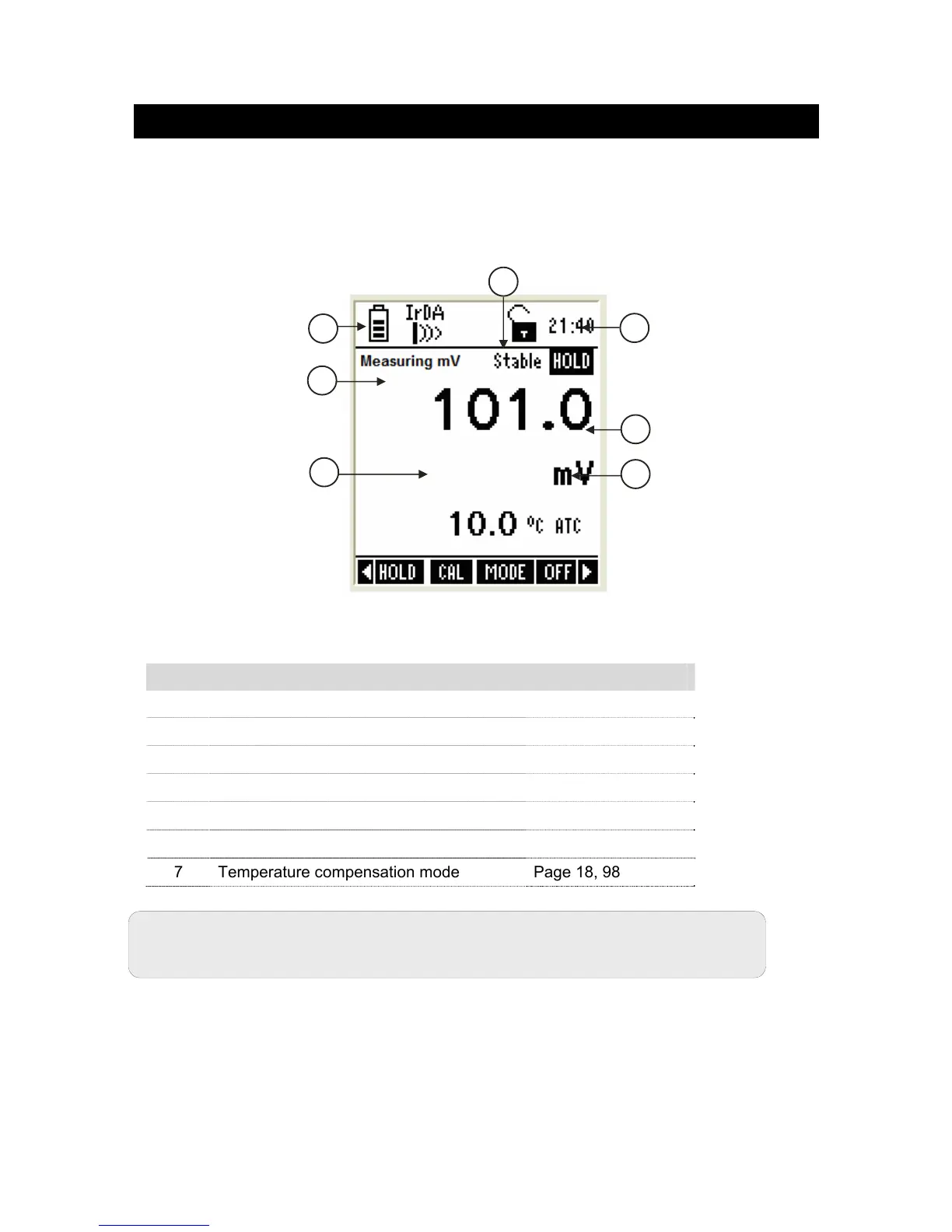
2.5 mV Measurement Mode
In mV measurement mode, the meter displays mV and temperature reading.
Depending on application, you can connect a suitable ORP probe to the meter or use
the pH probe.
2.5.1 Indicators in mV measurement mode
Figure 23 : mV measurement screen
Refer item numbers indicated in Figure 23.
Item Description More Details On
1 Measurement mode indicator -
2 Appears when the reading is stable Page 17, 75
3 Appears when the reading is on hold Page 17, 75
4 mV reading -
5 Units of measurement -
6 Temperature reading & units Page 98
7 Temperature compensation mode Page 18, 98
1
4
5
6
7
3
2



 To Next Page