Instruction Manual PCD 650
88
4.7 TDS Setup
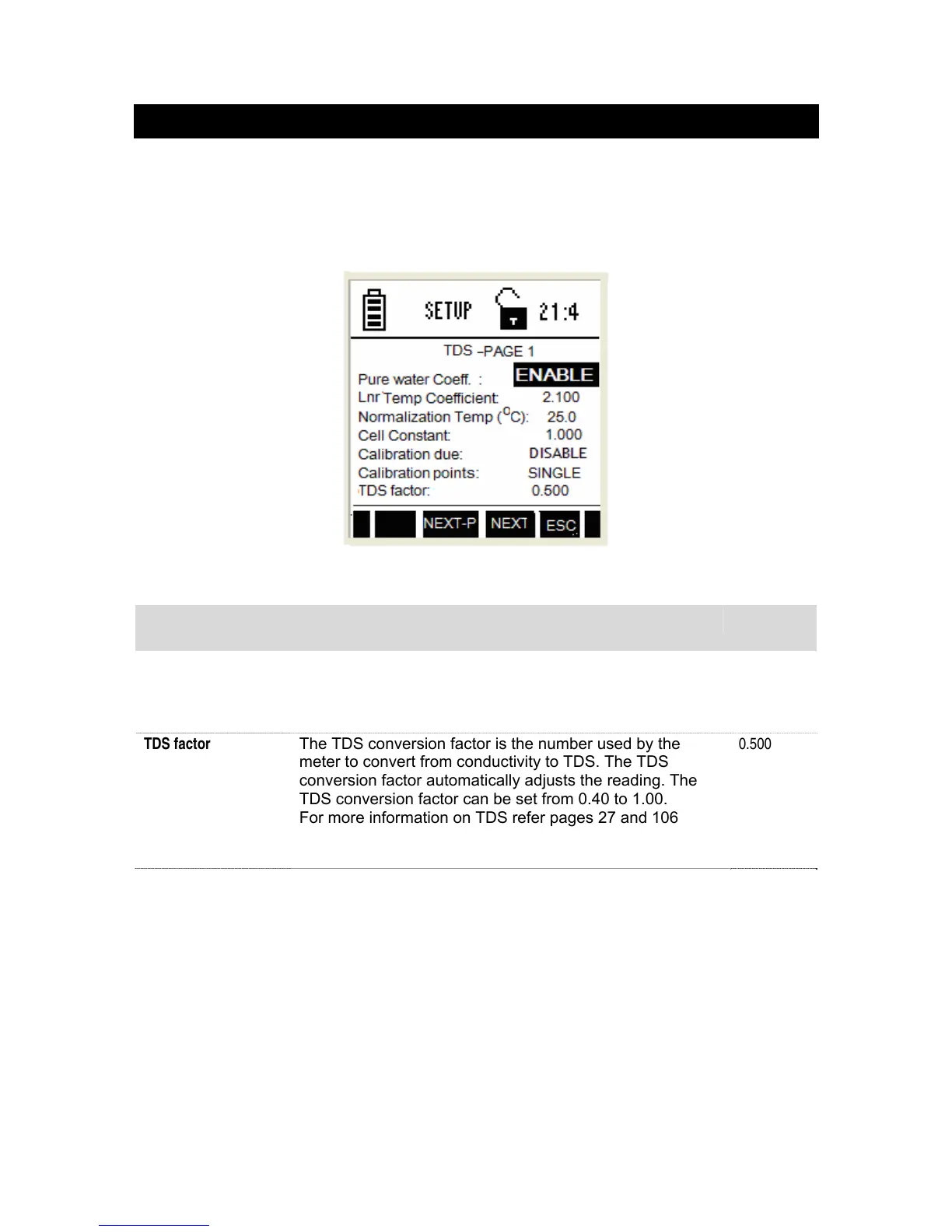
TDS setup screen present many options to control the operating parameters, which
can be controlled and set from the TDS setup screen. The settings are displayed in 2
pages. Press NEXT-P (F2) and PREV-P (F1) to navigate through these pages.
4.7.1 TDS Settings – Page 1
Figure 80 : TDS Settings - Page 1
This page allows you to set operating parameters for TDS measurement mode:
Parameter Description Factory
Default
The Pure water coeff, Lnr Temp Coefficient, normalization temperature, cell constant,
calibration due, calibration points are set the same way as previously described in
Conductivity set up. See ‘Conductivity Settings – Page 1’ on page 86.
TDS factor
The TDS conversion factor is the number used by the
meter to convert from conductivity to TDS. The TDS
conversion factor automatically adjusts the reading. The
TDS conversion factor can be set from 0.40 to 1.00.
For more information on TDS refer pages 27 and 106
0.500
NOTE: The factory default setting for the TDS conversion factor is 0.50.



 To Next Page