Instruction Manual PCD 650
11
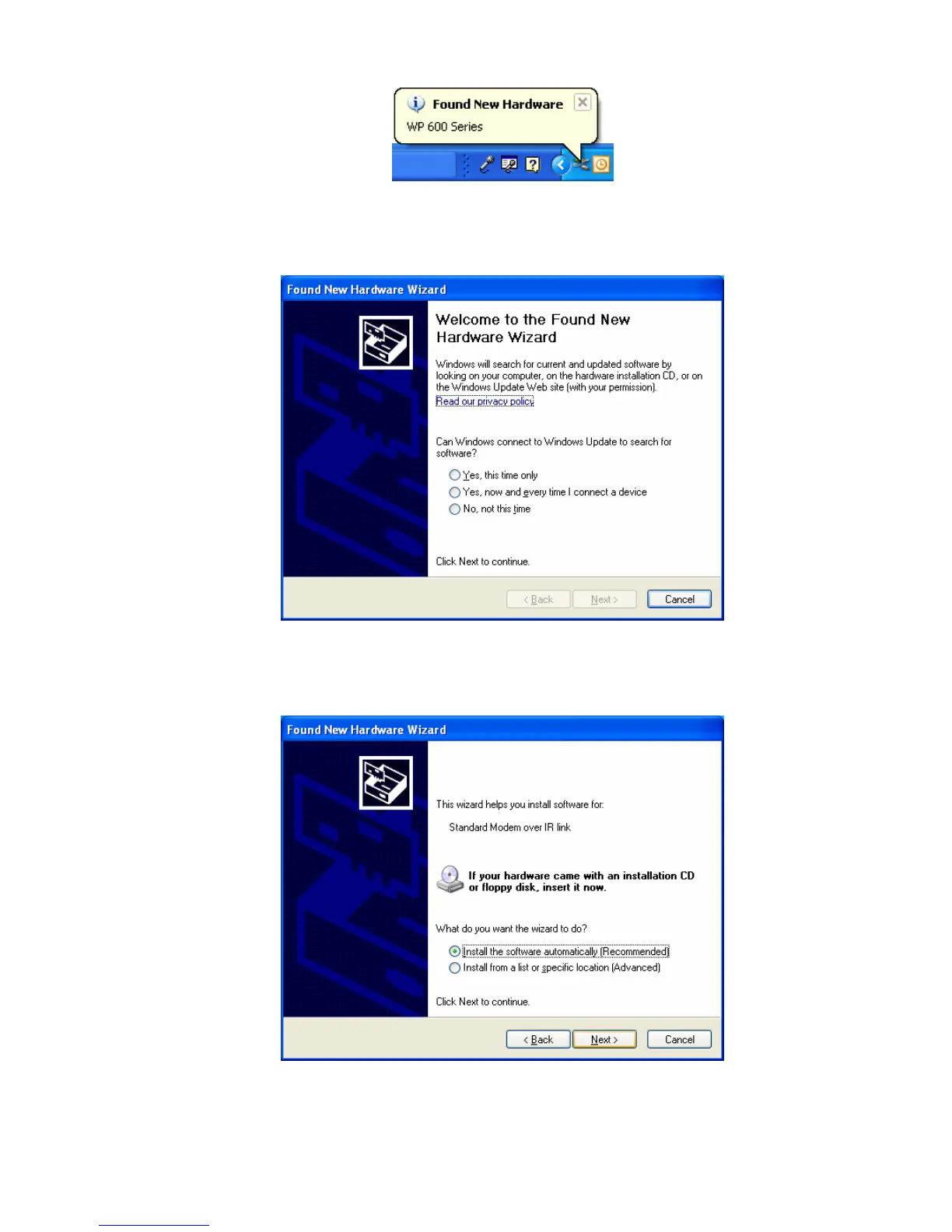
Figure 10 : Computer recognizes the meter
4. The ‘Found New Hardware Wizard’ starts automatically. Select ‘Yes, this
time only’ option for the first screen. (Figure 11) .Click Next to continue.
Figure 11 : First screen of ‘Found New Hardware Wizard’
5. In the second screen (Figure 12), select ‘Install the software
automatically (Recommended)’ and click Next to continue.
Figure 12 : First screen of ‘Found New Hardware Wizard’



 To Next Page