DOC-13000 Rev. E 7–41
Connex500/350 User Guide
TheWizardConditionsscreenappears.
4. Readtheconditions,selectIAgreeandclick
Next.
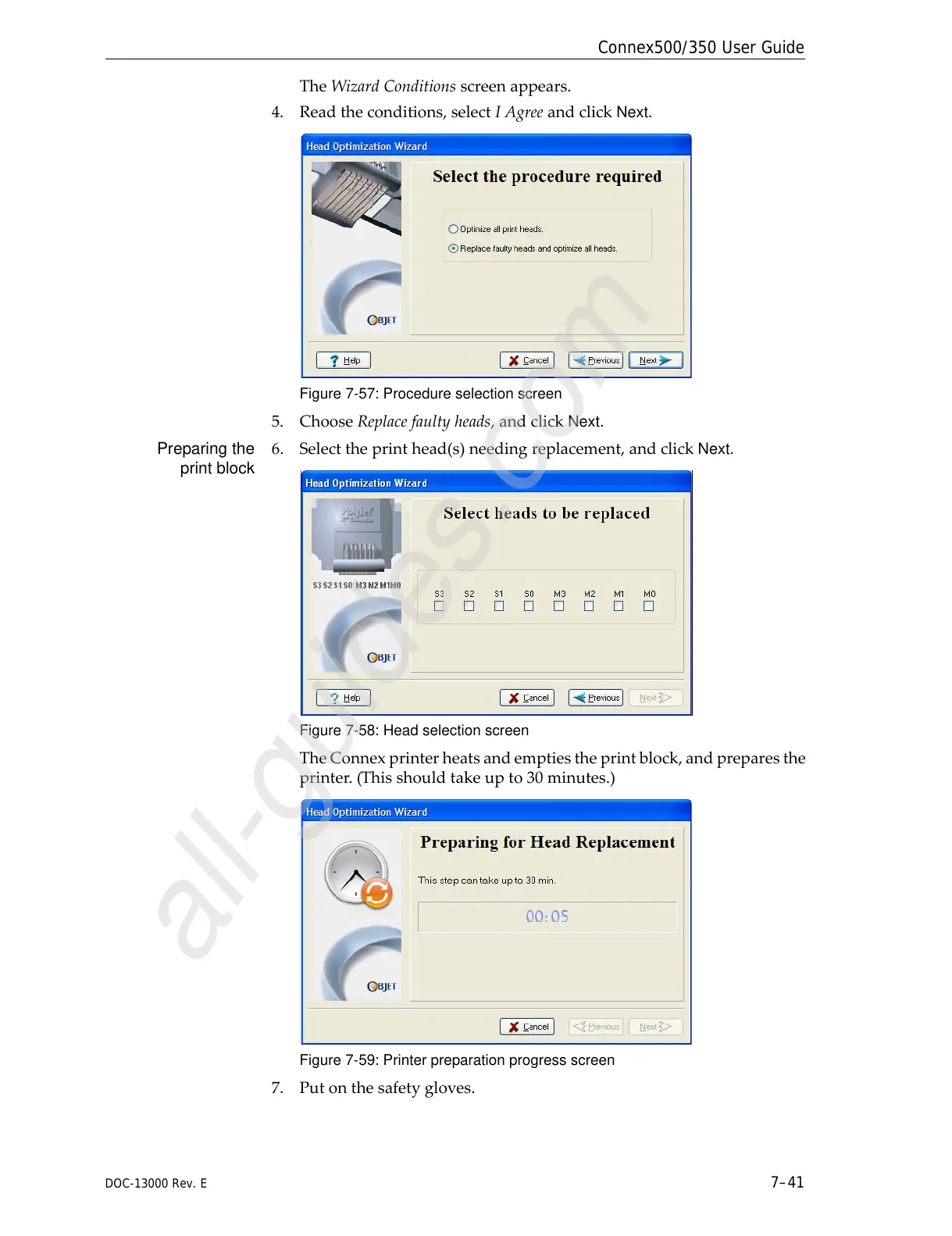
Figure 7-57: Procedure selection screen
5. ChooseReplacefaultyheads,andclickNext.
Preparing the
print block
6. Selecttheprinthead(s)needingreplacement,andclick
Next.
Figure 7-58: Head selection screen
TheConnexprinterheatsandemptiestheprintblock,andpreparesthe
printer.(Thisshouldtakeupto30minutes.)
Figure 7-59: Printer preparation progress screen
7. Putonthesafetygloves.



 To Next Page