Operating & Maintaining the Connex500/350 3-D Printer
7–42
DOC-13000 Rev. E
8. Whenthefollowingscreenisdisplayed,opentheConnexprinter
cover.
Note: The Connex printer disconnects power to the heads for your safety.
Figure 7-60: Replace the defective head when this screen appears
Removing the
Defective Head
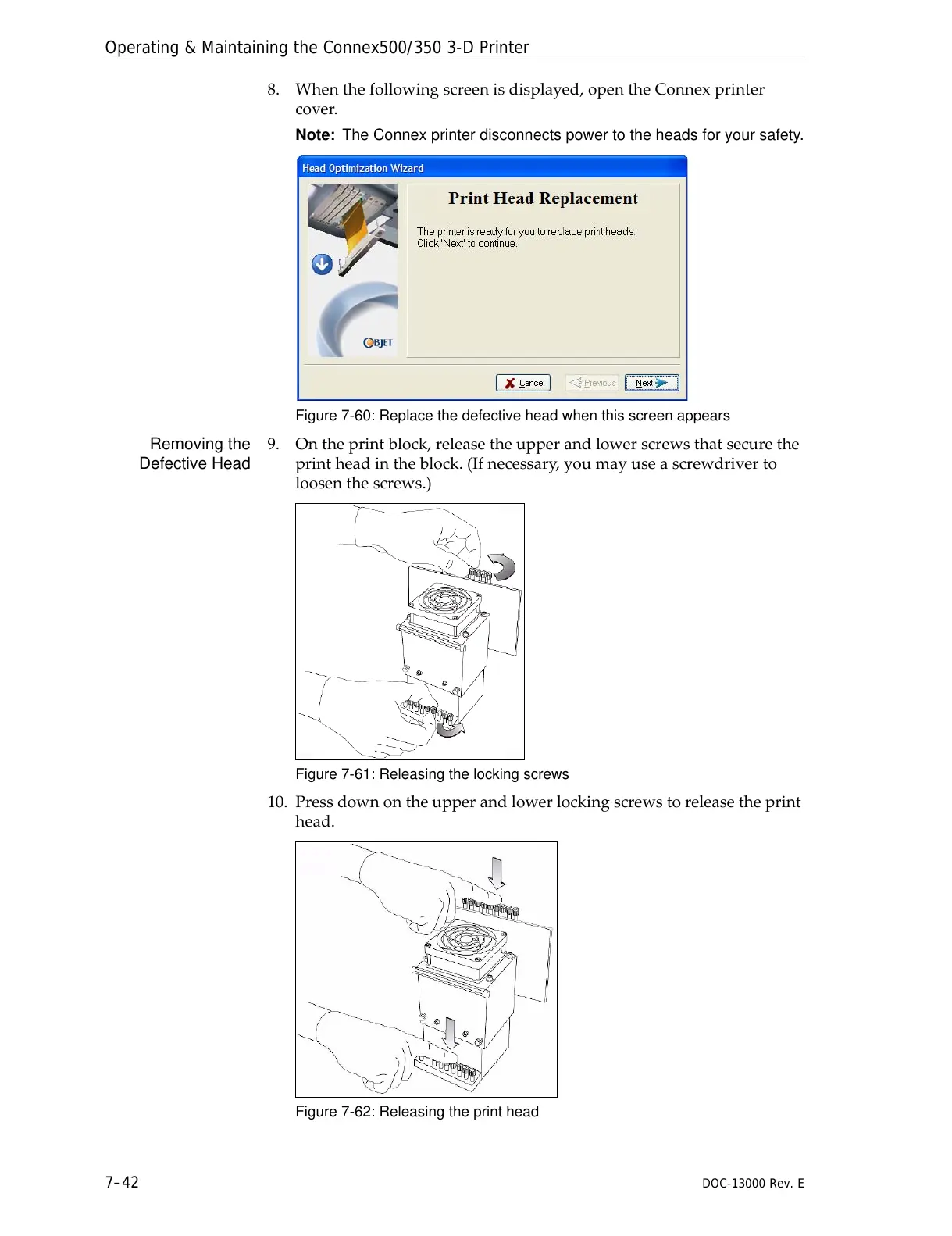
9. Ontheprintblock,releasetheupperandlowerscrewsthatsecurethe
printheadintheblock.(Ifnecessary,youmayuseascrewdriverto
loosenthescrews.)
Figure 7-61: Releasing the locking screws
10. Pressdownontheupperandlowerlockingscrewstoreleasetheprint
head.
Figure 7-62: Releasing the print head



 To Next Page