DOC-13000 Rev. E 7–43
Connex500/350 User Guide
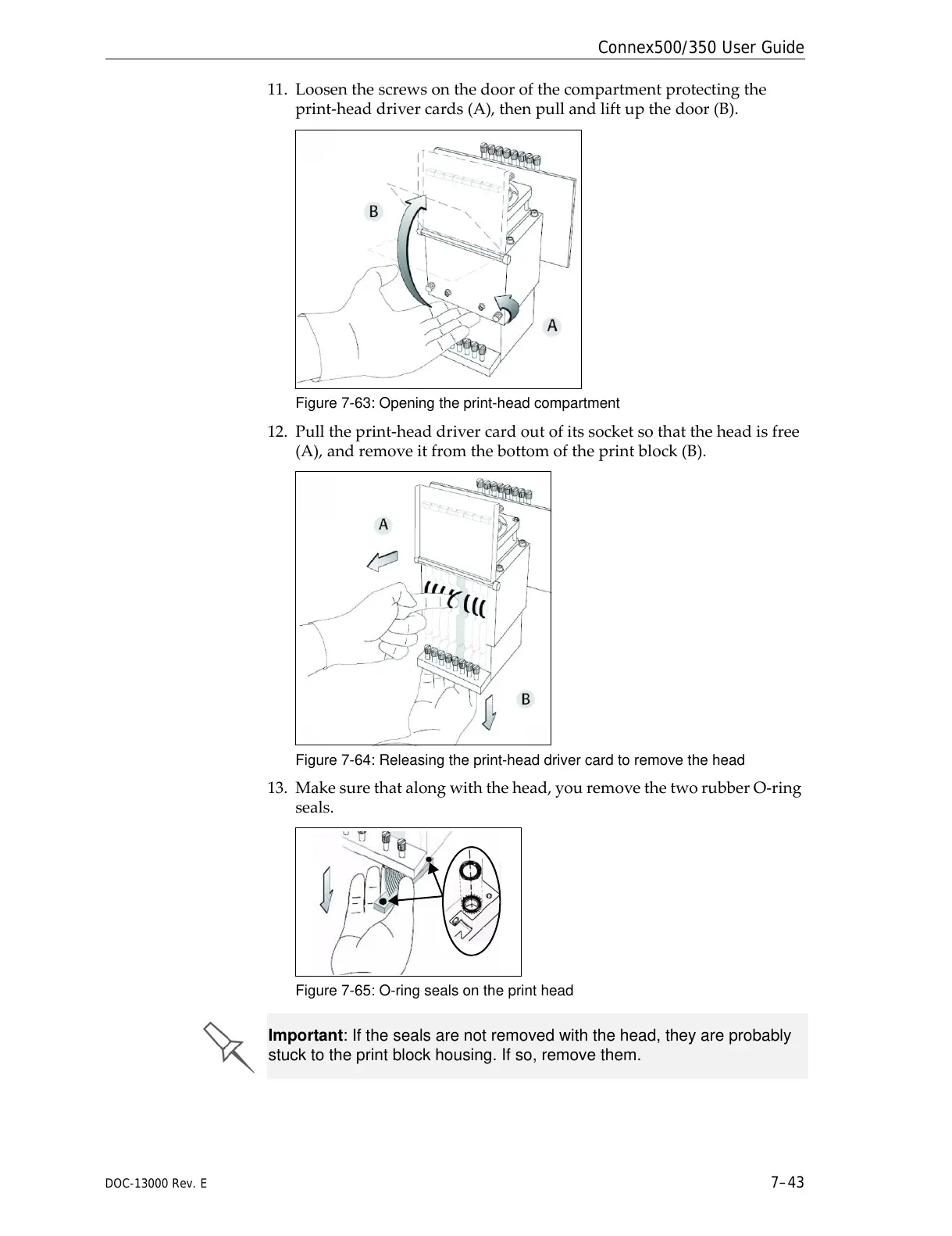
11. Loosenthescrewsonthedoorofthecompartmentprotectingthe
print‐headdrivercards(A),thenpullandliftupthedoor(B).
Figure 7-63: Opening the print-head compartment
12. Pulltheprint‐headdrivercardoutofitssocketsothattheheadisfree
(A),andremoveitfromthebottomoftheprintblock(B).
Figure 7-64: Releasing the print-head driver card to remove the head
13. Makesurethatalongwiththehead,youremovethetworubberO‐ring
seals.
Figure 7-65: O-ring seals on the print head
Important: If the seals are not removed with the head, they are probably
stuck to the print block housing. If so, remove them.



 To Next Page