Operating & Maintaining the Connex500/350 3-D Printer
7–44
DOC-13000 Rev. E
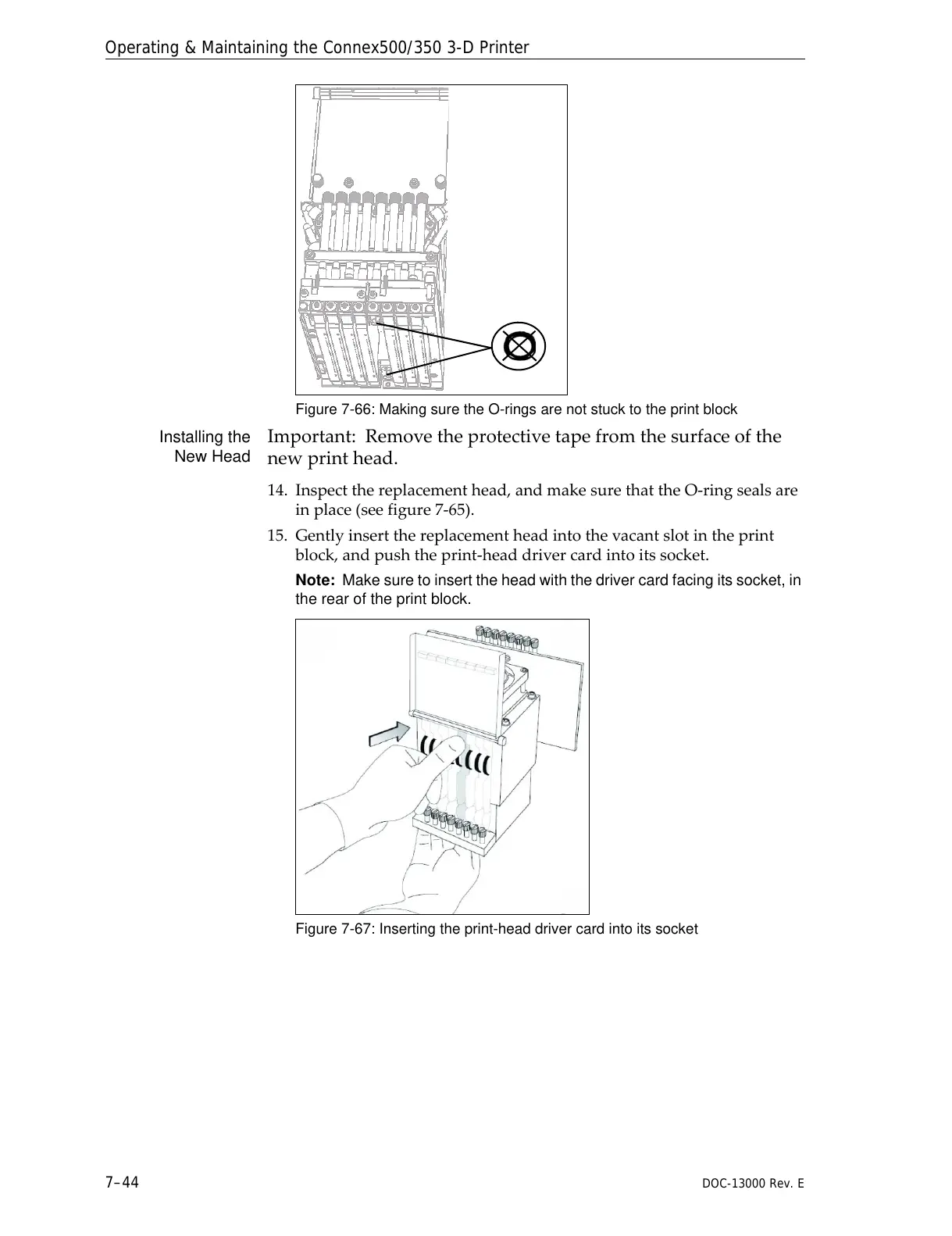
Figure 7-66: Making sure the O-rings are not stuck to the print block
Installing the
New Head
Important:Removetheprotectivetapefromthesurfaceofthe
newprinthead.
14. Inspectthereplacementhead,andmakesurethattheO‐ringsealsare
inplace(seefigure 7‐65).
15. Gentlyinsertthereplacementheadintothevacantslotintheprint
block,andpushtheprint‐headdrivercardintoitssocket.
Note: Make sure to insert the head with the driver card facing its socket, in
the rear of the print block.
Figure 7-67: Inserting the print-head driver card into its socket



 To Next Page