DOC-13000 Rev. E 7–45
Connex500/350 User Guide
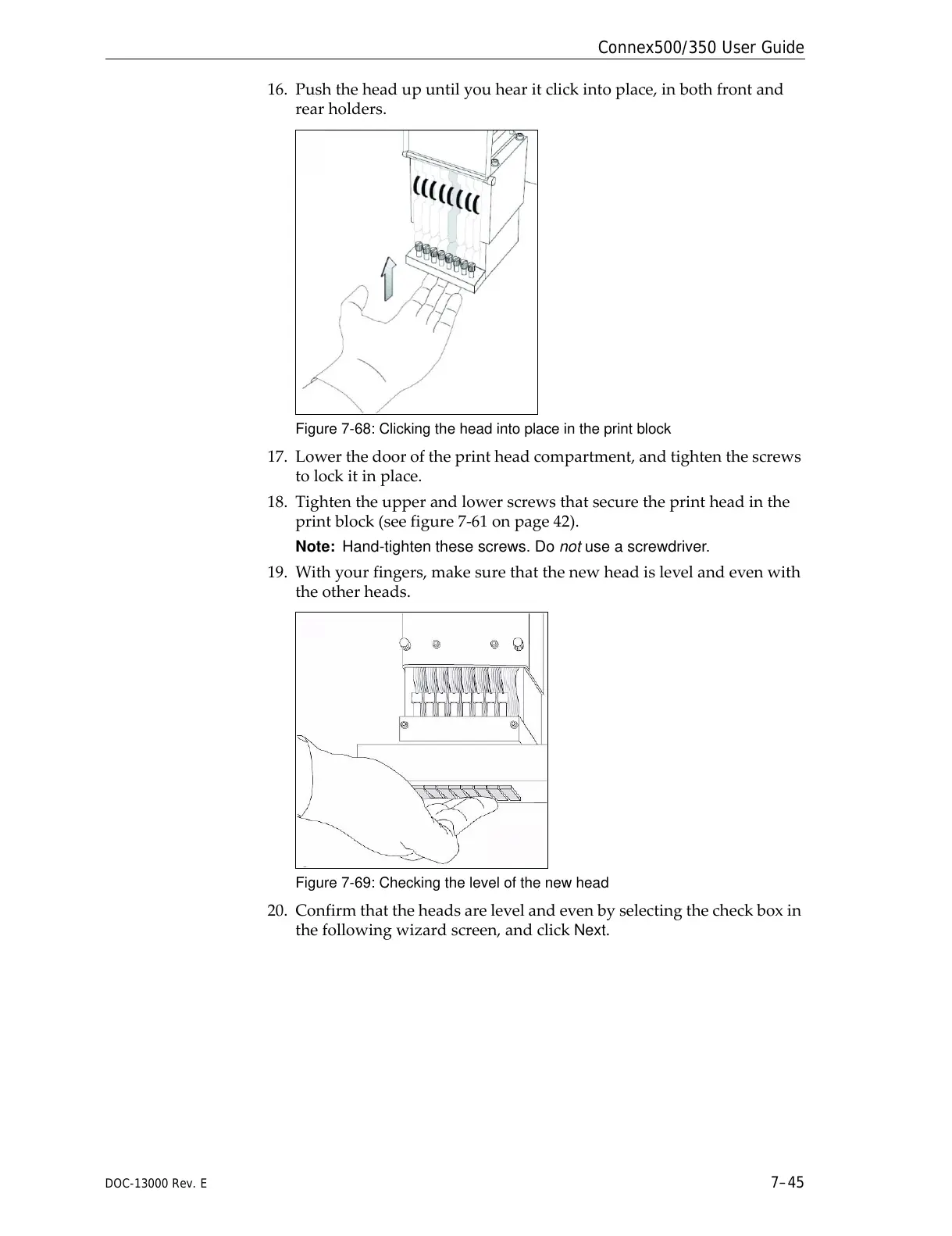
16. Pushtheheadupuntilyouhearitclickintoplace,inbothfrontand
rearholders.
Figure 7-68: Clicking the head into place in the print block
17. Lowerthedooroftheprintheadcompartment,andtightenthescrews
tolockitinplace.
18. Tightentheupperandlowerscrewsthatsecuretheprintheadinthe
printblock(seefigure 7‐61onpage 42).
Note: Hand-tighten these screws. Do not use a screwdriver.
19. W ithyourfingers,makesurethatthenewheadislevelandevenwith
theotherheads.
Figure 7-69: Checking the level of the new head
20. Confirmthatthe headsarelevelandevenbyselectingthecheckboxin
thefollowingwizardscreen,andclick
Next.



 To Next Page