DOC-13000 Rev. E 7–53
Connex500/350 User Guide
adjusttheireffectivepowerwiththeUVCalibrationWizard(see“Testing
andCalibratingtheUVLamps”onpage 49.IfyouneedtoreplaceaUV
lamp,followtheseinstructions:
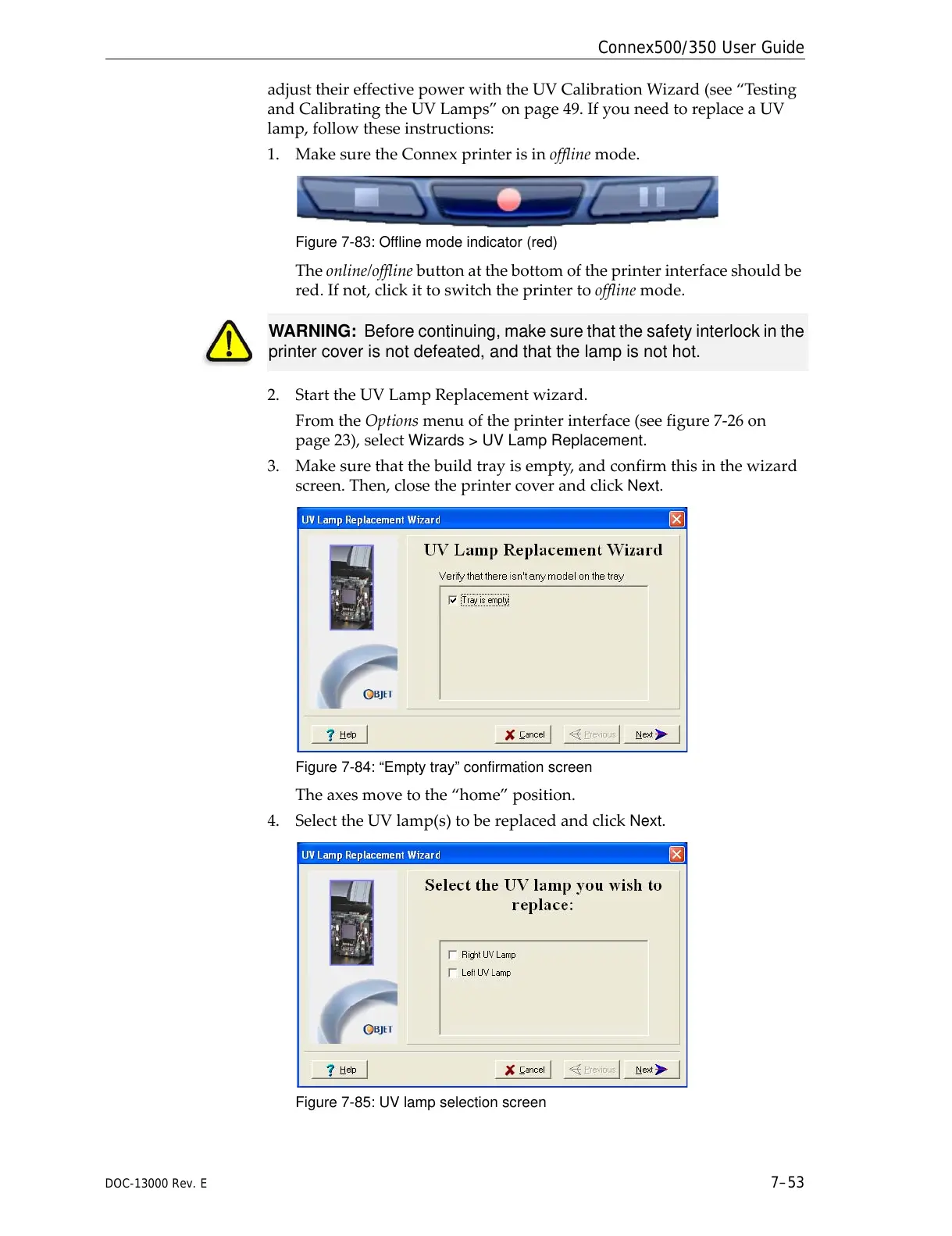
1. MakesuretheConnexprinterisinofflinemode.
Figure 7-83: Offline mode indicator (red)
Theonline/offlinebuttonatthebottomoftheprinterinterfaceshouldbe
red.Ifnot,clickittoswitchtheprintertoofflinemode.
2. StarttheUVLampReplacementwizard.
FromtheOptionsmenuoftheprinterinterface(seefigure 7‐26on
page 23),selectWizards > UV Lamp Replacement.
3. Makesurethatthebuildtrayisempty,andconfirmthisinthewizard
screen.Then,closetheprintercoverandclick
Next.
Figure 7-84: “Empty tray” confirmation screen
Theaxesmovetothe“home”position.
4. SelecttheUVlamp(s)tobereplacedandclick
Next.
Figure 7-85: UV lamp selection screen
WARNING: Before continuing, make sure that the safety interlock in the
printer cover is not defeated, and that the lamp is not hot.



 To Next Page