2
®
INTRODUCTION
Welcome to Oceanic and thank you for choosing the Pro Plus !
The Pro Plus has a wide array of features described in detail throughout the
pages that follow. Due to the importance that they be understood thoroughly
prior to using the Pro Plus, information will be expanded upon and some re-
freshed as you proceed. Relax and read through the complete guide.
It is extremely important that you read this owner's guide in se-
quence and understand it completely before attempting to use the
Pro Plus.
Remember that technology is no substitute for common sense, and a dive com-
puter only provides the person using it with data, not the knowledge to use it.
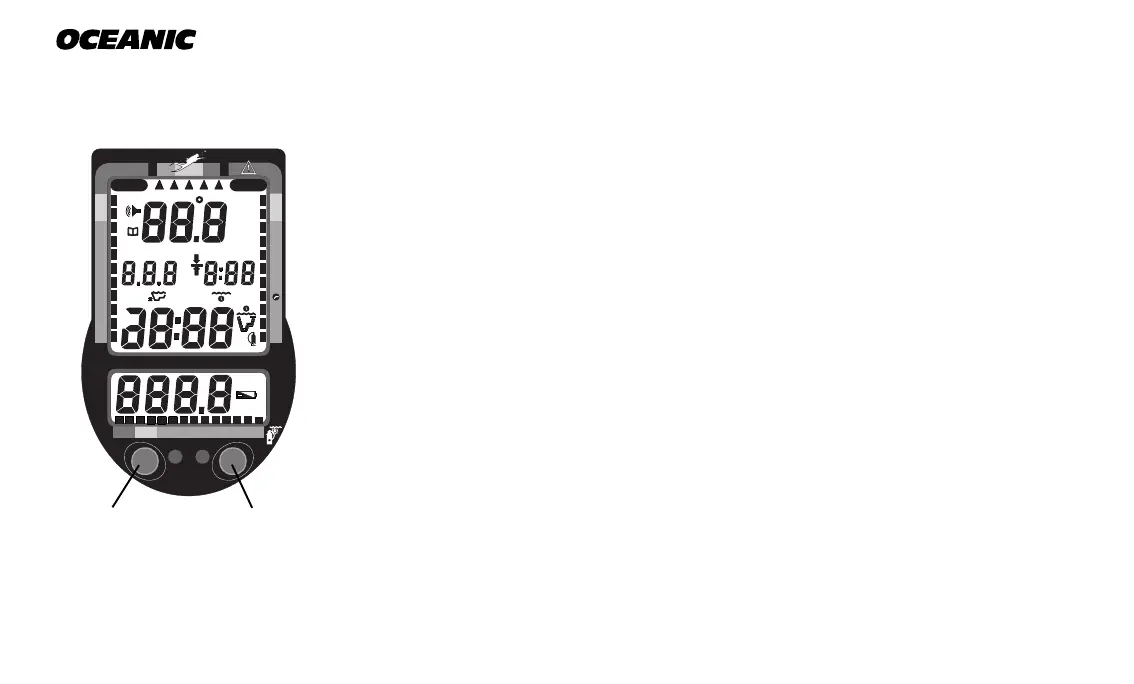
INTERACTIVE CONTROL CONSOLE
The Interactive Control Console, consisting of the Advance (Left) button and
Select (Right) button (Fig. 1), allows you to select various display options and
access specific information when you choose to see it. The buttons can be
pressed repeatedly, or held in to scroll.
Fig. 1 - Interactive
Control Console
SelectAdvance
OCEANIC
200 5 10 30 40 50 60
Smart
Glo
NO DECO
C Z
Pro PLUS
DECO
C Z O
2
™
®
PSI
MAX
FT
BAR
M
FT
M
2
O
MAX



 To Next Page