23
Datamax Pro Plus
• press Select (Right) button until the desired Max Depth value appears
• press Advance (Left) button to accept the setting displayed, and either -
• revert to Surface Mode (if this setting was changed), or -
• advance to Set: Turn Pressure Alarm (this setting was not changed)
Example of Pressure Alarm Set Points: Starting with 3000 psi, set the
Turn Pressure Alarm for 2000 psi and the End Pressure Alarm for 1000 psi
(e.g., 1000 psi used going out, 1000 psi used coming back, 1000 psi reserve).
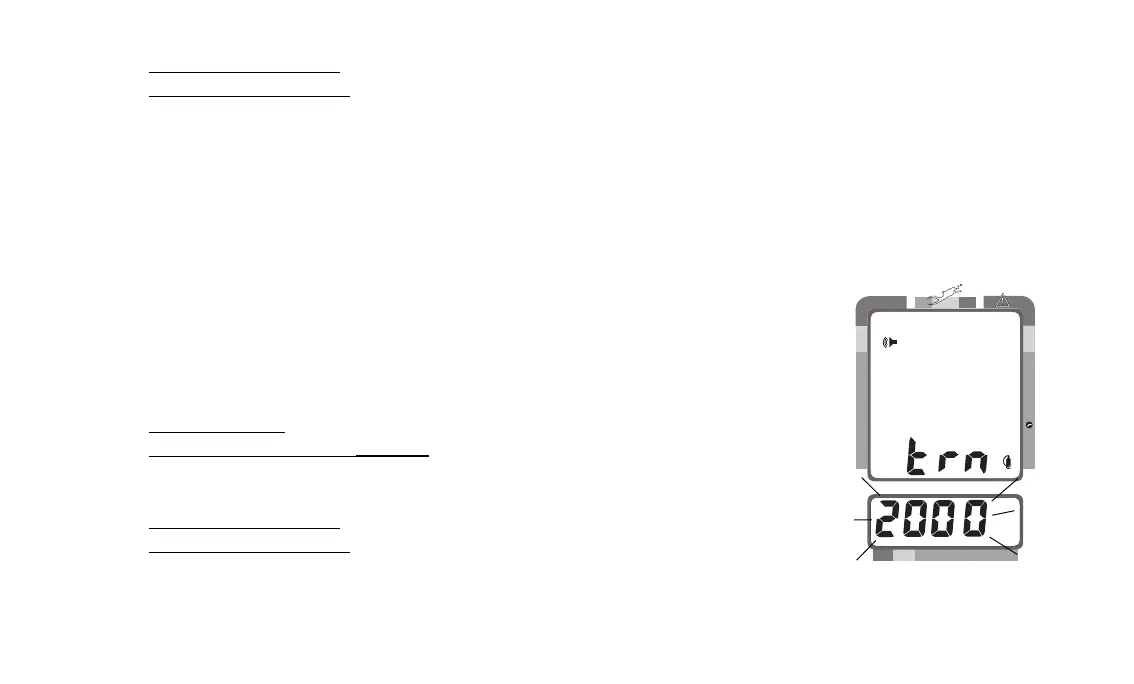
TO SET: TURN PRESSURE ALARM SET POINT
The Turn Pressure Alarm can be set to values between 1000 psi (68.5 BAR)
and 3000 psi (206.5 BAR) in 250 psi (17 BAR) increments to alert you. To dis-
able the alarm feature, set the value at 00 psi (00 BAR).
• press BOTH buttons simultaneously, while in Surface Mode
• press Advance (Left) button 3 times
• Breathing Gas Time and Audible Alarm icons appear with the Pressure
value flashing (Fig. 20)
• press Select (Right) button until the desired Pressure value appears
• press Advance (Left) button to accept the setting displayed, and either -
• revert to Surface Mode (if this setting was changed), or -
• advance to Set: End Pressure Alarm (this setting was not changed)
Fig. 20 - Set Turn Pressure
Alarm Set Point
200 5 10 30 40 50 60
NO DECO
C Z
DECO
C Z O
2
PSI



 To Next Page