27
Datamax Pro Plus
TO SET: UNITS OF MEASURE
• press BOTH buttons simultaneously, while in Surface Mode
• press Advance (Left) button 12 times
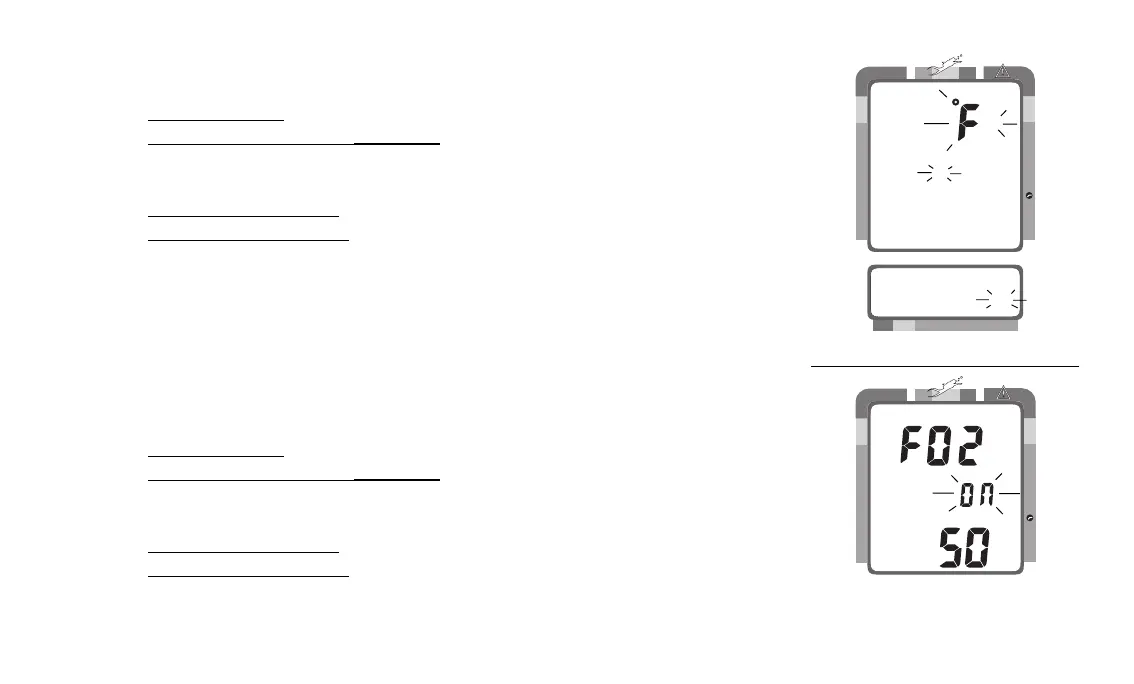
• the Units of Measure icons appear flashing (Fig. 26)
• press Select (Right) button to toggle between 'FT, °F' and 'M, °C'
• press Advance (Left) button to accept the setting displayed, and either -
• revert to Surface Mode (if this setting was changed), or -
• advance to Set: FO2 Default (this setting was not changed)
TO SET: FO2 50% DEFAULT (described on page 33) ON/OFF
'Off' - FO2 value set point remains at the % set until changed or shut down
'On' - FO2 value set point reverts to 50% after dives (must be set each dive)
• press BOTH buttons simultaneously, while in Surface Mode
• press Advance (Left) button 13 times
• FO2 50 appears with On or Off flashing (Fig. 27)
• press Select (Right) button to toggle between 'On' and 'Off'
• press Advance (Left) button to accept the setting displayed, and either -
• revert to Surface Mode (if this setting was changed), or -
• advance to EA Mode (this setting was not changed)
Fig. 27 - Set FO2
50% Default On/Off
Fig. 26 - Set Units of Measure
200 5 10 30 40 50 60
NO DECO
C Z
DECO
C Z O
2
PSI
FT
FT
NO DECO
C Z
DECO
C Z O
2



 To Next Page