24
®
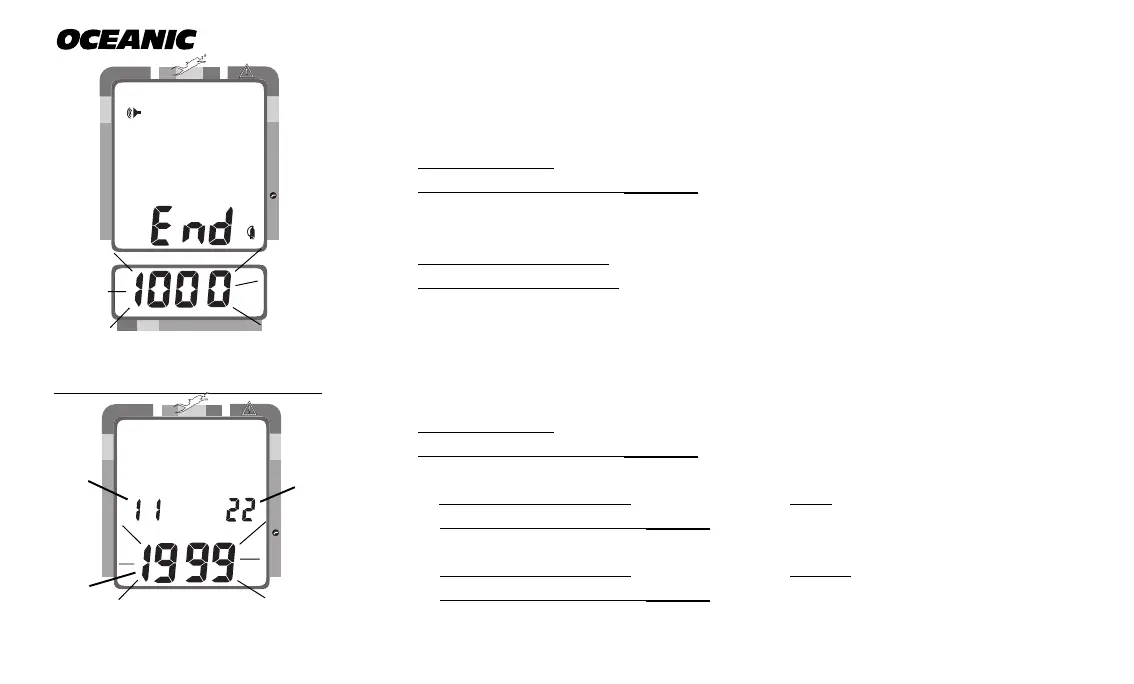
TO SET: END PRESSURE ALARM SET POINT
The End Pressure Alarm can be set to values between 300 psi (20 BAR) and
1500 psi (68 BAR) in 100 psi (6 BAR) increments to warn you.
• press BOTH buttons simultaneously, while in Surface Mode
• press Advance (Left) button 4 times
• Gas Time and Audible icons appear with Pressure value flashing (Fig. 21)
• press Select (Right) button until the desired Pressure value appears
• press Advance (Left) button to accept the setting displayed, and either -
• revert to Surface Mode (if this setting was changed), or -
• advance to Set: Year (this setting was not changed)
TO SET: DATE/HOUR FORMAT/TIME
• press BOTH buttons simultaneously, while in Surface Mode
• press Advance (Left) button 5 times
• the Date appears with the Year setting (Fig. 22a) flashing
• press Select (Right) button until the correct Year appears
• press Advance (Left) button 1 time to accept the setting displayed
• the Month setting (Fig. 22b) flashes
• press Select (Right) button until the correct Month appears.
• press Advance (Left) button 1 time to accept the setting displayed
• the Day setting (Fig. 22c) flashes
Fig. 22 - Set Date
Fig. 21 - Set End Pressure
Alarm Set Point
200 5 10 30 40 50 60
NO DECO
C Z
DECO
C Z O
2
PSI
NO DECO
C Z
DECO
C Z O
2
a
b
c



 To Next Page