25
Datamax Pro Plus
• press Select (Right) button until the correct Day appears.
• press Advance (Left) button 1 time to accept the setting displayed
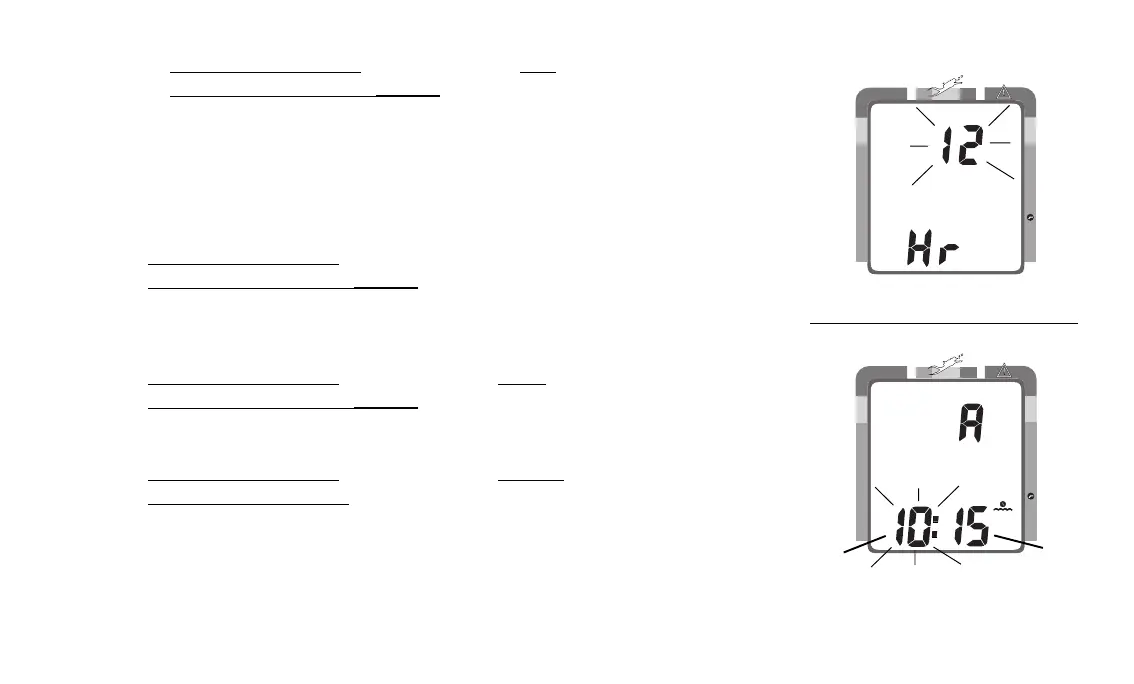
• the Hour Format appears flashing (Fig. 23)
• 12 Hr format = 12: Am to 11: Pm
• 24 Hr format = 0: to 24: (hours)
• press Select (Right) button to toggle between '12' and '24'
• press Advance (Left) button 1 time to accept the setting displayed
• the Time appears with the Hour setting (Fig. 24a) flashing
• press Select (Right) button until the correct Hour appears.
• press Advance (Left) button 1 time to accept the setting displayed
• the Minute setting (Fig. 24b) flashes
• press Select (Right) button until the correct Minute appears.
• press Advance (Left) button to accept the setting displayed, and either -
• revert to Surface Mode (if this setting was changed), or -
• advance to Set: Sampling Rate (Date/Time settings not changed)
Fig. 24 - Set Time
Fig. 23 - Set Hour Format
NO DECO
C Z
DECO
C Z O
2
NO DECO
C Z
DECO
C Z O
2
M
a
b



 To Next Page