9600 Periodic Maintenance Procedure 00-880606-02
Page 24
S-RAM BATTERY DATE CHECK
1. Check for a label on the rear door of the electronics cabinet that is marked “SRAM BATTERY
REPLACED” followed by the date replaced. If the label is not there or the date replaced was 1 year
ago or longer the SRAM battery must be replaced and a new label made and affixed.
SRAM BATTERY REPLACEMENT
WARNING Do not remove the SRAM from the Solid State Drive when performing this
procedure.
The LED closest to the SRAM is a “status” LED it will illuminate RED during disk access if the battery
needs to be replaced. The second LED is a “busy” LED that indicates when the SRAM is being accessed.
If both LED’s illuminate RED during disk access the battery is not charged adequately.
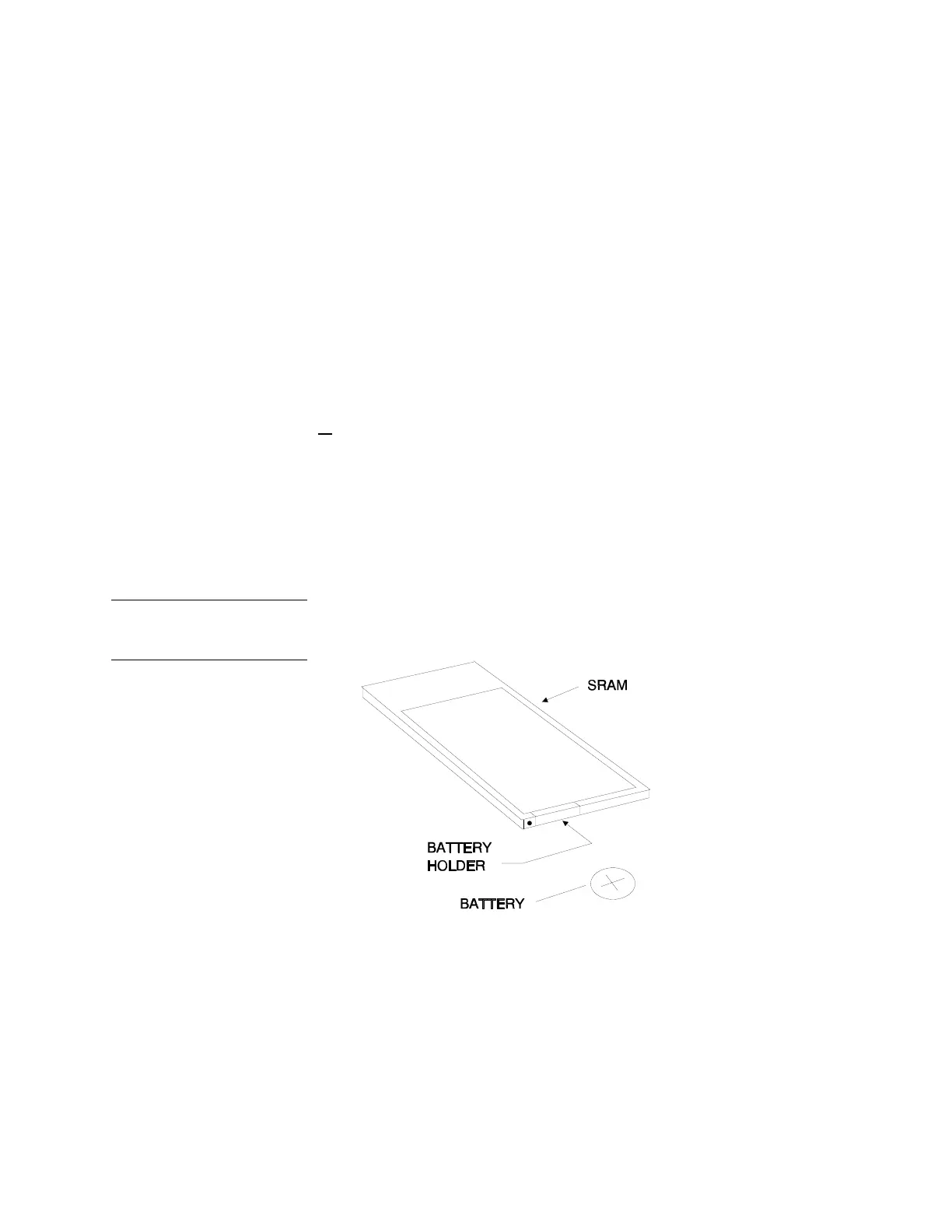
1. With the SRAM in
the Solid State Disk, use a jewelers screw-driver to remove the screw securing
the battery holder.
2. Remove the battery holder and the battery.
3. Replace the battery with a new 3V, lithium ,165 mAH, battery P/N 74-122904-00. Verify the + sign
is pointing up. Make up a label that says “SRAM Battery Replaced” and then the current date and
affix it to the back door of the electronics cabinet of the workstation.
SRAM Battery
Replacement
2.2 DC POWER SUPPLIES
MONITOR CART / WORKSTATION
WARNING Electrical circuits inside the equipment use voltages that are capable of causing
serious injury or death from electrical shock. Use appropriate precautions.



 To Next Page