9600 Periodic Maintenance Procedure 00-880606-02
Page 28
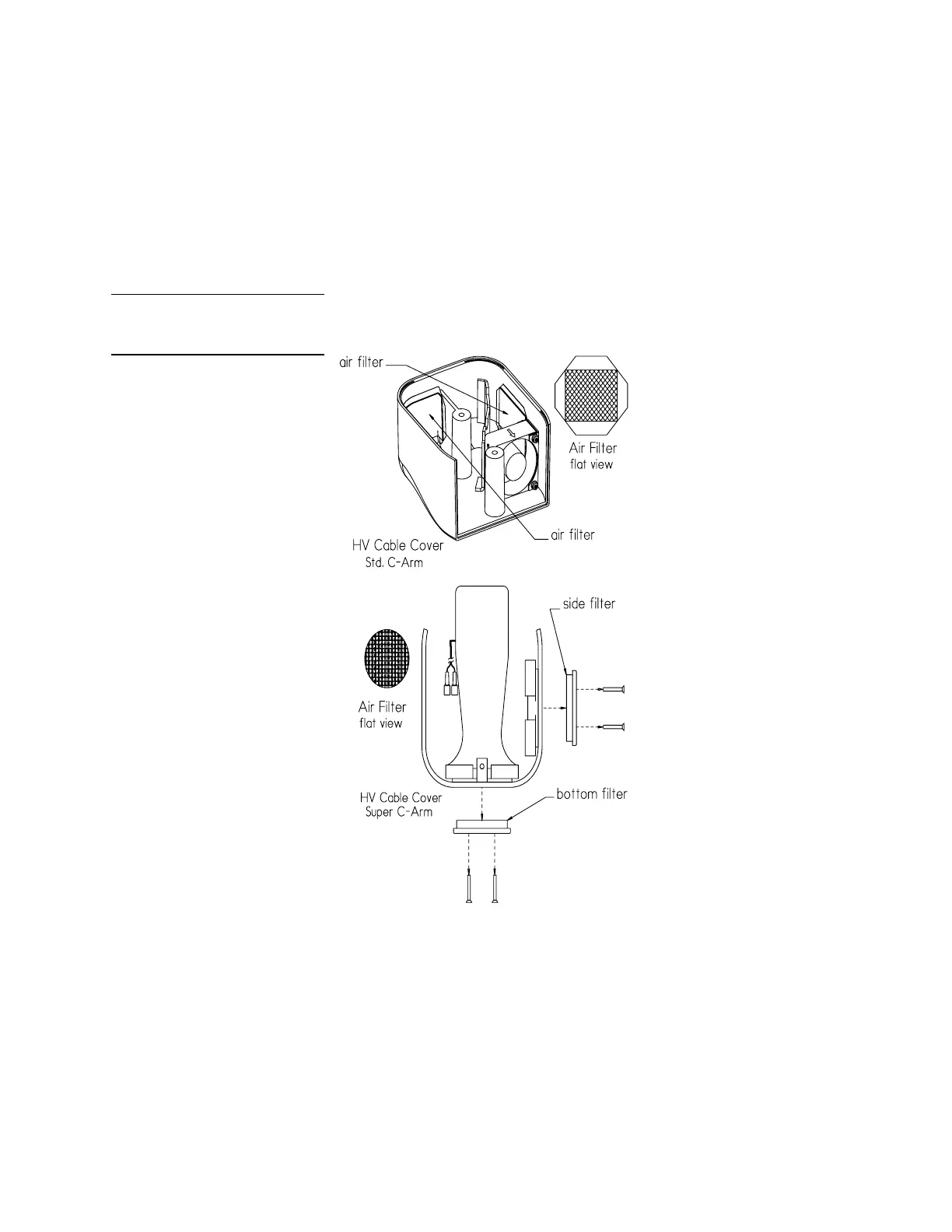
NOTE: For the Super-C, remove the 4 mtg. screws from each vent insert (bottom and side insert), then
remove the inserts to access the filters.
2. Note the two air filters for Std. C and Super-C, inside the cover attached over the air vents. Clean
each filter and make sure they are free of dust, lint or any substance which would inhibit air flow.
3. Reconnect the 2 fan wires (if disconnected) and note their color code (black to black, red to red),
then reattach the HV cable cover to the X-ray tube.
HV Cable Cover Filters, Std.
C-Arm & Super C-Arm
SYSTEM FUNCTION TESTS
TV CAMERA ALIGNMENT
1. Press the CAMERA ROTATE key on the C-Arm control panel, rotate the camera through the full
360° range and verify if the rotation indicators are calibrated.
2. If the rotation indicators require adjustment perform the following steps:



 To Next Page