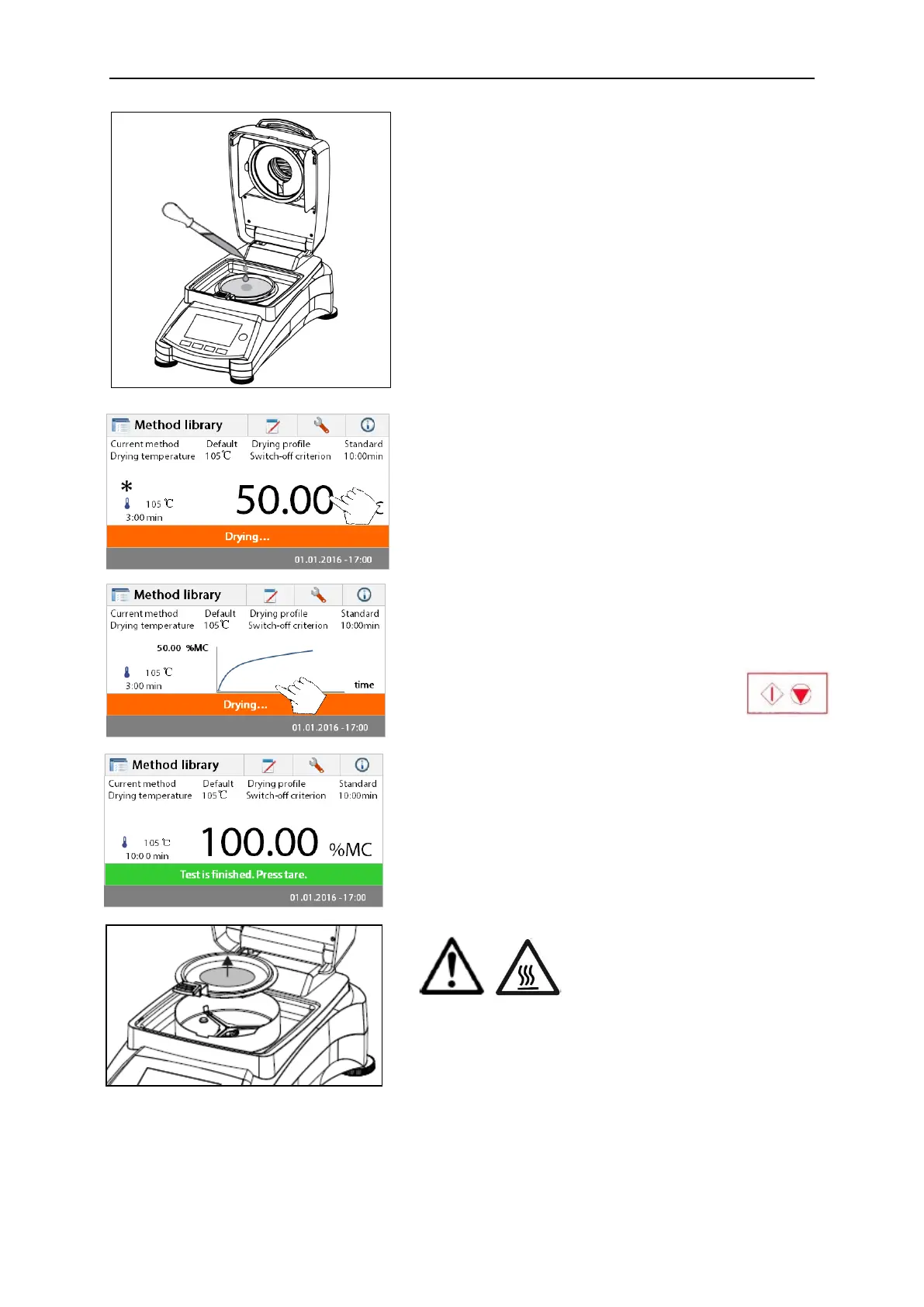
Open the cover on the Moisture Analyzer.
Wet the glass fiber pan with a 0.5 to 1 gram of water.
Attention: Minimum sample size must be greater
than 0.5 gram.
Starting the test
Close the cover, the Moisture Analyzer starts the drying
and measurement process automatically.
Drying and measurement
You are now able to follow the progress of the drying
cycle on the display. This first display comes up
automatically when the test was started.
Observing the test progress
There are two displays available when the Moisture
Analyzer is running a test. One showing the %MC value
and another showing a curve.
When pressing the data area while %MC is shown, the
display will switch to show the curve. Likewise, pressing
the data area again will switch back to show the %MC
value.
The display indicates the Method Name,
Temperature/Time, actual temperature, elapsed time
duration of the test, moisture and curve. The test
automatically stops at the end of the measurement.
If you want to end the test sooner, press the
button.
Congratulations! You have just performed your first
measurement with your moisture analyzer.



 To Next Page