EN-26 MB90
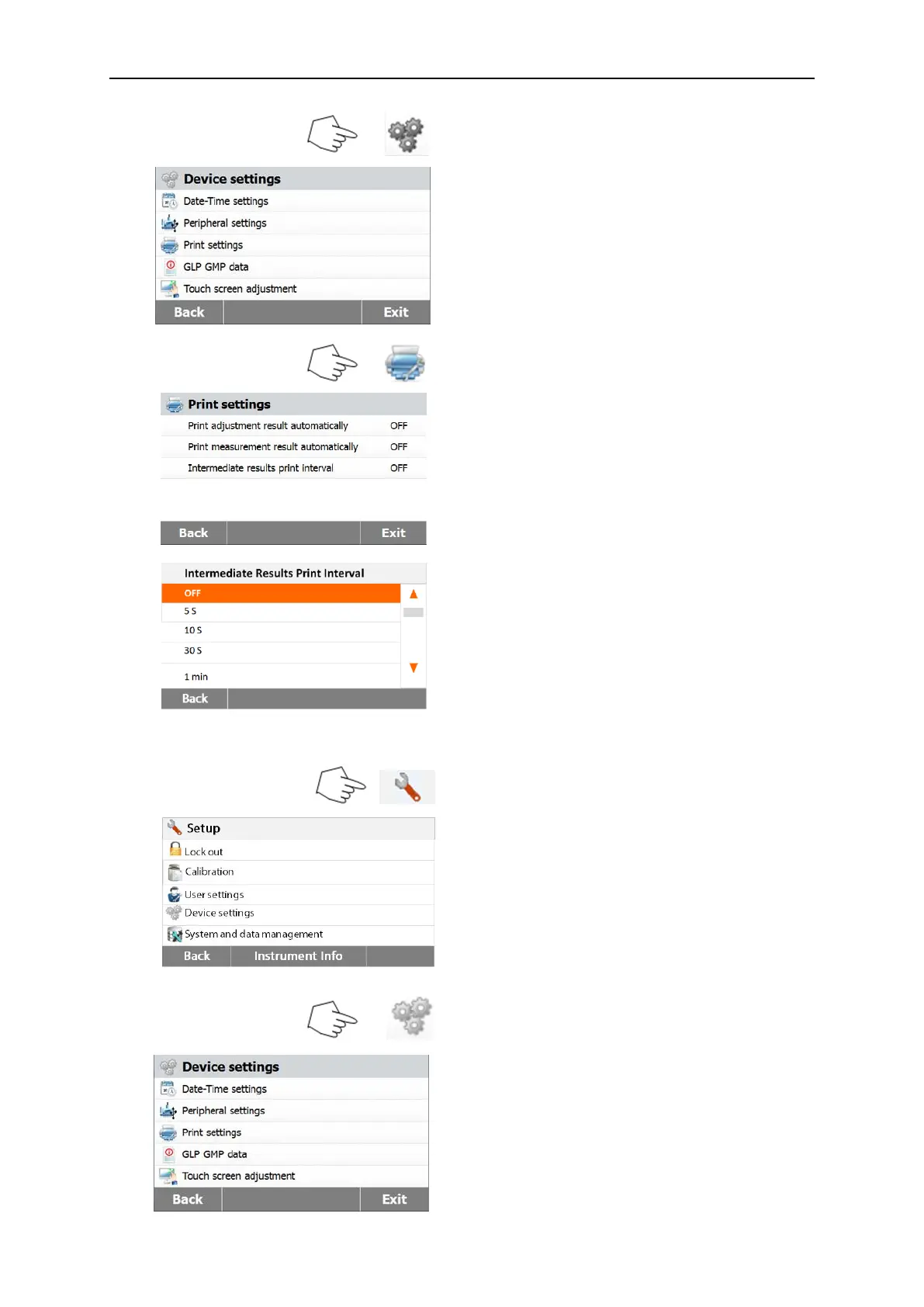
Press Device settings button.
Press Back to return to previous screen.
Press Exit to return to Home screen.
Press Print settings button to access the
Print settings menu.
Press Print calibration result
automatically to switch ON or OFF.
Press Print measurement result
automatically to switch ON or OFF.
Press Intermediate results print interval to
set the print interval.
Press Back to return to previous screen.
Press Exit to return to Home screen.
.
Press the Intermediate results print interval
button.
Choose the interval seconds or minutes.
6.4.4 GLP and GMP Data
Press Setup button to access the setup
menu.
Press Back to return to Home screen.
Press Device settings button to access the
Device menu settings.
Press Back to return to previous screen.
Press Exit to return to Home screen.



 To Next Page