MB90 EN-17
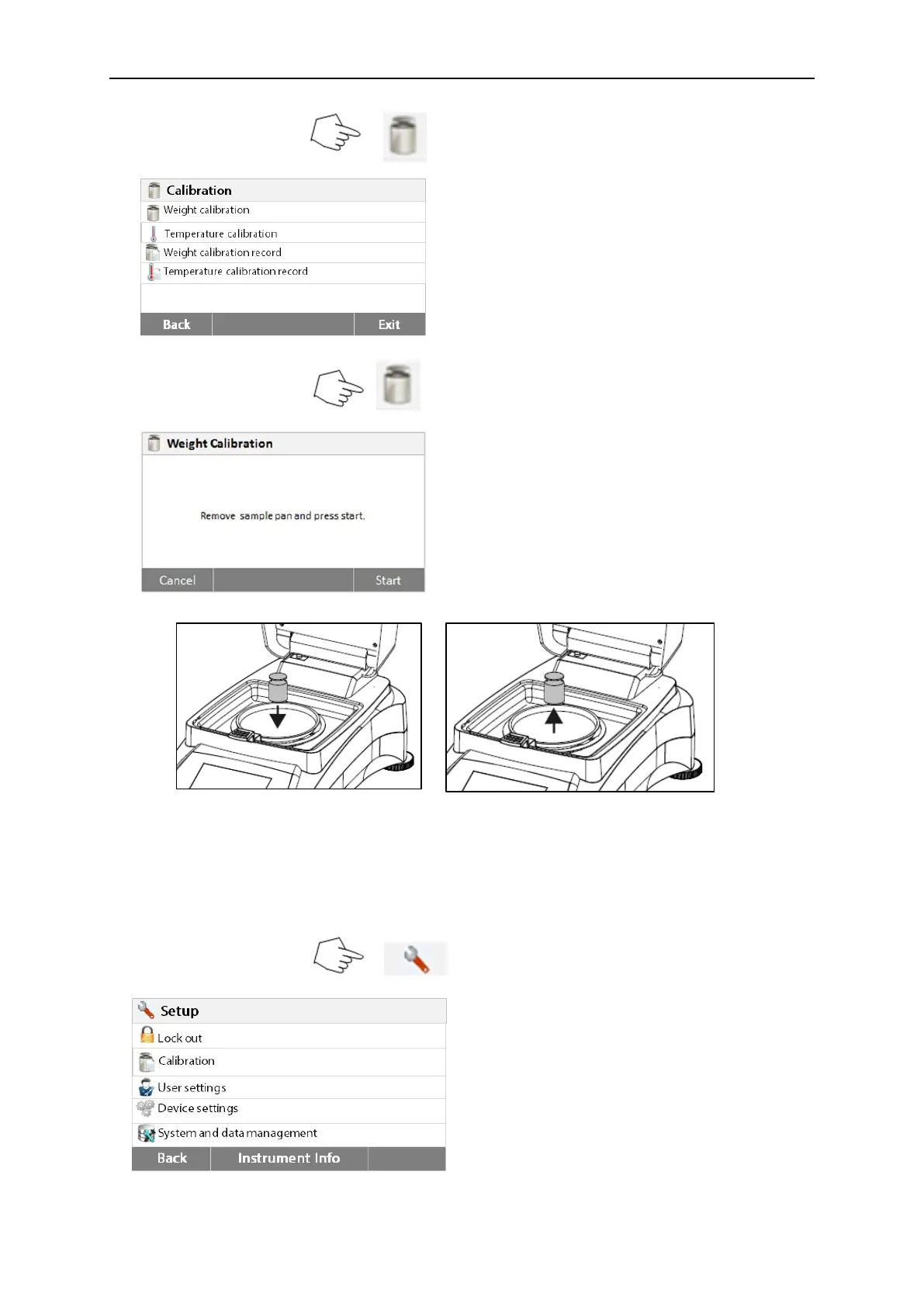
Press the Calibration button to access
calibration menu.
Press Back to return to previous step.
Press the Weight adjustment-external button
The display highlights the action you should
take.
Follow the instructions on the display.
Remove the sample pan. Place the required
weight on the sample pan, close the cover.
The display indicates if the calibration was
successful.
6.2.2 Temperature calibration
You must have a temperature calibration kit to perform this procedure. If the Moisture
Analyzer has been recently used, allow at least 30 minutes before performing calibration.
Note: The temperature calibration kit is available as optional equipment.
Press Setup button to access the calibration
menu.
Press Back to return to Home screen.



 To Next Page