EN-34 MB90
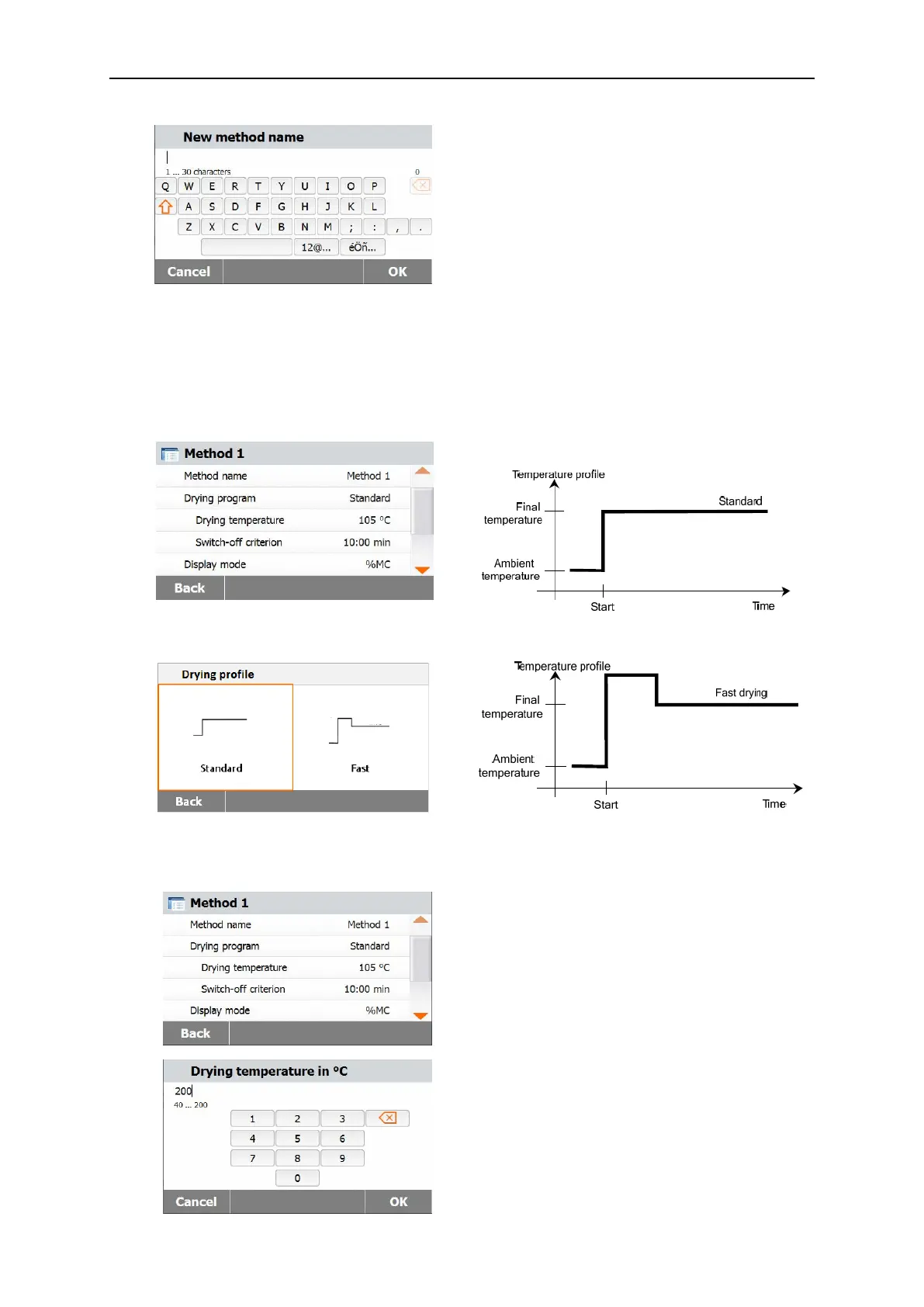
Enter either a method name or identifying
number and press the OK button.
7.3 Setting the Drying Profile
The drying profile contains two settings, Standard and Fast. This section describes each of the drying
profiles. Review the profile descriptions. Depending upon the sample material to be analyzed, select
the appropriate profile and proceed as follows:
Press the Drying profile button.
7.4 Setting the Drying Temperature
The drying temperature can be set from 40 °C to 200 °C.
Press the Drying Temperature button to
access the temperature setting menu.
Enter the desired drying temperature and
press the OK button.



 To Next Page