EN-20 MB90
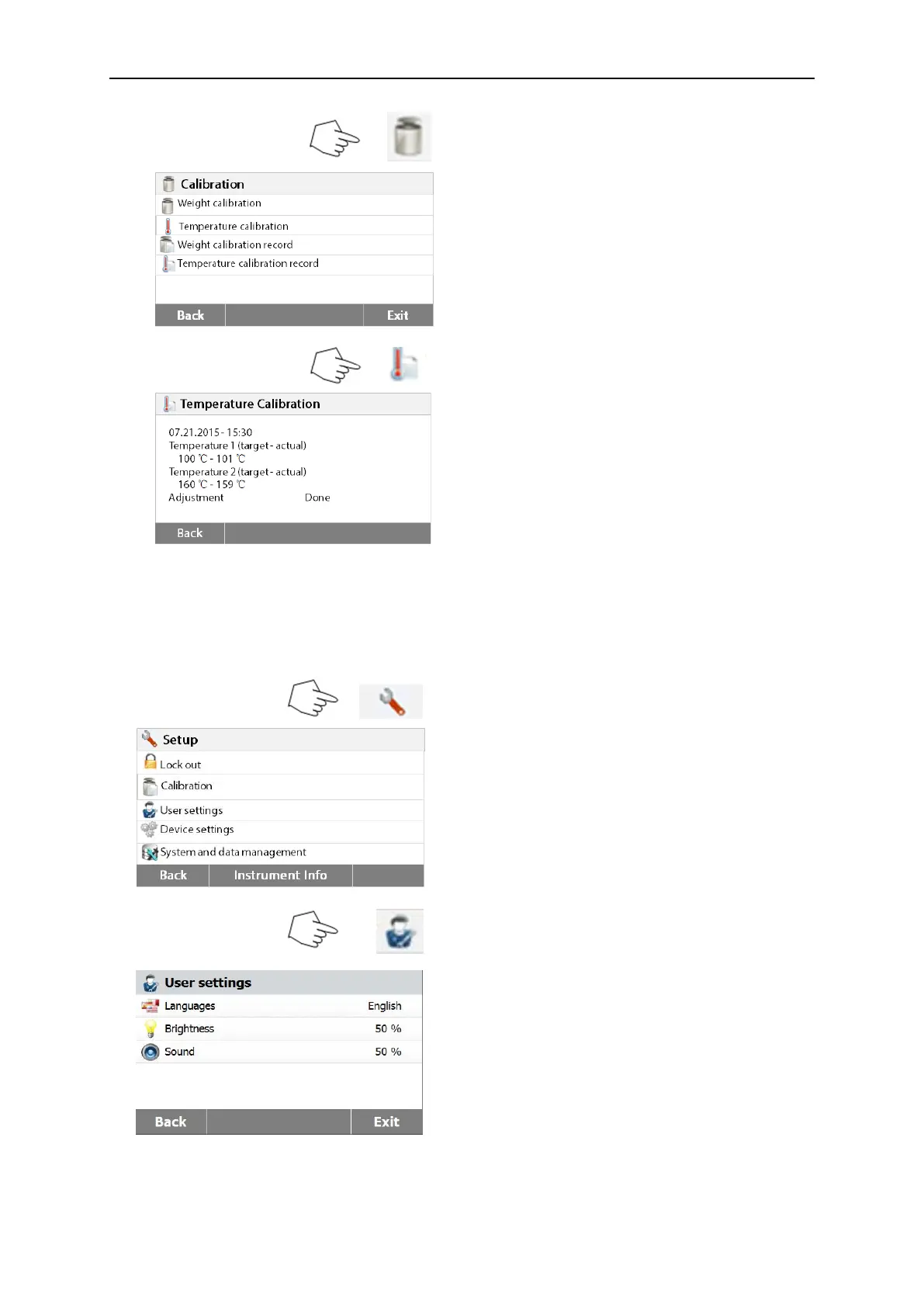
Press Weight and temperature calibration
button to access the calibration screen.
Press Back to return to previous screen.
Press Exit to return to Home screen.
Press the Temperature calibration history
button.
Here you will find the last temperature
calibration result.
Press Back to return to previous screen.
6.3 User settings
6.3.1 Language
For convenience, the Moisture Analyzer is equipped with thirteen languages available on all
displays. The following steps show how to set a language.
Press Setup button to access the Setup
screen.
Press Back to return to Home screen.
Press User settings to access the user
settings menu.
Press Language to set language.



 To Next Page